

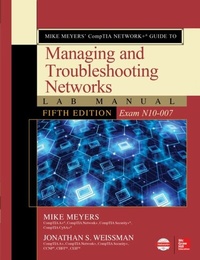
Mike Meyers' CompTIA Network+ Guide to Managing and Troubleshooting Networks Lab Manual, Fifth Edition (Exam N10-007)
1st Edition
Published on 13. July 2018
496 pages
978-1-260-12121-6 (ISBN)
Available for download
Description

Practice the Skills Essential for a Successful IT Career *80+ lab exercises challenge you to solve problems based on realistic case studies *Lab analysis tests measure your understanding of lab results *Step-by-step scenarios require you to think critically *Key term quizzes help build your vocabularyMike Meyers' CompTIA Network+(R) Guide to Managing and Troubleshooting Networks Lab Manual, Fifth Editioncovers:*Network models*Cabling and topology*Ethernet basics and modern Ethernet*Installing a physical network*TCP/IP*Routing*Network naming*Advanced networking devices*IPv6*Remote connectivity*Wireless networking*Virtualization and cloud computing*Mobile networking*Building a real-world network*Managing risk*Protecting your network*Network monitoring and troubleshooting
More details
Other editions
Additional editions
Mike Meyers | Jonathan Weissman
Mike Meyers' CompTIA Network+ Guide to Managing and Troubleshooting Networks Lab Manual, Fifth Edition (Exam N10-007)
Book
09/2018
5th Edition
McGraw-Hill Education
€49.51
Article exhausted; check different version
Content
- Cover
- Title Page
- Copyright Page
- Dedication
- Contents at a Glance
- Contents
- Acknowledgments
- Additional Resources for Teachers
- Chapter 1 Network Models
- Lab Exercises
- Lab Exercise 1.01: Exploring Network Hardware
- Lab Exercise 1.02: Understanding the Data Delivery Process
- Lab Exercise 1.03: Examining the Layers of the OSI Seven-Layer Model
- Lab Exercise 1.04: Preparing a Presentation of the OSI Seven-Layer Model
- Lab Analysis
- Key Term Quiz
- Chapter 2 Cabling and Topology
- Lab Exercises
- Lab Exercise 2.01: Identifying Network Topologies
- Lab Exercise 2.02: Determining Network Cabling Requirements
- Lab Exercise 2.03: Governing Bodies, Part 1
- Lab Exercise 2.04: Industry Standards
- Lab Analysis
- Key Term Quiz
- Chapter 3 Ethernet Basics
- Lab Exercises
- Lab Exercise 3.01: The 802.3 Working Group and Standards
- Lab Exercise 3.02: CSMA/CD-Past and Present
- Lab Exercise 3.03: Building an Ethernet Patch Cable
- Lab Exercise 3.04: Understanding the Dier ff ences Between Cat 5e and Cat 6/6A
- Lab Exercise 3.05: Enhancing the Performance of Ethernet Networks
- Lab Exercise 3.06: Exploring the Spanning Tree Protocol (STP)
- Lab Analysis
- Key Term Quiz
- Chapter 4 Modern Ethernet
- Lab Exercises
- Lab Exercise 4.01: Understanding Ethernet Standards
- Lab Exercise 4.02: Ethernet Network Design: Implementing Switches
- Lab Exercise 4.03: Beyond Gigabit Ethernet: 10 Gigabit Ethernet
- Lab Exercise 4.04: Beyond 10 Gigabit Ethernet: 40/100 Gigabit Ethernet
- Lab Analysis
- Key Term Quiz
- Chapter 5 Installing a Physical Network
- Lab Exercises
- Lab Exercise 5.01: Examining Structured Network Cabling
- Lab Exercise 5.02: Implementing a Small Network Infrastructure
- Lab Exercise 5.03: Installing Switches, Network Adapters, and PCs
- Lab Exercise 5.04: Diagnostics and Troubleshooting
- Lab Exercise 5.05: Field Trip: A Visit with the IT Department
- Lab Analysis
- Key Term Quiz
- Chapter 6 TCP/IP Basics
- Lab Exercises
- Lab Exercise 6.01: Diagramming the IP Address and Subnet Mask
- Lab Exercise 6.02: Configuring IP Addresses and Subnet Masks
- Lab Exercise 6.03: Configuring Subnetting
- Lab Exercise 6.04: Local vs. Remote IP Addresses: The Function of the Default Gateway
- Lab Exercise 6.05: Packet Sninffig
- IP Addresses and MAC Addresses Working Together
- Lab Exercise 6.06: Static IP Addressing vs. Dynamic IP Addressing
- Lab Exercise 6.07: Configuring and Testing a DHCP Client and a DHCP Server
- Lab Analysis
- Key Term Quiz
- Chapter 7 Routing
- Lab Exercises
- Lab Exercise 7.01: Governing Bodies, Part 2
- Lab Exercise 7.02: Installing and Configuring Routers
- Lab Exercise 7.03: Exploring NAT and Port Forwarding
- Lab Exercise 7.04: Configuring Multiple Routers and Implementing Dynamic Routing
- Lab Analysis
- Key Term Quiz
- Chapter 8 TCP/IP Applications
- Lab Exercises
- Lab Exercise 8.01: Transport Layer and Network Layer Protocols
- Lab Exercise 8.02: Analyzing TCP/IP Ports and Associations
- Lab Exercise 8.03: HTTP and Ports
- Lab Exercise 8.04: FTP and Ports
- Lab Exercise 8.05: The TCP Three-Way Handshake in Action
- Lab Analysis
- Key Term Quiz
- Chapter 9 Network Naming
- Lab Exercises
- Lab Exercise 9.01: DNS Resolver Cache
- Lab Exercise 9.02: Using the hosts File for Name Resolution
- Lab Exercise 9.03: nslookup
- Lab Exercise 9.04: DNS Client and DNS Server in Action
- Lab Analysis
- Key Term Quiz
- Chapter 10 Securing TCP/IP
- Lab Exercises
- Lab Exercise 10.01: Evaluating Digital Signatures
- Lab Exercise 10.02: Configuring and Using GPG Encryption
- Lab Exercise 10.03: Analyzing Secure TCP/IP Ports and Associations
- Lab Analysis
- Key Term Quiz
- Chapter 11 Advanced Networking Devices
- Lab Exercises
- Lab Exercise 11.01: Exploring Network Terms
- Lab Exercise 11.02: Encrypting Through a VPN
- Lab Exercise 11.03: Configuring VLANs on a Switch
- Lab Exercise 11.04: Exploring Network Protection
- Lab Analysis
- Key Term Quiz
- Chapter 12 IPv6
- Lab Exercises
- Lab Exercise 12.01: IPv6 Facts, Figures, and Dates
- Lab Exercise 12.02: IPv6 Terminology
- Lab Exercise 12.03: IPv6 Address Notation Shortcuts
- Lab Exercise 12.04: IPv6 Configuration and Communication
- Lab Exercise 12.05: IPv6 Tunnel Broker
- Lab Analysis
- Key Term Quiz
- Chapter 13 Remote Connectivity
- Lab Exercises
- Lab Exercise 13.01: Identifying WAN Technologies
- Lab Exercise 13.02: Explore the "Last Mile"
- Lab Exercise 13.03: Using Remote Desktop Connection
- Lab Exercise 13.04: Using Windows Remote Assistance
- Lab Analysis
- Key Term Quiz
- Chapter 14 Wireless Networking
- Lab Exercises
- Lab Exercise 14.01: Wireless Standards and Security
- Lab Exercise 14.02: Planning the Wireless Network
- Lab Exercise 14.03: Configuring Wireless Networking
- Lab Exercise 14.04: Troubleshooting Wireless Networks
- Lab Analysis
- Key Term Quiz
- Chapter 15 Virtualization and Cloud Computing
- Lab Exercises
- Lab Exercise 15.01: Identifying Virtualization Technologies
- Lab Exercise 15.02: Installing and Configuring VMware Workstation Player
- Lab Exercise 15.03: Sending Network Traffic Between the Host System and VM
- Lab Exercise 15.04: Sending Network Traffic from the VM to the Internet
- Lab Exercise 15.05: Cloud Computing with Google Drive
- Lab Analysis
- Key Term Quiz
- Chapter 16 Mobile Networking
- Lab Exercises
- Lab Exercise 16.01: Cellular, Bluetooth, and Other Mobile Technologies
- Lab Exercise 16.02: Controlling Users' Mobile Devices
- Lab Analysis
- Key Term Quiz
- Chapter 17 Building a Real-World Network
- Lab Exercises
- Lab Exercise 17.01: Configuration Management Documentation
- Lab Exercise 17.02: Industrial Control Systems
- Lab Analysis
- Key Term Quiz
- Chapter 18 Managing Risk
- Lab Exercises
- Lab Exercise 18.01: Security Policies
- Lab Exercise 18.02: User Training
- Lab Exercise 18.03: Disaster Recovery and Business Continuity
- Lab Analysis
- Key Term Quiz
- Chapter 19 Protecting Your Network
- Lab Exercises
- Lab Exercise 19.01: Identifying Common Threats
- Lab Exercise 19.02: Implementing and Managing User Authentication
- Lab Exercise 19.03: Exploring Hardware Firewalls
- Lab Exercise 19.04: Configuring Windows Defender Firewall
- Lab Analysis
- Key Term Quiz
- Chapter 20 Network Monitoring
- Lab Exercises
- Lab Exercise 20.01: Understanding SNMP
- Lab Exercise 20.02: Monitoring Performance and Connectivity
- Lab Exercise 20.03: Understanding SIEM
- Lab Analysis
- Key Term Quiz
- Chapter 21 Network Troubleshooting
- Lab Exercises
- Lab Exercise 21.01: Identifying the Troubleshooting Process
- Lab Exercise 21.02: Identifying Hardware Troubleshooting Tools
- Lab Exercise 21.03: Using Software Troubleshooting Tools
- Lab Exercise 21.04: Exploring Vulnerability Scanners
- Lab Analysis
- Key Term Quiz
- Glossary
- Index
- A
- B
- C
- D
- E
- F
- G
- H
- I
- K
- L
- M
- N
- O
- P
- Q
- R
- S
- T
- U
- V
- W
- X
- Z

