

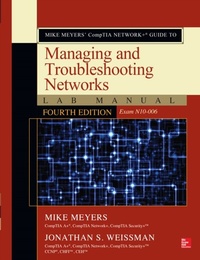
Mike Meyers CompTIA Network+ Guide to Managing and Troubleshooting Networks Lab Manual, Fourth Edition (Exam N10-006)
1st Edition
Published on 5. June 2015
496 pages
978-0-07-184459-8 (ISBN)
Available for download
Description

Practice the Skills Essential for a Successful IT Career Mike Meyers CompTIA Network+ Guide to Managing and Troubleshooting Networks Lab Manual, Fourth Edition features: 80+ lab exercises challenge you to solve problems based on realistic case studies Lab analysis tests measure your understanding of lab results Step-by-step scenarios require you to think critically Key term quizzes help build your vocabulary Get complete coverage of key skills and concepts, including: Network architectures Cabling and topology Ethernet basics Network installation TCP/IP applications and network protocols Routing Network naming Advanced networking devices IPv6 Remote connectivity Wireless networking Virtualization and cloud computing Network operations Managing risk Network security Network monitoring and troubleshooting Instructor resources available: This lab manual supplements the textbook Mike Meyers' CompTIA Network+ Guide to Managing and Troubleshooting Networks, Fourth Edition (Exam N10-006), which is available separately Solutions to the labs are not printed in the book and are only available to adopting instructors
More details
Other editions
Additional editions
Mike Meyers | Jonathan Weissman
Mike Meyers' CompTIA Network+ Guide to Managing and Troubleshooting Networks Lab Manual, Fourth Edition (Exam N10-006)
Book
06/2015
4th Edition
McGraw-Hill Professional
€49.51
Article exhausted; check different version
Content
- Cover
- Title Page
- Copyright Page
- Contents
- Acknowledgements
- Additional Resources for Teachers
- Chapter 1 CompTIA Network+ in a Nutshell
- Lab Exercises
- Lab Exercise 1.01: What Can Network+ Do for You?
- Lab Exercise 1.02: Exploring the Network+ Requirements
- Lab Exercise 1.03: The Next Step: Related Certifications
- Lab Exercise 1.04: Study Preparation
- Lab Exercise 1.05: Scheduling the CompTIA Network+ Exam
- Lab Analysis
- Key Term Quiz
- Chapter 2 Network Models
- Lab Exercises
- Lab Exercise 2.01: Exploring Network Hardware
- Lab Exercise 2.02: Understanding the Data Delivery Process
- Lab Exercise 2.03: Examining the Layers of the OSI Seven-Layer Model vs. the TCP/IP Model
- Lab Exercise 2.04: Preparing a Presentation of the OSI Seven-Layer Model
- Lab Analysis
- Key Term Quiz
- Chapter 3 Cabling and Topology
- Lab Exercises
- Lab Exercise 3.01: Identifying Network Topologies
- Lab Exercise 3.02: Determining Network Cabling Requirements
- Lab Exercise 3.03: The Governing Bodies, Part 1
- Lab Exercise 3.04: Industry Standards
- Lab Analysis
- Key Term Quiz
- Chapter 4 Ethernet Basics
- Lab Exercises
- Lab Exercise 4.01: The 802.3 Working Group and Standards
- Lab Exercise 4.02: CSMA/CD-Past and Present
- Lab Exercise 4.03: Building an Ethernet Patch Cable
- Lab Exercise 4.04: Understanding the Differences Between CAT 5e and CAT 6/6a
- Lab Exercise 4.05: Enhancing the Performance of Ethernet Networks
- Lab Exercise 4.06: Exploring the Spanning Tree Protocol (STP)
- Lab Analysis
- Key Term Quiz
- Chapter 5 Modern Ethernet
- Lab Exercises
- Lab Exercise 5.01: Understanding Ethernet Standards
- Lab Exercise 5.02: Ethernet Network Design: Implementing Switches
- Lab Exercise 5.03: Beyond Gigabit Ethernet: 10 Gigabit Ethernet
- Lab Exercise 5.04: Beyond 10 Gigabit Ethernet: 40/100 Gigabit Ethernet
- Lab Analysis
- Key Term Quiz
- Chapter 6 Installing a Physical Network
- Lab Exercises
- Lab Exercise 6.01: Examining Structured Network Cabling
- Lab Exercise 6.02: Implementing a Small Network Infrastructure
- Lab Exercise 6.03: Installing Switches, Network Adapters, and PCs
- Lab Exercise 6.04: Diagnostics and Troubleshooting
- Lab Exercise 6.05: Field Trip: A Visit with the IT Department
- Lab Analysis
- Key Term Quiz
- Chapter 7 TCP/IP Basics
- Lab Exercises
- Lab Exercise 7.01: Diagramming the IP Address and Subnet Mask
- Lab Exercise 7.02: Configuring IP Addresses and Subnet Masks
- Lab Exercise 7.03: Configuring Subnetting
- Lab Exercise 7.04: Local vs. Remote IP Addresses: The Function of the Default Gateway
- Lab Exercise 7.05: IP Addressing, MAC Addressing, and Ethernet: Working Together
- Lab Exercise 7.06: Static IP Addressing vs. Dynamic IP Addressing
- Lab Analysis
- Key Term Quiz
- Chapter 8 Routing
- Lab Exercises
- Lab Exercise 8.01: Governing Bodies, Part 2
- Lab Exercise 8.02: Installing and Configuring Routers
- Lab Exercise 8.03: Exploring NAT
- Lab Exercise 8.04: Configuring Multiple Routers and Implementing Dynamic Routing
- Lab Analysis
- Key Term Quiz
- Chapter 9 TCP/IP Applications
- Lab Exercises
- Lab Exercise 9.01: Transport Layer and Network Layer Protocols
- Lab Exercise 9.02: Analyzing TCP/IP Ports and Associations
- Lab Exercise 9.03: Understanding Web Servers and Ports with WampServer
- Lab Exercise 9.04: Configuring and Using FTP with FileZilla
- Lab Exercise 9.05: The TCP Three-Way Handshake in Action
- Lab Analysis
- Key Term Quiz
- Chapter 10 Network Naming
- Lab Exercises
- Lab Exercise 10.01: Exploring DNS
- Lab Exercise 10.02: Using the hosts File for Name Resolution
- Lab Exercise 10.03: Using the hosts File for Protection
- Lab Exercise 10.04: Installing and Configuring a DNS Server
- Lab Exercise 10.05: Troubleshooting Network Naming Services
- Lab Exercise 10.06: Configuring a DNS Client
- Lab Exercise 10.07: Exploring Dynamic DNS on the Web
- Lab Analysis
- Key Term Quiz
- Chapter 11 Securing TCP/IP
- Lab Exercises
- Lab Exercise 11.01: Evaluating Digital Signatures
- Lab Exercise 11.02: GPG Encryption
- Lab Exercise 11.03: Configuring Secure Transactions over HTTPS
- Lab Exercise 11.04: Analyzing Secure TCP/IP Ports and Associations
- Lab Analysis
- Key Term Quiz
- Chapter 12 Advanced Networking Devices
- Lab Exercises
- Lab Exercise 12.01: Exploring Network Terms
- Lab Exercise 12.02: Encrypting Through a VPN
- Lab Exercise 12.03: Configuring VLANs on a Switch
- Lab Exercise 12.04: Exploring Network Protection
- Lab Analysis
- Key Term Quiz
- Chapter 13 IPv6
- Lab Exercises
- Lab Exercise 13.01: Governing Bodies, Part 3
- Lab Exercise 13.02: Reviewing IPv6 Terminology
- Lab Exercise 13.03: Practicing IPv6 Notation Shortcuts
- Lab Exercise 13.04: IPv6 Configuration and Exploration
- Lab Exercise 13.05: Configuring Windows 7 to Use an IPv6 Tunnel Broker
- Lab Analysis
- Key Term Quiz
- Chapter 14 Remote Connectivity
- Lab Exercises
- Lab Exercise 14.01: Identifying WAN Technologies
- Lab Exercise 14.02: Explore the "Last Mile"
- Lab Exercise 14.03: Using Remote Desktop Connection (RDC)
- Lab Exercise 14.04: "Helping Out" with Windows Remote Assistance
- Lab Analysis
- Key Term Quiz
- Chapter 15 Wireless Networking
- Lab Exercises
- Lab Exercise 15.01: Wireless Networking Standards
- Lab Exercise 15.02: Planning the Wireless Network
- Lab Exercise 15.03: Configuring Wireless Networking
- Lab Exercise 15.04: Troubleshooting Wireless Networks
- Lab Analysis
- Key Term Quiz
- Chapter 16 Virtualization
- Lab Exercises
- Lab Exercise 16.01: Identifying Virtualization Technologies
- Lab Exercise 16.02: Installing and Configuring VMware Player
- Lab Exercise 16.03: Sending Network Traffic Between the Host and Guest
- Lab Analysis
- Key Term Quiz
- Chapter 17 Building a Real-World Network
- Lab Exercises
- Lab Exercise 17.01: Configuration Management Documentation
- Lab Exercise 17.02: Industrial Control Systems
- Lab Analysis
- Key Term Quiz
- Chapter 18 Managing Risk
- Lab Exercises
- Lab Exercise 18.01: Security Policies
- Lab Exercise 18.02: User Training
- Lab Exercise 18.03: Disaster Recovery and Business Continuity
- Lab Analysis
- Key Term Quiz
- Chapter 19 Protecting Your Network
- Lab Exercises
- Lab Exercise 19.01: Identifying Common Threats
- Lab Exercise 19.02: Implementing and Managing User Authentication
- Lab Exercise 19.03: Exploring Hardware Firewalls
- Lab Exercise 19.04: Configuring Windows Firewall
- Lab Analysis
- Key Term Quiz
- Chapter 20 Network Monitoring
- Lab Exercises
- Lab Exercise 20.01: Understanding SNMP
- Lab Exercise 20.02: Monitoring Performance and Connectivity
- Lab Exercise 20.03: Understanding SIEM
- Lab Analysis
- Key Term Quiz
- Chapter 21 Network Troubleshooting
- Lab Exercises
- Lab Exercise 21.01: Identifying the Troubleshooting Process
- Lab Exercise 21.02: Identifying Hardware Troubleshooting Tools
- Lab Exercise 21.03: Using Software Troubleshooting Tools
- Lab Exercise 21.04: Exploring Vulnerability Scanners
- Lab Analysis
- Key Term Quiz
- Glossary
- A
- B
- C
- D
- E
- F
- G
- H
- I
- J
- K
- L
- M
- N
- O
- P
- Q
- R
- S
- T
- U
- V
- W
- X
- Y
- Z
- Index
- A
- B
- C
- D
- E
- F
- G
- H
- I
- J
- K
- L
- M
- N
- O
- P
- R
- S
- T
- U
- V
- W
- X
- Y
- Z

