

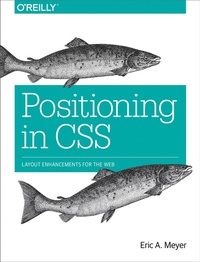
Positioning in CSS
Description

The Grid Layout spec will soon change your approach to website design, but there will still be plenty of uses for CSS positioning tricks. Whether you want to create sidebars that remain in the viewport (browser window), add sticky section headings to lists or long articles, or overlap one element with another, this concise ebook will expertly guide you through all the main CSS positioning types.
Short and deep, this book is an excerpt from the upcoming fourth edition of CSS: The Definitive Guide. When you purchase either the print or the ebook edition of Positioning in CSS, you'll receive a discount on the entire Definitive Guide once it's released. Why wait? Make your web pages come alive today.
You''ll learn how to:
- Remove an element from a document but keep its new position part of the document's flow with absolute positioning
- Keep an element like a masthead or sidebar in one fixed position in the viewport with fixed positioning
- Preserve an element's shape and the space it occupied in the document with relative positioning
- Make a document's headers selectively stay still in response to scrolling conditions with sticky positioning
Eric A. Meyer is an author, speaker, blogger, sometime teacher, and co-founder of An Event Apart. He's a two-decade veteran of the Web and web standards, a past member of the W3C's Cascading Style Sheets Working Group, and the author of O'Reilly's CSS: The Definitive Guide.
More details
Other editions
Additional editions
Content
- Intro
- Copyright
- Table of Contents
- Preface
- Conventions Used in This Book
- Safari® Books Online
- How to Contact Us
- Positioning
- Basic Concepts
- Types of Positioning
- The Containing Block
- Offset Properties
- Width and Height
- Setting Width and Height
- Limiting Width and Height
- Content Overflow and Clipping
- Overflow
- Element Visibility
- Absolute Positioning
- Containing Blocks and Absolutely Positioned Elements
- Placement and Sizing of Absolutely Positioned Elements
- Auto-edges
- Placing and Sizing Nonreplaced Elements
- Placing and Sizing Replaced Elements
- Placement on the z-axis
- Fixed Positioning
- Relative Positioning
- Sticky Positioning
- Summary
- About the Author
