

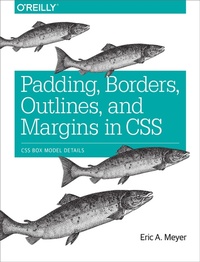
Padding, Borders, Outlines, and Margins in CSS
CSS Box Model Details
Published on 10. December 2015
78 pages
978-1-4919-2977-3 (ISBN)
Description

The ability to apply margins, borders, and padding to any web page element is one of the things that sets CSS so far above traditional markup. With this practical guide, you will not only learn how to use these properties to lay out your document, but also how to change and control the appearance of any element on the page.
Short and sweet, this short book is an excerpt from the upcoming fourth edition of CSS: The Definitive Guide. When you purchase either the print or the ebook edition of Padding, Borders, Outlines, and Margins in CSS, you'll receive a discount on the entire Definitive Guide once it's released. Why wait? Learn how to bring life to your web pages now.
- Understand the CSS box model, including the way different properties relate to one another
- Use tricks for defining padding values, including inline element padding
- Explore border width, style, and color, plus the use of border images
- Learn how to use outlines: presentational elements that won't affect layout
- Dive into the use of margins, including the way top and bottom margins collapse
More details
Other editions
Additional editions
Book
01/2016
O'Reilly
€8.00
Shipment within 10-20 days
Content
- Intro
- Copyright
- Table of Contents
- Preface
- Conventions Used in This Book
- Safari® Books Online
- How to Contact Us
- Padding, Borders, Outlines, and Margins
- Basic Element Boxes
- Width and Height
- Padding
- Replicating Values
- Single-Side Padding
- Percentage Values and Padding
- Padding and Inline Elements
- Padding and Replaced Elements
- Borders
- Borders with Style
- Border Widths
- Border Colors
- Shorthand Border Properties
- Global Borders
- Borders and Inline Elements
- Image Borders
- Outlines
- Outline Styles
- Outline Width
- Outline Color
- How They Are Different
- Margins
- Length Values and Margins
- Percentages and Margins
- Single-Side Margin Properties
- Margin Collapsing
- Negative Margins
- Margins and Inline Elements
- Summary
- About the Author
