

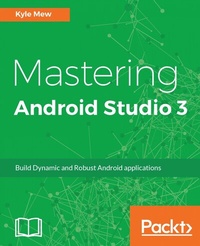
Mastering Android Studio 3
Build Dynamic and Robust Android applications
Published on 8. July 2025
220 pages
978-1-78646-845-1 (ISBN)
Description

No detailed description available for "Mastering Android Studio 3".
All prices
More details
Edition
Digital original
Language
English
Place of publication
Birmingham
United Kingdom
Target group
Professional and scholarly
US School Grade: College Graduate Student
Edition type
Digital original
File size
8,86 MB
ISBN-13
978-1-78646-845-1 (9781786468451)
Copyright in bibliographic data and cover images is held by Nielsen Book Services Limited or by the publishers or by their respective licensors: all rights reserved.
Schweitzer Classification
Other editions
Additional editions
Person
Mew Kyle :
Kyle Mew has been programming since the early '80s and has written for several technology websites. Also, he has written three radio plays and four other books on Android development.
Kyle Mew has been programming since the early '80s and has written for several technology websites. Also, he has written three radio plays and four other books on Android development.
Content
- Cover
- Copyright
- Credits
- About the Author
- About the Reviewer
- www.PacktPub.com
- Customer Feedback
- Table of Contents
- Preface
- Chapter 1: Workspace Structure
- How Android Studio differs
- Workspace structure
- Editor windows
- Tool windows
- The Android SDK
- Virtual devices
- Instant Run
- Importing projects into Android Studio
- Summary
- Chapter 2: UI Design
- The Layout Editor
- Linear and relative layout classes
- The constraint layout
- Creating a ConstraintLayout
- Applying constraints
- Graphic Properties tool
- Baseline alignment
- Controlling position with bias
- The constraints toolbar
- Multiple screen previewing
- Hardware profiles
- Virtual storage
- Summary
- Chapter 3: UI Development
- Material design
- Android styles
- Material themes
- The Theme Editor
- XML fonts
- The design library
- The coordinator layout
- Snackbars and Floating Action Buttons
- Collapsing app bars
- Raw text resources
- The percent library
- Summary
- Chapter 4: Device Development
- Screen orientation
- Virtual devices
- Layout and image qualification
- Scale and platform
- Alternative emulators
- Android Wear
- Connecting to a wearable AVD
- Wearable layouts
- The WatchViewStub class
- Shape - aware layouts
- Accessing sensors
- Sensor emulation
- Device monitoring
- Project templates
- Monitoring and profiling
- Summary
- Chapter 5: Assets and Resources
- Asset Studio
- Image Asset Studio
- Layered icons
- Launcher icon tools
- Vector Asset Studio
- Vector drawables
- Animated icons
- Other animations
- General drawables
- The palette library
- Summary
- Chapter 6: Templates and Plugins
- Project templates
- The Navigation Drawer template
- The Structure Explorer
- Class inspection plugins
- The Master/Detail Flow template
- Custom templates
- Third-party templates
- Project samples
- Third-party plugins
- ADB Wi-Fi
- Codota
- Summary
- Chapter 7: Language Support
- Kotlin support
- The advantages of Kotlin
- Extending Kotlin
- C/C++ support
- The NDK
- Android Things
- Development kits
- Creating a Things project
- Summary
- Chapter 8: Testing and Profiling
- Logcat filters
- JUnit testing
- Local unit tests
- Testing a UI
- Testing views
- Testing lists and data
- Recording tests
- Remote testing
- Stress testing
- Performance monitoring
- CPU profiling
- Memory profiler
- Network profiler
- Summary
- Chapter 9: Packaging and Distribution
- Gradle build configurations
- Command-line options
- Product flavors
- An APK analysis
- Publishing applications
- Generating a signed APK
- Managing keystores
- Google Play app signing
- Automatic signing
- Summary
- Index

