

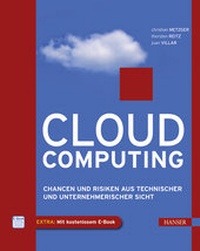
Cloud Computing
Chancen und Risiken aus technischer und unternehmerischer Sicht
1st Edition
Published on 7. June 2011
200 pages
978-3-446-42658-0 (ISBN)
Description

CLOUD COMPUTING INSIDE //- Lesen Sie, was Cloud Computing Ihrem Unternehmen wirklich bringt.- Verschaffen Sie sich einen Überblick über die Möglichkeiten, Chancen und Risiken von Cloud Computing.- Treffen Sie die richtigen Entscheidungen mit Hilfe von Tipps, Checklisten und Beispielen aus diesem Buch.Wenn Sie für Ihr Unternehmen entscheiden müssen, ob Cloud Computing der richtige, gewinnbringende Ansatz ist, dann finden Sie in diesem Buch die Unterstützung, die Sie brauchen. Zunächst geht es darum, was Cloud Computing konkret ist, welche Anwendungen und Anbieter es gibt und welche Vor- und Nachteile es bringt. Um zu klären, ob Cloud Computing das Richtige für Sie und Ihr Unternehmen ist, werden die wichtigsten Entscheidungskriterien vorgestellt, die Sie beachten müssen. Natürlich geht es dabei auch um die Frage, wie Cloud Computing aus der Kostensicht zu betrachten ist, welche rechtlichen Aspekte damit verbunden sind und welche Chancen und Risiken es mit sich bringt. Viele praktische Beispiele und Checklisten helfen Ihnen dabei, die richtige Entscheidung zu treffen und Ihr Projekt erfolgreich umzusetzen.Aus dem Inhalt: Was ist Cloud Computing?, Vor- und Nachteile des Cloud Computing, Cloud Computing und Datensicherheit, Wirtschaftliche Aspekte, Entscheidungskriterien für Cloud Computing, Hersteller und Anbieter, Beispiele für Software-as-a-Service, Integration von Cloud-Computing-Anwendungen, Erfolgreiche Cloud-ProjekteSystemvoraussetzungen für eBook-inside: Internet-Verbindung und eBookreader Adobe Digital Editions.
More details
Other editions
Additional editions
Christian Metzger | Thorsten Reitz | Juan Villar
Cloud Computing
Chancen und Risiken aus technischer und unternehmerischer Sicht
Book
06/2011
1st Edition
Hanser
€29.90
Shipment within 5-7 days
Persons
Christian Metzger ist Vorstand und Gründer der arlanis Software AG, die ihren Kunden Consulting-Dienstleistungen rund um Cloud Computing anbietet. Thorsten Reitz ist Leiter Produkt- und Business-Development bei der arlanis Software AG. Juan Villar ist Leiter Controlling-IT bei Fresenius Kabi Deutschland GmbH und hat in dieser Funktion auch die Implementierung einer Cloud-Computing-Lösung verantwortet.
Content
1 - Inhalt [Seite 6]
2 - Vorwort [Seite 12]
3 - 1 Ist die Zukunft schon da? [Seite 14]
3.1 - 1.1 Allgemeine Definition [Seite 15]
3.2 - 1.2 Die Grundlagen für Cloud Computing [Seite 16]
3.3 - 1.3 Der Markt für Cloud Computing [Seite 18]
3.4 - 1.4 Fazit [Seite 21]
4 - 2 Was ist eigentlich "Cloud Computing"? [Seite 24]
4.1 - 2.1 Überblick [Seite 24]
4.2 - 2.2 Definition des Begriffs "Cloud Computing" [Seite 25]
4.3 - 2.3 Essenzielle Bestandteile des Cloud Computing [Seite 26]
4.3.1 - 2.3.1 On-Demand self-service [Seite 26]
4.3.2 - 2.3.2 Breitbandiger Netzwerkzugang [Seite 26]
4.3.3 - 2.3.3 Ressourcen-Pooling [Seite 26]
4.3.4 - 2.3.4 Schnelle Elastizität [Seite 27]
4.3.5 - 2.3.5 Measured Service [Seite 28]
4.4 - 2.4 Der Bestandteil Virtualisierung [Seite 28]
4.5 - 2.5 Der Bestandteil Mandantenfähigkeit/Multi Tenancy-Architektur [Seite 29]
4.6 - 2.6 Die einzelnen Cloud-Liefermodelle im Überblick [Seite 31]
4.6.1 - 2.6.1 Private Cloud [Seite 31]
4.6.2 - 2.6.2 Public Cloud [Seite 32]
4.6.3 - 2.6.3 Community Cloud [Seite 32]
4.6.4 - 2.6.4 Hybrid Cloud [Seite 32]
4.7 - 2.7 Die einzelnen Cloud-Servicemodelle [Seite 34]
4.7.1 - 2.7.1 Infrastructure-as-a-Service (IaaS) [Seite 34]
4.7.2 - 2.7.2 Platform-as-a-Service (PaaS) [Seite 34]
4.7.3 - 2.7.3 Software-as-a-Service (SaaS) [Seite 34]
4.7.4 - 2.7.4 Everything-as-a-Service (XaaS) [Seite 35]
4.8 - 2.8 Abgrenzung zu anderen Technologien [Seite 36]
4.8.1 - 2.8.1 Applikations-Hosting [Seite 36]
4.8.2 - 2.8.2 Application Service Providing (ASP) [Seite 36]
4.8.3 - 2.8.3 Grid Computing [Seite 37]
4.9 - 2.9 Fazit [Seite 38]
5 - 3 Vor- und Nachteile des Cloud Computing [Seite 40]
5.1 - 3.1 Das externe Rechenzentrum [Seite 40]
5.2 - 3.2 Application Service Provider (ASP) [Seite 41]
5.3 - 3.3 Multi Tenant, Software-as-a-Service und Platform-as-a-Service [Seite 43]
5.4 - 3.4 Cloud-Liefermodelle [Seite 46]
5.4.1 - 3.4.1 Private Cloud [Seite 46]
5.4.2 - 3.4.2 Public Cloud [Seite 47]
5.4.3 - 3.4.3 Hybrid Cloud [Seite 47]
5.5 - 3.5 Cloud-Nutzungsmodelle [Seite 48]
5.5.1 - 3.5.1 IaaS [Seite 48]
5.5.2 - 3.5.2 SaaS [Seite 49]
5.5.3 - 3.5.3 PaaS [Seite 49]
5.6 - 3.6 Cloud-Nutzer [Seite 50]
5.6.1 - 3.6.1 Allgemeine Vorteile von Cloud Computing für Unternehmen [Seite 51]
5.6.2 - 3.6.2 Kleine Unternehmen [Seite 53]
5.6.3 - 3.6.3 Mittlere Unternehmen [Seite 55]
5.6.4 - 3.6.4 Große Unternehmen [Seite 57]
5.7 - 3.7 Fazit [Seite 59]
6 - 4 Cloud Computing und Datensicherheit [Seite 60]
6.1 - 4.1 Datensicherheit im Unternehmen [Seite 61]
6.2 - 4.2 Motivation des Datenschutzes [Seite 61]
6.3 - 4.3 Besonderheiten der Datenhaltung beim Cloud Computing [Seite 63]
6.4 - 4.4 Grundlagen zum Schutz personenbezogener Daten [Seite 66]
6.5 - 4.5 Notwendigkeit des Schutzes unternehmensbezogener Daten [Seite 70]
6.6 - 4.6 Fazit [Seite 71]
7 - 5 Wirtschaftliche Aspektedes Cloud Computing [Seite 74]
7.1 - 5.1 Kosten für Cloud Computing-Dienstleistungen [Seite 74]
7.2 - 5.2 Wirtschaftliche Betrachtung [Seite 75]
7.2.1 - 5.2.1 Multi Tenancy [Seite 75]
7.2.2 - 5.2.2 Skalierbarkeit und Flexibilität [Seite 76]
7.2.3 - 5.2.3 Time to Value [Seite 77]
7.2.4 - 5.2.4 Zugang zu neuen Technologien [Seite 77]
7.2.5 - 5.2.5 Betriebskosten anstatt Investitionen [Seite 78]
7.2.6 - 5.2.6 Variable statt fixe Kosten [Seite 78]
7.3 - 5.3 TCO - Total Cost of Ownership [Seite 79]
7.4 - 5.4 Kalkulationsbeispiele [Seite 83]
7.4.1 - 5.4.1 Lizenzen, Wartung vs. monatliche Gebühren [Seite 83]
7.4.2 - 5.4.2 Server [Seite 84]
7.4.3 - 5.4.3 Backup [Seite 85]
7.4.4 - 5.4.4 Netzwerk [Seite 85]
7.4.5 - 5.4.5 Implementierung [Seite 85]
7.5 - 5.5 Fazit [Seite 86]
8 - 6 Entscheidungskriterien für Cloud Computing [Seite 88]
8.1 - 6.1 Art des Projektes [Seite 89]
8.1.1 - 6.1.1 Ablösung eines bestehenden Systems [Seite 89]
8.1.2 - 6.1.2 Neueinführung [Seite 90]
8.2 - 6.2 Prozesse [Seite 92]
8.2.1 - 6.2.1 Businessprozesse für die Cloud? [Seite 92]
8.3 - 6.3 Datensicherheit und Kontrollverlust [Seite 95]
8.4 - 6.4 System [Seite 95]
8.5 - 6.5 Einsatztyp [Seite 96]
8.6 - 6.6 Größenordnung [Seite 98]
8.7 - 6.7 Unternehmensumfeld [Seite 99]
8.8 - 6.8 Betrieb und Wartung [Seite 99]
8.9 - 6.9 Performance [Seite 100]
8.10 - 6.10 Usability [Seite 100]
8.11 - 6.11 Zusammenfassung [Seite 101]
9 - 7 Hersteller und Anbieter [Seite 102]
9.1 - 7.1 SaaS-Anbieter [Seite 102]
9.2 - 7.2 Anbieter von Cloud-Services (Basisdienste) [Seite 103]
9.2.1 - 7.2.1 Amazon Web Services [Seite 103]
9.2.2 - 7.2.2 Microsoft SQL Azure [Seite 108]
9.2.3 - 7.2.3 Database.com [Seite 108]
9.2.4 - 7.2.4 Remedyforce [Seite 109]
9.3 - 7.3 PaaS-Anbieter [Seite 110]
9.3.1 - 7.3.1 Der architektonische Hintergrund [Seite 110]
9.3.2 - 7.3.2 Microsoft Azure [Seite 117]
9.3.3 - 7.3.3 Force.com von salesforce [Seite 118]
9.3.4 - 7.3.4 Salesforce VMForce [Seite 122]
9.3.5 - 7.3.5 Google App Engine [Seite 123]
10 - 8 Beispiele für Software-as-a-Service [Seite 126]
10.1 - 8.1 Customer Relationship Management [Seite 127]
10.1.1 - 8.1.1 salesforce.Com (Sales Cloud 2, Service Cloud 2) [Seite 127]
10.1.2 - 8.1.2 Microsoft Dynamics CRM 2011 [Seite 128]
10.1.3 - 8.1.3 Oracle on Demand [Seite 129]
10.1.4 - 8.1.4 SAP Business ByDesign [Seite 130]
10.1.5 - 8.1.5 Update.revolution [Seite 130]
10.2 - 8.2 Enterprise Resource Planning [Seite 131]
10.2.1 - 8.2.1 SAP Business ByDesign [Seite 131]
10.2.2 - 8.2.2 NetSuite [Seite 132]
10.3 - 8.3 Kommunikation und Zusammenarbeit [Seite 134]
10.3.1 - 8.3.1 Microsoft Offi ce Live 365 (inkl. Sharepoint) [Seite 134]
10.3.2 - 8.3.2 Google Apps [Seite 135]
10.3.3 - 8.3.3 Skype [Seite 136]
10.3.4 - 8.3.4 sipgate Team [Seite 137]
10.4 - 8.4 Weitere Business-Anwendungen [Seite 139]
10.5 - 8.5 Informationen und Herstellerangaben [Seite 140]
11 - 9 Integration von Cloud Computing Anwendungen [Seite 142]
11.1 - 9.1 Überblick [Seite 142]
11.2 - 9.2 Technologien und Architekturenvon Integrationsschnittstellen [Seite 143]
11.2.1 - 9.2.1 Abgrenzung [Seite 143]
11.2.2 - 9.2.2 Periodische Integration (Batch) [Seite 144]
11.2.3 - 9.2.3 Echtzeitintegration/Webservices (Neartime, Realtime) [Seite 145]
11.3 - 9.3 Technische Implementierungen von Integrationsschnittstellen [Seite 146]
11.3.1 - 9.3.1 Batch-Verarbeitung [Seite 146]
11.3.2 - 9.3.2 Web Services (WSDL und SOAP) [Seite 149]
11.4 - 9.4 Sicherheit [Seite 154]
11.5 - 9.5 Zusammenfassung [Seite 156]
12 - 10 Erfolgreiche Cloud-Projekte [Seite 158]
12.1 - 10.1 Überblick [Seite 158]
12.2 - 10.2 Initiierung [Seite 159]
12.2.1 - 10.2.1 Zieldefinition [Seite 159]
12.2.2 - 10.2.2 Prozessanalyse [Seite 161]
12.2.3 - 10.2.3 Risikoanalyse [Seite 164]
12.3 - 10.3 Analyse [Seite 166]
12.3.1 - 10.3.1 Requirements Engineering [Seite 167]
12.3.2 - 10.3.2 Partnerauswahl [Seite 168]
12.3.3 - 10.3.3 Projektorganisation [Seite 170]
12.4 - 10.4 Durchführung [Seite 172]
12.4.1 - 10.4.1 Projektmarketing [Seite 172]
12.4.2 - 10.4.2 Entwicklungsmethoden [Seite 173]
12.4.3 - 10.4.3 Erwartungsmanagement [Seite 174]
12.4.4 - 10.4.4 Change Management [Seite 175]
12.5 - 10.5 Betrieb, Wartung und Weiterentwicklung [Seite 176]
12.5.1 - 10.5.1 Betrieb [Seite 176]
12.5.2 - 10.5.2 Wartung [Seite 177]
12.5.3 - 10.5.3 Weiterentwicklung [Seite 178]
12.6 - 10.6 Praktisches Beispiel: SaaS-Anwendung [Seite 178]
12.6.1 - 10.6.1 Der Start [Seite 179]
12.6.2 - 10.6.2 Datenimport [Seite 179]
12.6.3 - 10.6.3 Systemintegration [Seite 180]
12.6.4 - 10.6.4 Arbeiten mit dem System [Seite 181]
12.6.5 - 10.6.5 Erweiterungen [Seite 181]
12.6.6 - 10.6.6 Datenqualitätsmanagement [Seite 182]
12.6.7 - 10.6.7 Konfiguration [Seite 183]
12.6.8 - 10.6.8 Rollout [Seite 183]
12.6.9 - 10.6.9 Zusammenfassung [Seite 183]
12.7 - 10.7 Praktisches Beispiel: Force.com/AmazonS3, EC2/Silverlight [Seite 184]
12.7.1 - 10.7.1 Ausgangssituation [Seite 184]
12.7.2 - 10.7.2 Die Force.com-Plattform als Klammer für alle Bestandteile [Seite 185]
12.7.3 - 10.7.3 Anpassung der Entwicklung an die Plattformeigenschaften [Seite 189]
12.8 - 10.8 Zusammenfassung [Seite 191]
13 - 11 Fazit - Management Summary [Seite 192]
13.1 - 11.1 Ausgangslage - Vision [Seite 192]
13.2 - 11.2 Was gibt es heute? [Seite 193]
13.3 - 11.3 Zielsetzung [Seite 194]
13.4 - 11.4 Empfehlung [Seite 194]
13.5 - 11.5 Ausblick [Seite 195]
14 - Quellen [Seite 196]
15 - Index [Seite 200]
2 - Vorwort [Seite 12]
3 - 1 Ist die Zukunft schon da? [Seite 14]
3.1 - 1.1 Allgemeine Definition [Seite 15]
3.2 - 1.2 Die Grundlagen für Cloud Computing [Seite 16]
3.3 - 1.3 Der Markt für Cloud Computing [Seite 18]
3.4 - 1.4 Fazit [Seite 21]
4 - 2 Was ist eigentlich "Cloud Computing"? [Seite 24]
4.1 - 2.1 Überblick [Seite 24]
4.2 - 2.2 Definition des Begriffs "Cloud Computing" [Seite 25]
4.3 - 2.3 Essenzielle Bestandteile des Cloud Computing [Seite 26]
4.3.1 - 2.3.1 On-Demand self-service [Seite 26]
4.3.2 - 2.3.2 Breitbandiger Netzwerkzugang [Seite 26]
4.3.3 - 2.3.3 Ressourcen-Pooling [Seite 26]
4.3.4 - 2.3.4 Schnelle Elastizität [Seite 27]
4.3.5 - 2.3.5 Measured Service [Seite 28]
4.4 - 2.4 Der Bestandteil Virtualisierung [Seite 28]
4.5 - 2.5 Der Bestandteil Mandantenfähigkeit/Multi Tenancy-Architektur [Seite 29]
4.6 - 2.6 Die einzelnen Cloud-Liefermodelle im Überblick [Seite 31]
4.6.1 - 2.6.1 Private Cloud [Seite 31]
4.6.2 - 2.6.2 Public Cloud [Seite 32]
4.6.3 - 2.6.3 Community Cloud [Seite 32]
4.6.4 - 2.6.4 Hybrid Cloud [Seite 32]
4.7 - 2.7 Die einzelnen Cloud-Servicemodelle [Seite 34]
4.7.1 - 2.7.1 Infrastructure-as-a-Service (IaaS) [Seite 34]
4.7.2 - 2.7.2 Platform-as-a-Service (PaaS) [Seite 34]
4.7.3 - 2.7.3 Software-as-a-Service (SaaS) [Seite 34]
4.7.4 - 2.7.4 Everything-as-a-Service (XaaS) [Seite 35]
4.8 - 2.8 Abgrenzung zu anderen Technologien [Seite 36]
4.8.1 - 2.8.1 Applikations-Hosting [Seite 36]
4.8.2 - 2.8.2 Application Service Providing (ASP) [Seite 36]
4.8.3 - 2.8.3 Grid Computing [Seite 37]
4.9 - 2.9 Fazit [Seite 38]
5 - 3 Vor- und Nachteile des Cloud Computing [Seite 40]
5.1 - 3.1 Das externe Rechenzentrum [Seite 40]
5.2 - 3.2 Application Service Provider (ASP) [Seite 41]
5.3 - 3.3 Multi Tenant, Software-as-a-Service und Platform-as-a-Service [Seite 43]
5.4 - 3.4 Cloud-Liefermodelle [Seite 46]
5.4.1 - 3.4.1 Private Cloud [Seite 46]
5.4.2 - 3.4.2 Public Cloud [Seite 47]
5.4.3 - 3.4.3 Hybrid Cloud [Seite 47]
5.5 - 3.5 Cloud-Nutzungsmodelle [Seite 48]
5.5.1 - 3.5.1 IaaS [Seite 48]
5.5.2 - 3.5.2 SaaS [Seite 49]
5.5.3 - 3.5.3 PaaS [Seite 49]
5.6 - 3.6 Cloud-Nutzer [Seite 50]
5.6.1 - 3.6.1 Allgemeine Vorteile von Cloud Computing für Unternehmen [Seite 51]
5.6.2 - 3.6.2 Kleine Unternehmen [Seite 53]
5.6.3 - 3.6.3 Mittlere Unternehmen [Seite 55]
5.6.4 - 3.6.4 Große Unternehmen [Seite 57]
5.7 - 3.7 Fazit [Seite 59]
6 - 4 Cloud Computing und Datensicherheit [Seite 60]
6.1 - 4.1 Datensicherheit im Unternehmen [Seite 61]
6.2 - 4.2 Motivation des Datenschutzes [Seite 61]
6.3 - 4.3 Besonderheiten der Datenhaltung beim Cloud Computing [Seite 63]
6.4 - 4.4 Grundlagen zum Schutz personenbezogener Daten [Seite 66]
6.5 - 4.5 Notwendigkeit des Schutzes unternehmensbezogener Daten [Seite 70]
6.6 - 4.6 Fazit [Seite 71]
7 - 5 Wirtschaftliche Aspektedes Cloud Computing [Seite 74]
7.1 - 5.1 Kosten für Cloud Computing-Dienstleistungen [Seite 74]
7.2 - 5.2 Wirtschaftliche Betrachtung [Seite 75]
7.2.1 - 5.2.1 Multi Tenancy [Seite 75]
7.2.2 - 5.2.2 Skalierbarkeit und Flexibilität [Seite 76]
7.2.3 - 5.2.3 Time to Value [Seite 77]
7.2.4 - 5.2.4 Zugang zu neuen Technologien [Seite 77]
7.2.5 - 5.2.5 Betriebskosten anstatt Investitionen [Seite 78]
7.2.6 - 5.2.6 Variable statt fixe Kosten [Seite 78]
7.3 - 5.3 TCO - Total Cost of Ownership [Seite 79]
7.4 - 5.4 Kalkulationsbeispiele [Seite 83]
7.4.1 - 5.4.1 Lizenzen, Wartung vs. monatliche Gebühren [Seite 83]
7.4.2 - 5.4.2 Server [Seite 84]
7.4.3 - 5.4.3 Backup [Seite 85]
7.4.4 - 5.4.4 Netzwerk [Seite 85]
7.4.5 - 5.4.5 Implementierung [Seite 85]
7.5 - 5.5 Fazit [Seite 86]
8 - 6 Entscheidungskriterien für Cloud Computing [Seite 88]
8.1 - 6.1 Art des Projektes [Seite 89]
8.1.1 - 6.1.1 Ablösung eines bestehenden Systems [Seite 89]
8.1.2 - 6.1.2 Neueinführung [Seite 90]
8.2 - 6.2 Prozesse [Seite 92]
8.2.1 - 6.2.1 Businessprozesse für die Cloud? [Seite 92]
8.3 - 6.3 Datensicherheit und Kontrollverlust [Seite 95]
8.4 - 6.4 System [Seite 95]
8.5 - 6.5 Einsatztyp [Seite 96]
8.6 - 6.6 Größenordnung [Seite 98]
8.7 - 6.7 Unternehmensumfeld [Seite 99]
8.8 - 6.8 Betrieb und Wartung [Seite 99]
8.9 - 6.9 Performance [Seite 100]
8.10 - 6.10 Usability [Seite 100]
8.11 - 6.11 Zusammenfassung [Seite 101]
9 - 7 Hersteller und Anbieter [Seite 102]
9.1 - 7.1 SaaS-Anbieter [Seite 102]
9.2 - 7.2 Anbieter von Cloud-Services (Basisdienste) [Seite 103]
9.2.1 - 7.2.1 Amazon Web Services [Seite 103]
9.2.2 - 7.2.2 Microsoft SQL Azure [Seite 108]
9.2.3 - 7.2.3 Database.com [Seite 108]
9.2.4 - 7.2.4 Remedyforce [Seite 109]
9.3 - 7.3 PaaS-Anbieter [Seite 110]
9.3.1 - 7.3.1 Der architektonische Hintergrund [Seite 110]
9.3.2 - 7.3.2 Microsoft Azure [Seite 117]
9.3.3 - 7.3.3 Force.com von salesforce [Seite 118]
9.3.4 - 7.3.4 Salesforce VMForce [Seite 122]
9.3.5 - 7.3.5 Google App Engine [Seite 123]
10 - 8 Beispiele für Software-as-a-Service [Seite 126]
10.1 - 8.1 Customer Relationship Management [Seite 127]
10.1.1 - 8.1.1 salesforce.Com (Sales Cloud 2, Service Cloud 2) [Seite 127]
10.1.2 - 8.1.2 Microsoft Dynamics CRM 2011 [Seite 128]
10.1.3 - 8.1.3 Oracle on Demand [Seite 129]
10.1.4 - 8.1.4 SAP Business ByDesign [Seite 130]
10.1.5 - 8.1.5 Update.revolution [Seite 130]
10.2 - 8.2 Enterprise Resource Planning [Seite 131]
10.2.1 - 8.2.1 SAP Business ByDesign [Seite 131]
10.2.2 - 8.2.2 NetSuite [Seite 132]
10.3 - 8.3 Kommunikation und Zusammenarbeit [Seite 134]
10.3.1 - 8.3.1 Microsoft Offi ce Live 365 (inkl. Sharepoint) [Seite 134]
10.3.2 - 8.3.2 Google Apps [Seite 135]
10.3.3 - 8.3.3 Skype [Seite 136]
10.3.4 - 8.3.4 sipgate Team [Seite 137]
10.4 - 8.4 Weitere Business-Anwendungen [Seite 139]
10.5 - 8.5 Informationen und Herstellerangaben [Seite 140]
11 - 9 Integration von Cloud Computing Anwendungen [Seite 142]
11.1 - 9.1 Überblick [Seite 142]
11.2 - 9.2 Technologien und Architekturenvon Integrationsschnittstellen [Seite 143]
11.2.1 - 9.2.1 Abgrenzung [Seite 143]
11.2.2 - 9.2.2 Periodische Integration (Batch) [Seite 144]
11.2.3 - 9.2.3 Echtzeitintegration/Webservices (Neartime, Realtime) [Seite 145]
11.3 - 9.3 Technische Implementierungen von Integrationsschnittstellen [Seite 146]
11.3.1 - 9.3.1 Batch-Verarbeitung [Seite 146]
11.3.2 - 9.3.2 Web Services (WSDL und SOAP) [Seite 149]
11.4 - 9.4 Sicherheit [Seite 154]
11.5 - 9.5 Zusammenfassung [Seite 156]
12 - 10 Erfolgreiche Cloud-Projekte [Seite 158]
12.1 - 10.1 Überblick [Seite 158]
12.2 - 10.2 Initiierung [Seite 159]
12.2.1 - 10.2.1 Zieldefinition [Seite 159]
12.2.2 - 10.2.2 Prozessanalyse [Seite 161]
12.2.3 - 10.2.3 Risikoanalyse [Seite 164]
12.3 - 10.3 Analyse [Seite 166]
12.3.1 - 10.3.1 Requirements Engineering [Seite 167]
12.3.2 - 10.3.2 Partnerauswahl [Seite 168]
12.3.3 - 10.3.3 Projektorganisation [Seite 170]
12.4 - 10.4 Durchführung [Seite 172]
12.4.1 - 10.4.1 Projektmarketing [Seite 172]
12.4.2 - 10.4.2 Entwicklungsmethoden [Seite 173]
12.4.3 - 10.4.3 Erwartungsmanagement [Seite 174]
12.4.4 - 10.4.4 Change Management [Seite 175]
12.5 - 10.5 Betrieb, Wartung und Weiterentwicklung [Seite 176]
12.5.1 - 10.5.1 Betrieb [Seite 176]
12.5.2 - 10.5.2 Wartung [Seite 177]
12.5.3 - 10.5.3 Weiterentwicklung [Seite 178]
12.6 - 10.6 Praktisches Beispiel: SaaS-Anwendung [Seite 178]
12.6.1 - 10.6.1 Der Start [Seite 179]
12.6.2 - 10.6.2 Datenimport [Seite 179]
12.6.3 - 10.6.3 Systemintegration [Seite 180]
12.6.4 - 10.6.4 Arbeiten mit dem System [Seite 181]
12.6.5 - 10.6.5 Erweiterungen [Seite 181]
12.6.6 - 10.6.6 Datenqualitätsmanagement [Seite 182]
12.6.7 - 10.6.7 Konfiguration [Seite 183]
12.6.8 - 10.6.8 Rollout [Seite 183]
12.6.9 - 10.6.9 Zusammenfassung [Seite 183]
12.7 - 10.7 Praktisches Beispiel: Force.com/AmazonS3, EC2/Silverlight [Seite 184]
12.7.1 - 10.7.1 Ausgangssituation [Seite 184]
12.7.2 - 10.7.2 Die Force.com-Plattform als Klammer für alle Bestandteile [Seite 185]
12.7.3 - 10.7.3 Anpassung der Entwicklung an die Plattformeigenschaften [Seite 189]
12.8 - 10.8 Zusammenfassung [Seite 191]
13 - 11 Fazit - Management Summary [Seite 192]
13.1 - 11.1 Ausgangslage - Vision [Seite 192]
13.2 - 11.2 Was gibt es heute? [Seite 193]
13.3 - 11.3 Zielsetzung [Seite 194]
13.4 - 11.4 Empfehlung [Seite 194]
13.5 - 11.5 Ausblick [Seite 195]
14 - Quellen [Seite 196]
15 - Index [Seite 200]
