

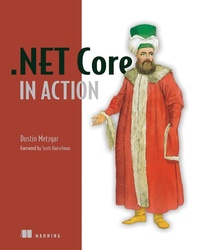
.NET Core in Action
Published on 12. July 2018
288 pages
978-1-63835-704-9 (ISBN)
Description

Summary
.NET Core in Action shows .NET developers how to build professional software applications with .NET Core. Learn how to convert existing .NET code to work on multiple platforms or how to start new projects with knowledge of the tools and capabilities of .NET Core.
Purchase of the print book includes a free eBook in PDF, Kindle, and ePub formats from Manning Publications.
About the Technology
.NET Core is an open source framework that lets you write and run .NET applications on Linux and Mac, without giving up on Windows. Built for everything from lightweight web apps to industrial-strength distributed systems, it's perfect for deploying .NET servers to any cloud platform, including AWS and GCP.
About the Book
.NET Core in Action introduces you to cross-platform development with .NET Core. This hands-on guide concentrates on new Core features as you walk through familiar tasks like testing, logging, data access, and networking. As you go, you'll explore modern architectures like microservices and cloud data storage, along with practical matters like performance profi ling, localization, and signing assemblies.
What's Inside
- Choosing the right tools
- Testing, profiling, and debugging
- Interacting with web services
- Converting existing projects to .NET Core
- Creating and using NuGet packages
- Why .NET Core?
- Building your first .NET Core applications
- How to build with .NET Core
- Unit testing with xUnit
- Working with relational databases
- Simplify data access with object-relational mappers
- Creating a microservice
- Debugging
- Performance and profiling
- Building world-ready applications
- Multiple frameworks and runtimes
- Preparing for release
- appendix A - Frameworks and runtimes
- appendix B - xUnit command-line options
- appendix C - What's in the .NET Standard Library?
- appendix D - NuGet cache locations
More details
Other editions
Additional editions
Person
Dustin Metzgar
Content
- Intro
- .NET Core in Action
- Dustin Metzgar
- Copyright
- Brief Table of Contents
- Table of Contents
- front matter
- Foreword
- Preface
- Acknowledgments
- About this book
- Who should read this book
- How this book is organized: a roadmap
- About the code
- Book forum
- Online resources
- About the author
- About the cover illustration
- 1. Why .NET Core?
- 1.1. Architecting enterprise applications before .NET Core
- 1.2. If you're a .NET Framework developer
- 1.2.1. Your .NET apps can be cross-platform
- 1.2.2. ASP.NET Core outperforms ASP.NET in the .NET Framework
- 1.2.3. .NET Core is the focus for innovation
- 1.2.4. Release cycles are faster
- 1.3. If you are new to .NET
- 1.3.1. C# is an amazing language
- 1.3.2. .NET Core is not starting from scratch
- 1.3.3. Focus on performance
- 1.4. What is .NET Core?
- 1.5. Key .NET Core features
- 1.5.1. Expanding the reach of your libraries
- 1.5.2. Simple deployment on any platform
- 1.5.3. Clouds and containers
- 1.5.4. ASP.NET performance
- 1.5.5. Open source
- 1.5.6. Bring your own tools
- 1.6. Applying .NET Core to real-world applications
- 1.7. Differences from the .NET Framework
- 1.7.1. Framework features not ported to Core
- 1.7.2. Subtle changes for .NET Framework developers
- 1.7.3. Changes to .NET reflection
- Additional resources
- Summary
- 2. Building your first .NET Core applications
- 2.1. The trouble with development environments
- 2.2. Installing the .NET Core SDK
- 2.2.1. Installing on Windows operating systems
- 2.2.2. Installing on Linux-based operating systems
- 2.2.3. Installing on macOS
- 2.2.4. Building .NET Core Docker containers
- 2.3. Creating and running the Hello World console application
- 2.3.1. Before you build
- 2.3.2. Running a .NET Core application
- 2.4. Creating an ASP.NET Core web application
- 2.4.1. ASP.NET Core uses the Kestrel web server
- 2.4.2. Using a Startup class to initialize the web server
- 2.4.3. Running the Hello World web application
- 2.5. Creating an ASP.NET Core website from the template
- 2.6. Deploying to a server
- 2.6.1. Publishing an application
- 2.6.2. Deploying to a Docker container
- 2.6.3. Packaging for distribution
- 2.7. Development tools available for .NET Core
- 2.7.1. OmniSharp
- 2.7.2. Visual Studio for Mac
- 2.7.3. Visual Studio 2017
- Additional resources
- Summary
- 3. How to build with .NET Core
- 3.1. Key concepts in .NET Core's build system
- 3.1.1. Introducing MSBuild
- 3.1.2. Creating .NET projects from the command line
- 3.1.3. Clearing up the terminology
- 3.2. CSV parser sample project
- 3.3. Introducing MSBuild
- 3.3.1. PropertyGroups
- 3.3.2. Targets
- 3.3.3. ItemGroups
- 3.4. Dependencies
- 3.5. Targeting multiple frameworks
- Additional resources
- Summary
- 4. Unit testing with xUnit
- 4.1. Why write unit tests?
- 4.2. Business-day calculator example
- 4.3. xUnit-a .NET Core unit-testing framework
- 4.4. Setting up the xUnit test project
- 4.5. Evaluating truth with xUnit facts
- 4.6. Running tests from development environments
- 4.7. When it's impossible to prove all cases, use a theory
- 4.8. Shared context between tests
- 4.8.1. Using the constructor for setup
- 4.8.2. Using Dispose for cleanup
- 4.8.3. Sharing context with class fixtures
- 4.8.4. Sharing context with collection fixtures
- 4.9. Getting output from xUnit tests
- 4.10. Traits
- Additional resources
- Summary
- 5. Working with relational databases
- 5.1. Using SQLite for prototyping
- 5.2. Planning the application and database schema
- 5.2.1. Tracking inventory
- 5.2.2. Creating tables in SQLite
- 5.3. Creating a data-access library
- 5.3.1. Specifying relationships in data and code
- 5.3.2. Updating data
- 5.3.3. Managing inventory
- 5.3.4. Using transactions for consistency
- 5.4. Ordering new parts from suppliers
- 5.4.1. Creating an Order
- 5.4.2. Checking if parts need to be ordered
- Additional resources
- Summary
- 6. Simplify data access with object-relational mappers
- 6.1. Dapper
- 6.1.1. Inserting rows with Dapper
- 6.1.2. Applying transactions to Dapper commands
- 6.1.3. The drawback of a micro-ORM
- 6.1.4. A brief introduction to dependency injection
- 6.1.5. Dependency injection in .NET Core
- 6.1.6. Configuring the application
- 6.1.7. When to build your own data-access layer
- 6.2. Entity Framework Core
- 6.2.1. Using EF migrations to create the database
- 6.2.2. Running the tests using EF
- Additional resources
- Summary
- 7. Creating a microservice
- 7.1. Writing an ASP.NET web service
- 7.1.1. Converting Markdown to HTML
- 7.1.2. Creating an ASP.NET web service
- 7.1.3. Testing the web service with Curl
- 7.2. Making HTTP calls
- 7.3. Making the service asynchronous
- 7.4. Getting data from Azure Blob Storage
- 7.4.1. Getting values from configuration
- 7.4.2. Creating the GetBlob method
- 7.4.3. Testing the new Azure storage operation
- 7.5. Uploading and receiving uploaded data
- 7.6. Listing containers and BLOBs
- 7.7. Deleting a BLOB
- Additional resources
- Summary
- 8. Debugging
- 8.1. Debugging applications with Visual Studio Code
- 8.1.1. Using the .NET Core debugger
- 8.2. Debugging with Visual Studio 2017
- 8.3. Debugging with Visual Studio for Mac
- 8.4. SOS
- 8.4.1. Easier to get started with a self-contained app
- 8.4.2. WinDBG/CDB
- 8.4.3. LLDB
- Additional resources
- Summary
- 9. Performance and profiling
- 9.1. Creating a test application
- 9.2. xUnit.Performance makes it easy to run performance tests
- 9.3. Using PerfView on .NET Core applications
- 9.3.1. Getting a CPU profile
- 9.3.2. Analyzing a CPU profile
- 9.3.3. Looking at GC information
- 9.3.4. Exposing exceptions
- 9.3.5. Collecting performance data on Linux
- Additional resources
- Summary
- 10. Building world-ready applications
- 10.1. Going international
- 10.1.1. Setting up the sample application
- 10.1.2. Making the sample application world-ready
- 10.2. Using a logging framework instead of writing to the console
- 10.2.1. Using the Microsoft .Extensions.Logging library
- 10.2.2. Internationalization
- 10.2.3. Globalization
- 10.2.4. Localizability review
- 10.3. Using the Microsoft localization extensions library
- 10.3.1. Testing right-to-left languages
- 10.3.2. Invariant culture
- 10.3.3. Using EventSource to emit events
- 10.3.4. Using EventListener to listen for events
- 10.4. Other considerations for globalization
- 10.5. Localization
- Additional resources
- Summary
- 11. Multiple frameworks and runtimes
- 11.1. Why does the .NET Core SDK support multiple frameworks and runtimes?
- 11.2. .NET Portability Analyzer
- 11.2.1. Installing and configuring the Visual Studio 2017 plugin
- 11.2.2. Sample .NET Framework project
- 11.2.3. Running the Portability Analyzer in Visual Studio
- 11.3. Supporting multiple frameworks
- 11.3.1. Using EventSource to replace EventProvider
- 11.3.2. Adding another framework to the project
- 11.3.3. Creating a NuGet package and checking the contents
- 11.3.4. Per-framework build options
- 11.4. Runtime-specific code
- Additional resources
- Summary
- 12. Preparing for release
- 12.1. Preparing a NuGet package
- 12.1.1. How to handle project references
- 12.1.2. NuGet feeds
- 12.1.3. Packaging resource assemblies
- 12.2. Signing assemblies
- 12.2.1. Generating a signing key
- 12.2.2. Delay-signing
- 12.2.3. Signing an assembly in .NET Core
- Additional resources
- Summary
- Appendix A. Frameworks and runtimes
- Appendix B. xUnit command-line options
- Appendix C. What's in the .NET Standard Library?
- netstandard 1.0
- netstandard 1.1
- netstandard 1.2
- netstandard 1.3
- netstandard 1.4
- netstandard 1.5
- netstandard 1.6
- netstandard 2.0
- Appendix D. NuGet cache locations
- Options for .NET command-line dotnet tool
- Index
- List of Figures
- List of Tables
- List of Listings
