

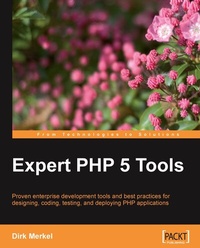
Expert PHP 5 Tools
Proven enterprise development tools and best practices for designing, coding, testing, and deploying PHP applications
1st Edition
Published on 13. January 2025
468 pages
978-1-84719-839-6 (ISBN)
Description

Proven enterprise development tools and best practices for designing, coding, testing, and deploying PHP applicationsKey Features - Best practices for designing, coding, testing, and deploying PHP applications - all the information in one book
- Learn to write unit tests and practice test-driven development from an expert
- Set up a professional development environment with integrated debugging capabilities
- Develop your own coding standard and enforce it automatically
- Document your code for easy maintainability for yourself and others
Book DescriptionEven if you find writing PHP code easy, writing code that is efficient and easy to maintain and reuse is not so straightforward. Self-taught PHP developers and programmers transitioning from other languages often lack the knowledge to work with PHP on an enterprise level. They need to take their PHP development skills to that level by learning the skills and tools necessary to write maintainable and efficient code.This book will enable you to take your PHP development skills to an enterprise level by teaching you the skills and tools necessary to write maintainable and efficient code. You will learn how to perform activities such as unit testing, enforcing coding standards, automating deployment, and interactive debugging using tools created for PHP developers - all the information in one place. Your code will be more maintainable, efficient, and self-documented.From the design phase to actually deploying the application, you will learn concepts and apply them using the best-of-breed tools available in PHP.Experienced developers looking for expertise in PHP development will learn how to follow best practices within the world of PHP. The book contains many well-documented code samples and recipes that can be used as a starting point for producing quality code.Specifically, you will learn to design an application with UML, code it in Eclipse with PDT, document it with phpDocumentor, debug it interactively with Xdebug, test it by writing PHPUnit tests, manage source code in Subversion, speed up development and increase stability by using Zend Framework, pull everything together using continuous integration, and deploy the application automatically with Phing - all in one book. The author's experience in PHP development enables him to share insights on using enterprise tools, in a clear and friendly way.What you will learn - Set up a development environment that provides code completion, syntax highlighting, interactive debugging, code templates, and more
- Define a coding standard and automate compliance checks
- Generate developer documentation in various formats using code-level comments and phpDocumentor
- Manage revision and branching, tag, and merge code using a distributed version control system
- Create your own debugging library and use Xdebug for interactive debugging
- Shorten the development cycle by leveraging a suitable framework for your application
- Write unit tests using PHPUnit and practice test-driven development
- Automate application deployment and configuration using Phing-a PHP build and automation tool
- Sketch class diagrams, sequence diagrams, and use cases using UML
- Quickly find bugs and conflicts by setting up a continuous integration environment that automatically stages, tests, and documents your project
- Chapter 1. Coding Style and StandardsLearn how to define a coding standard that suits your development process and how to enforce it using PHP_CodeSnifferChapter 2. Documentation with phpDocumentorLearn how to properly document your code with phpDocumentor and generate well formatted developer documentationChapter 3. The Eclipse Integrated Development EnvironmentLearn how to install, customize, and use the free PDT plug-in for Eclipse to create a powerful IDE for PHP developmentChapter 4. Source Code and Version ControlExplore the ins and outs of subversion for distributed version control for development teams. Extend subversion functionality with PHP scriptsChapter 5. DebuggingWrite your own flexible debugging library or master remote interactive debugging with Xdebug.Chapter 6. PHP FrameworksEvaluate, compare, and choose frameworks that suit your projects and development style. Master the most commonly used modules of the Zend frameworkChapter 7. TestingTesting methods and types, unit testing, creating comprehensive test suites with PHPUnit, and test-driven developmentChapter 8. Deploying ApplicationsGuidelines for automated and reversible application deployment, automating upgrades, and deployments with PhingChapter 9. PHP Application Design with UMLIntroduction to UML, class diagrams, sequence diagrams, and use casesChapter 10. Continuous IntegrationUse CI, keep costs down and save time by discovering bugs and conflicts in your projects, in the early stages
Who this book is forThis book has been written for professional developers new to PHP and experienced PHP developers who want to take their skills to the next level by learning enterprise-level tools and techniques.
- Learn to write unit tests and practice test-driven development from an expert
- Set up a professional development environment with integrated debugging capabilities
- Develop your own coding standard and enforce it automatically
- Document your code for easy maintainability for yourself and others
Book DescriptionEven if you find writing PHP code easy, writing code that is efficient and easy to maintain and reuse is not so straightforward. Self-taught PHP developers and programmers transitioning from other languages often lack the knowledge to work with PHP on an enterprise level. They need to take their PHP development skills to that level by learning the skills and tools necessary to write maintainable and efficient code.This book will enable you to take your PHP development skills to an enterprise level by teaching you the skills and tools necessary to write maintainable and efficient code. You will learn how to perform activities such as unit testing, enforcing coding standards, automating deployment, and interactive debugging using tools created for PHP developers - all the information in one place. Your code will be more maintainable, efficient, and self-documented.From the design phase to actually deploying the application, you will learn concepts and apply them using the best-of-breed tools available in PHP.Experienced developers looking for expertise in PHP development will learn how to follow best practices within the world of PHP. The book contains many well-documented code samples and recipes that can be used as a starting point for producing quality code.Specifically, you will learn to design an application with UML, code it in Eclipse with PDT, document it with phpDocumentor, debug it interactively with Xdebug, test it by writing PHPUnit tests, manage source code in Subversion, speed up development and increase stability by using Zend Framework, pull everything together using continuous integration, and deploy the application automatically with Phing - all in one book. The author's experience in PHP development enables him to share insights on using enterprise tools, in a clear and friendly way.What you will learn - Set up a development environment that provides code completion, syntax highlighting, interactive debugging, code templates, and more
- Define a coding standard and automate compliance checks
- Generate developer documentation in various formats using code-level comments and phpDocumentor
- Manage revision and branching, tag, and merge code using a distributed version control system
- Create your own debugging library and use Xdebug for interactive debugging
- Shorten the development cycle by leveraging a suitable framework for your application
- Write unit tests using PHPUnit and practice test-driven development
- Automate application deployment and configuration using Phing-a PHP build and automation tool
- Sketch class diagrams, sequence diagrams, and use cases using UML
- Quickly find bugs and conflicts by setting up a continuous integration environment that automatically stages, tests, and documents your project
- Chapter 1. Coding Style and StandardsLearn how to define a coding standard that suits your development process and how to enforce it using PHP_CodeSnifferChapter 2. Documentation with phpDocumentorLearn how to properly document your code with phpDocumentor and generate well formatted developer documentationChapter 3. The Eclipse Integrated Development EnvironmentLearn how to install, customize, and use the free PDT plug-in for Eclipse to create a powerful IDE for PHP developmentChapter 4. Source Code and Version ControlExplore the ins and outs of subversion for distributed version control for development teams. Extend subversion functionality with PHP scriptsChapter 5. DebuggingWrite your own flexible debugging library or master remote interactive debugging with Xdebug.Chapter 6. PHP FrameworksEvaluate, compare, and choose frameworks that suit your projects and development style. Master the most commonly used modules of the Zend frameworkChapter 7. TestingTesting methods and types, unit testing, creating comprehensive test suites with PHPUnit, and test-driven developmentChapter 8. Deploying ApplicationsGuidelines for automated and reversible application deployment, automating upgrades, and deployments with PhingChapter 9. PHP Application Design with UMLIntroduction to UML, class diagrams, sequence diagrams, and use casesChapter 10. Continuous IntegrationUse CI, keep costs down and save time by discovering bugs and conflicts in your projects, in the early stages
Who this book is forThis book has been written for professional developers new to PHP and experienced PHP developers who want to take their skills to the next level by learning enterprise-level tools and techniques.
All prices
More details
Other editions
Additional editions
Dirk Merkel
Expert PHP 5 Tools
Proven enterprise development tools and best practices for designing, coding, testing, and deploying PHP applications
Book
04/2010
Packt Publishing
€64.30
Shipment within 3-4 weeks
Person
Merkel Dirk :
Dirk Merkel is the owner of Waferthin Web Works LLC. In his spare time, he likes to ruin perfectly good open-source projects by submitting unsolicited patches. He also writes about Web development. He lives in San Diego with his lovely wife and two wonderful daughters. Dirk can be reached at dirk@waferthin.com.
Dirk Merkel is the owner of Waferthin Web Works LLC. In his spare time, he likes to ruin perfectly good open-source projects by submitting unsolicited patches. He also writes about Web development. He lives in San Diego with his lovely wife and two wonderful daughters. Dirk can be reached at dirk@waferthin.com.
Content
- Intro
- Expert PHP 5 Tools
- Table of Contents
- Expert PHP 5 Tools
- Credits
- About the Author
- About the Reviewers
- Preface
- What this book covers
- What you need for this book
- Who this book is for
- Conventions
- Reader feedback
- Customer support
- Downloading the example code for the book
- Errata
- Piracy
- Questions
- 1. Coding Style and Standards
- Coding standard considerations
- Pros
- Cons
- A PHP coding standard
- Formatting
- PHP tags
- Indenting
- Line length
- Line endings
- Spacing
- Statements
- Strings
- Arrays
- Control structures
- If-elseif-else statements
- Switch statements
- Class and method definitions
- Naming conventions
- Class names
- Property and variable names
- Constant names
- Method and function names
- Methodology
- Type hinting
- Separating object creation from initialization
- Class files
- Class names and directory structures
- Visibility and access
- Including source files
- Comments
- Inline documentation
- Coding standard adherence and verification
- PHP_CodeSniffer for automated checking
- Installing PHP_CodeSniffer
- Basic usage
- Slightly advanced usage
- Validating against your own coding standard
- Creating the directories
- The main coding standard class file
- Creating Sniffs
- Tokenization
- Writing our first sniff
- Extending existing sniffs
- Automated code checks
- Summary
- 2. Documentation with phpDocumentor
- Code-level documentation
- Levels of detail
- Introducing phpDocumentor
- Installing phpDocumentor
- DocBlocks
- Short and long descriptions
- Tags
- DocBlock templates
- Tutorials
- Naming conventions and how to reference tutorials
- DocBook syntax
- Documenting a project
- Documentation without DocBlocks
- Documentation with DocBlocks
- phpDocumentor options
- Command line reference
- Config files
- Browser-based interface
- Tag reference
- Standard tags
- @access
- @author
- @category
- @copyright
- @deprecated
- @example
- @filesource
- @global
- @ignore
- @internal
- @license
- @link
- @method
- @name
- @package
- @property
- @return
- @see
- @since
- @static
- @staticvar
- @subpackage
- @todo
- @tutorial
- @uses
- @var
- @version
- Inline tags
- {@Example}
- {@id}
- {@internal}}
- {@inheritdoc}
- {@link}
- {@source}
- {@toc}
- {@tutorial}
- PHP4 elements
- Custom tags
- Summary
- 3. The Eclipse Integrated Development Environment
- Why Eclipse?
- Introducing PDT
- Installing Eclipse
- Requirements
- Choosing a package
- Adding the PDT plugin
- Basic Eclipse concepts
- Workspace
- Views
- Perspectives
- A PDT sample project
- PDT features
- Editor
- Syntax highlighting
- Code assist
- Code folding
- Mark occurrences
- Override indicators
- Type, method, and resource navigation
- Inspection
- Projects and files
- PHP explorer
- Type hierarchy
- Debugging
- PDT preferences
- Appearance
- Code style
- Formatter
- Code templates
- Debug
- Installed debuggers
- Step filtering
- Workbench options
- Editor
- Code assist
- Code folding
- Hovers
- Mark occurrences
- Save actions
- Syntax coloring
- Task tags
- Typing
- New project layout
- PHP executables
- PHP interpreter
- PHP manual
- PHP servers
- Templates
- Other features
- PHP function reference
- Eclipse plugins
- Zend Studio for Eclipse
- Support
- Refactoring
- Code generation
- PHPUnit testing
- PhpDocumentor support
- Zend Framework integration
- Zend server integration
- Summary
- 4. Source Code and Version Control
- Common use cases
- A brief history of source code control
- CVS
- Introducing Subversion
- Client installation
- Server configuration
- Apache with mod_dav_svn
- svnserve
- Subversion concepts
- Repository
- Tags
- Trunk
- Branches
- Working (Local) copy
- Merging
- Revisions and versions
- Updating
- Comparing
- History/Log
- Annotating code
- Reverting
- Committing
- Subversion command reference
- svn
- blame
- cat
- changelist
- checkout
- cleanup
- commit
- copy
- delete
- diff
- export
- help
- import
- info
- list
- lock
- log
- merge
- mergeinfo
- mkdir
- move
- propdel
- propedit
- propget
- proplist
- propset
- resolve
- resolved
- revert
- status
- switch
- unlock
- update
- svnadmin
- create
- dump
- svnlook
- svnserve
- svndumpfilter
- svnversion
- Creating a Subversion project
- Basic version control workflow
- A closer look at the repository
- Data store
- Layout
- Branching and merging
- What is a branch?
- Why branch?
- How to branch?
- Maintaining and merging a branch
- Branching workflow
- UI clients
- Eclipse plug-ins
- TortoiseSVN
- WebSVN
- Subversion conventions and best practices
- Customizing Subversion
- Hooks
- Enforcing coding standards with a pre-commit hook
- Notifying developers of commits with a post-commit hook
- Summary
- 5. Debugging
- First line of defense: syntax check
- Logging
- Configuration options
- Customizing and controlling config options: PhpIni
- PhpIni example
- Outputting debug information
- Functions
- echo(string $arg1 [, string $... ] / print(string $arg)
- var_dump(mixed $expression [, mixed $expression [, $... ]]) and print_r(mixed $expression [, bool $return= false ])
- highlight_string(string str [, bool return]) and highlight_file(string filename [, bool return])
- get_class([object object])
- get_object_vars(object object)
- get_class_methods(mixed class_name)
- get_class_vars(string class_name)
- debug_backtrace()
- debug_print_backtrace()
- exit([string status]) or exit (int status)
- Magic constants
- Writing our own debugging class
- Functional requirements
- DebugException
- Using DebugException
- DebugException: Pros and cons
- Introducing Xdebug
- Installing Xdebug
- Configuring Xdebug
- Immediate benefits
- var_dump() improved
- var_dump() settings
- Errors and exceptions beautified
- Stack trace settings
- Protection from infinite recursion
- Remote debugging
- Remote server debug configuration
- Debugging client configuration
- Summary
- 6. PHP Frameworks
- Writing your own framework
- Evaluating and choosing frameworks
- Community and acceptance
- Feature road map
- Documentation
- Code quality
- Coding standards and compliance
- Project fit
- Easy to learn and adapt
- Open source
- Familiarity
- Their rules
- Popular PHP frameworks
- Zend
- CodeIgniter
- Symfony
- Yii
- Zend Framework application
- Feature list
- Application skeleton
- Important concepts
- Bootstrapping
- MVC
- Application structure detail
- Model: application/models/
- View: application/views/
- Controller: application/controllers/
- Configuration: application/configs/
- Library
- Public
- Tests
- Enhancements
- Adding a layout
- Adding views
- Adding logging
- Adding a database
- Adding a model
- Adding a controller
- Putting it all together
- Summary
- 7. Testing
- Testing methods
- Black box
- White box
- Gray box
- Types of testing
- Unit testing
- Integration testing
- Regression testing
- System testing
- User acceptance testing
- Introducing PHPUnit
- Installing PHPUnit
- String search project
- BMH algorithm basics
- Implementing BMH
- Unit testing BoyerMooreStringSearch
- The test class
- Assertions
- Organization
- Our first unit test
- Extended test class features
- Fixtures
- Annotations
- Data providers
- Exceptions
- Automation: generating tests from classes
- Unimplemented and skipped tests
- Automation: generating classes from tests
- Test-driven development
- Enhancing our example with TDD
- Code coverage
- TestCase subclasses
- Summary
- 8. Deploying Applications
- Goals and requirements
- Deploying your application
- Checking out and uploading files
- Displaying an under-maintenance message
- Upgrading and installing files
- Upgrading database schema and data
- Rotating log files and updating symbolic links
- Verifying the deployed application
- Automating deployment
- Phing
- Installing Phing
- Basic syntax and file structure
- Tasks
- Targets
- Properties and property files
- Types
- Filters
- Mappers
- The project tag
- Deploying a site
- Separating external dependencies
- Creating a build script
- Environment and properties
- Directory skeleton
- Subversion export and checkout
- Building files from templates
- Maintenance page
- Database backup
- Database migrations
- Going live
- Putting it all together
- Backing out
- Summary
- 9. PHP Application Design with UML
- Meta-model versus notation versus our approach
- Levels of detail and purpose
- Round-trip and one-way tools
- Basic types of UML diagrams
- Diagrams
- Class diagrams
- Elements of a class
- Properties (Attributes)
- Methods (Operations)
- Static methods and properties
- A class diagram example
- Relationships
- Association
- Aggregation
- Composition
- Dependency
- Generalization
- Interfaces
- Example refactored
- Code generators
- Sequence diagrams
- Scope
- A sequence diagram of the network scanner
- Objects and lifelines
- Methods
- Creating and destroying object
- Loops and conditionals
- Synchronous versus asynchronous calls
- Use cases
- Use cases - diagrams optional
- When to create use cases
- Example use case
- Background
- Typical scenario
- Example use case diagram
- Actors
- System boundary
- Use cases
- Relationships
- Summary
- 10. Continuous Integration
- The satellite systems
- Version control: Subversion
- Commit frequency
- Testing: PHPUnit
- Automation: Phing
- Coding style: PHP_CodeSniffer
- Documentation: PhpDocumentor
- Code coverage: Xdebug
- Environment setup considerations
- Do I need a dedicated CI server?
- Do I need a CI tool?
- CI tools
- XINC (Xinc Is Not CruiseControl)
- phpUnderControl
- Continuous integration with phpUnderControl
- Installation
- Installing CruiseControl
- Installing phpUnderControl
- Overlaying CruiseControl with phpUnderControl
- CruiseControl configuration
- Overview of the CI process and components
- CruiseControl and project layout
- Getting the project source
- Configuring the project: build.xml
- Configuring CruiseControl
- Advanced options
- Bootstrappers
- Publishers
- Running CruiseControl
- The overview page
- The tests page
- Metrics
- Coverage
- Documentation
- CodeSniffer
- PHPUnit PMD
- Replacing Ant with Phing
- Summary
- Index

