

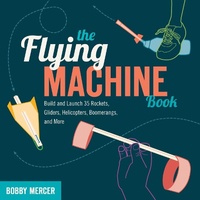
Flying Machine Book
Build and Launch 35 Rockets, Gliders, Helicopters, Boomerangs, and More
Published on 1. May 2012
210 pages
978-1-61374-088-0 (ISBN)
Description

Calling all future Amelia Earharts and Chuck Yeagers-there's more than one way to get off the ground. Author and physics teacher Bobby Mercer will show readers 35 easy-to-build and fun-to-fly contraptions that can be used indoors or out. Better still, each of these rockets, gliders, boomerangs, launchers, and helicopters are constructed for little or no cost using recycled materials. The Flying Machine Book will show readers how to turn rubber bands, paper clips, straws, plastic bottles, and index cards into amazing, gravity-defying flyers. Learn how to turn a drinking straw, rubber band, and index card into a Straw Rocket, or convert a paper towel tube into a Grape Bazooka. Empty water bottles can be transformed into Plastic Zippers and Bottle Rockets, and ordinary paper can be cut and folded to make a Fingerrangs-a small boomerang-or a Maple Key Helicopter. Each project contains a material list and detailed step-by-step instructions with photos. Mercer also includes explanations of the science behind each flyer, including concepts such as lift, thrust, and drag, the Bernoulli effect, and more. Readers can use this information to modify and improve their flyers, or explain to their teachers why throwing a paper airplane is a mini science lesson. Bobby Mercer has been sharing the fun of free flight for over two decades as a high school physics teacher. He is the author of several books and lives with his family outside of Asheville, North Carolina.
More details
Other editions
Additional editions

Bobby Mercer
The Flying Machine Book
Build and Launch 35 Rockets, Gliders, Helicopters, Boomerangs, and More
Book
05/2012
Chicago Review Press
€16.50
Shipment within 3-4 weeks
Content
- Front Cover
- Dedication
- Copyright
- Contents
- Acknowledgments
- Introduction
- 1 Flight School
- 2 Rockets
- Basic Straw Rocket
- Cruise Missile
- Bottle Rocket
- Soda Pop Rocket
- Blow Darts
- Whisper Rocket
- 3 Hand-Powered Gliders
- Flying Flounder
- Plastic Zipper
- Paper Plate Flyer
- Red Baron
- Round Square Flyer
- Three-Penny Flyer
- Phonebook Flipper
- 4 Rubber Band-Powered Gliders
- Classic Dart
- Flat Flyer
- Mini-Delta Flyer
- F-16
- Falcon Frenzy
- Streak
- Foam Plate Shuttle
- Bat-Wing Flyer
- 5 Helicopters
- Apache
- Straw Copter
- Super Spinner
- Maple Key Helicopter
- Fantastic Four-Blade
- 6 Launchers
- X-Wing Flyer and Launcher
- Grape Bazooka
- Straight-as-an-Arrow Launcher
- Pistol Grip Launcher
- Pringles Launcher
- 7 Boomerangs
- Basic Fingerrang
- Triple Threat
- Criss-Cross Flyer
- Ninja Star
- Aussie
- Back Cover
