

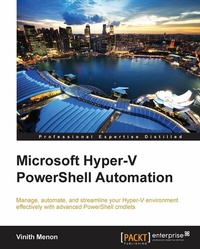
Microsoft Hyper-V PowerShell Automation
Manage, automate, and streamline your Hyper-V environment effectively with advanced PowerShell cmdlets
Published on 7. October 2025
124 pages
978-1-78439-220-8 (ISBN)
Description

Key Features
Book DescriptionThis book is great for administrators who are new to automating Hyper-V administration tasks using PowerShell. If you are familiar with the PowerShell command line and have some experience with the Windows Server, this book is perfect for you.What you will learn
Understand and optimize the new features of HyperV on Windows Server 2012 R2
Install and configure your HyperV environment on a Windows Server environment using PowerShell
Extract information about HyperV hosts and the associated virtual machines
Create, delete, start, and stop virtual machines and configure their properties
Utilize HyperV PowerShell module cmdlets to create reusable PowerShell scripts
Integrate your HyperV environment for enterpriselevel management using SCVMM to create and manage private clouds
Troubleshoot your HyperV environment with PowerShell and custom scripts
Who this book is forThis book is great for administrators who are new to automating Hyper-V administration tasks using PowerShell. If you are familiar with the PowerShell command line and have some experience with the Windows Server, this book is perfect for you.
Book DescriptionThis book is great for administrators who are new to automating Hyper-V administration tasks using PowerShell. If you are familiar with the PowerShell command line and have some experience with the Windows Server, this book is perfect for you.What you will learn
Understand and optimize the new features of HyperV on Windows Server 2012 R2
Install and configure your HyperV environment on a Windows Server environment using PowerShell
Extract information about HyperV hosts and the associated virtual machines
Create, delete, start, and stop virtual machines and configure their properties
Utilize HyperV PowerShell module cmdlets to create reusable PowerShell scripts
Integrate your HyperV environment for enterpriselevel management using SCVMM to create and manage private clouds
Troubleshoot your HyperV environment with PowerShell and custom scripts
Who this book is forThis book is great for administrators who are new to automating Hyper-V administration tasks using PowerShell. If you are familiar with the PowerShell command line and have some experience with the Windows Server, this book is perfect for you.
All prices
More details
Edition
Digital original
Language
English
Place of publication
Birmingham
United Kingdom
Target group
Professional and scholarly
US School Grade: College Graduate Student
Edition type
Digital original
File size
5,68 MB
ISBN-13
978-1-78439-220-8 (9781784392208)
Copyright in bibliographic data and cover images is held by Nielsen Book Services Limited or by the publishers or by their respective licensors: all rights reserved.
Schweitzer Classification
Other editions
Additional editions
Vinith Menon
Microsoft Hyper-V PowerShell Automation
Book
02/2015
Packt Publishing
€38.70
Shipment within 3-4 weeks
Person
Menon Vinith :
Vinith Menon has extensive experience in the IT industry. At the beginning of his career, he was working with a leading consulting firm as a senior systems engineer managing Windows Server and the VMware virtualization environment. He was also extensively involved in automation using scripting. Later, he worked with another platinum-level consulting company as a senior software engineer and managed Microsoft Hyper-V and NetApp environments for Avanade using PowerShell scripting. Vinith has done automation for tasks that earlier required manual work using Opalis and integrated them with PowerShell scripting. He has also built integration packs using PowerShell for Microsoft System Center Orchestrator. He has extensive knowledge of Hyper-V and the management of virtual machine environments using System Center Virtual Machine Manager. He has in-depth technical expertise in PowerShell scripting, Active Directory, server administration, and network management. Vinith is now part of Microsoft Business Unit Technology Evangelism with NetApp. At the moment, he is interested in the automation of various PowerShell scripting, Microsoft Hyper-V virtualization, Microsoft Exchange, and System Center technologies such as SCSM, SCOM, and SCORCH 2012. As a subject matter expert of Hyper-V and PowerShell, he blogs and supports the NetApp PowerShell community. Vinith is very passionate about automation and PowerShell scripting. You can find him frequently blogging about virtualization, PowerShell, and all automation-related information that deals with Microsoft System Center, Windows Server, and client operating systems. He is also an active member of the PowerShell Bangalore User Group and loves sharing his knowledge with like-minded techies.
Vinith Menon has extensive experience in the IT industry. At the beginning of his career, he was working with a leading consulting firm as a senior systems engineer managing Windows Server and the VMware virtualization environment. He was also extensively involved in automation using scripting. Later, he worked with another platinum-level consulting company as a senior software engineer and managed Microsoft Hyper-V and NetApp environments for Avanade using PowerShell scripting. Vinith has done automation for tasks that earlier required manual work using Opalis and integrated them with PowerShell scripting. He has also built integration packs using PowerShell for Microsoft System Center Orchestrator. He has extensive knowledge of Hyper-V and the management of virtual machine environments using System Center Virtual Machine Manager. He has in-depth technical expertise in PowerShell scripting, Active Directory, server administration, and network management. Vinith is now part of Microsoft Business Unit Technology Evangelism with NetApp. At the moment, he is interested in the automation of various PowerShell scripting, Microsoft Hyper-V virtualization, Microsoft Exchange, and System Center technologies such as SCSM, SCOM, and SCORCH 2012. As a subject matter expert of Hyper-V and PowerShell, he blogs and supports the NetApp PowerShell community. Vinith is very passionate about automation and PowerShell scripting. You can find him frequently blogging about virtualization, PowerShell, and all automation-related information that deals with Microsoft System Center, Windows Server, and client operating systems. He is also an active member of the PowerShell Bangalore User Group and loves sharing his knowledge with like-minded techies.
Content
Table of Contents
What is New PowerShell Cmdlets in Hyper-V on WindowsServer 2012 R2?Windows
Managing your Hyper-V Virtual Infrastructure
Managing your Hyper-V Virtual Machines Part 2
Create re-usable PowerShell scripts using Hyper-V PowerShell
Next Steps
Troubleshooting Hyper-V Environment Issues and Best Practises using PowerShell
What is New PowerShell Cmdlets in Hyper-V on WindowsServer 2012 R2?Windows
Managing your Hyper-V Virtual Infrastructure
Managing your Hyper-V Virtual Machines Part 2
Create re-usable PowerShell scripts using Hyper-V PowerShell
Next Steps
Troubleshooting Hyper-V Environment Issues and Best Practises using PowerShell

