

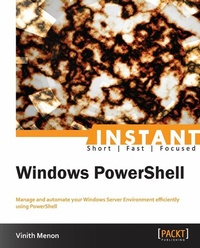
Instant Windows PowerShell
Manage and automate your Windows Server Environment efficiently using PowerShell
1st Edition
Published on 13. January 2025
54 pages
978-1-84968-875-8 (ISBN)
Description

Manage and automate your Windows Server Environment efficiently using PowerShellKey Features - Learn something new in an Instant! A short, fast, focused guide delivering immediate results
- Learn to use PowerShell web access to secure Windows management anywhere, any time, on any device
- Understand to secure and sign the scripts you write using the script signing feature in PowerShell
- Learn how to manage and Secure Active Directory environment
Book DescriptionWindows PowerShell comprises numerous major features that extend its use, advance its usability, and allow you to control and manage Windows-based environments.Windows PowerShell is backward-compatible. Cmdlets, providers, modules, snap-ins, scripts, functions, and profiles that were designed for Windows PowerShell 2.0 work in Windows PowerShell 3.0 without any changes.A practical, hands-on guide that provides you with a number of clear step-by-step exercises which will help you take advantage of the real power that is Windows PowerShell.Starting by listing the New Features in PowerShell 3.0, this book goes on to break down the mystery and confusion that surrounds which feature to use and when. It will take you through a number of clear, practical sections that will help you to take advantage of PowerShell, easily and quickly.You will also learn how to use PowerShell for file and folder management in a Windows Server Environment. The book will also also show you how to use PowerShell Web Access for secure Windows Management anywhere, any time, on any device.Learn how to secure and sign the scripts you write using the script signing feature in PowerShell, understand how to use PowerShell to secure and administer a PKI environment, and discover how to use a BPA module to analyze the security integrity of a system as per Microsoft requirements. If you want to take your first step into PowerShell 3.0 to manage your Windows environment, then this is the book for you.What you will learn - Learn to set up and configure PowerShell on Windows Server 2012
- Discover how to use PowerShell web access for efficient and secure Windows Management
- Secure and sign the scripts you write using the script signing feature in PowerShell
- Manage and secure the Active Directory environment
- Understand the features included in Microsoft PowerShell Security module and how to secure your Network using Net Security Module
- Employ PowerShell to securely manage your VPN environment
Who this book is forIf you are an administrator who is new to PowerShell or are looking to get a good grounding in these new features, this book is ideal for you. It's assumed that you will have some experience in PowerShell and Windows Server, as well being familiar with the PowerShell command-line.
- Learn to use PowerShell web access to secure Windows management anywhere, any time, on any device
- Understand to secure and sign the scripts you write using the script signing feature in PowerShell
- Learn how to manage and Secure Active Directory environment
Book DescriptionWindows PowerShell comprises numerous major features that extend its use, advance its usability, and allow you to control and manage Windows-based environments.Windows PowerShell is backward-compatible. Cmdlets, providers, modules, snap-ins, scripts, functions, and profiles that were designed for Windows PowerShell 2.0 work in Windows PowerShell 3.0 without any changes.A practical, hands-on guide that provides you with a number of clear step-by-step exercises which will help you take advantage of the real power that is Windows PowerShell.Starting by listing the New Features in PowerShell 3.0, this book goes on to break down the mystery and confusion that surrounds which feature to use and when. It will take you through a number of clear, practical sections that will help you to take advantage of PowerShell, easily and quickly.You will also learn how to use PowerShell for file and folder management in a Windows Server Environment. The book will also also show you how to use PowerShell Web Access for secure Windows Management anywhere, any time, on any device.Learn how to secure and sign the scripts you write using the script signing feature in PowerShell, understand how to use PowerShell to secure and administer a PKI environment, and discover how to use a BPA module to analyze the security integrity of a system as per Microsoft requirements. If you want to take your first step into PowerShell 3.0 to manage your Windows environment, then this is the book for you.What you will learn - Learn to set up and configure PowerShell on Windows Server 2012
- Discover how to use PowerShell web access for efficient and secure Windows Management
- Secure and sign the scripts you write using the script signing feature in PowerShell
- Manage and secure the Active Directory environment
- Understand the features included in Microsoft PowerShell Security module and how to secure your Network using Net Security Module
- Employ PowerShell to securely manage your VPN environment
Who this book is forIf you are an administrator who is new to PowerShell or are looking to get a good grounding in these new features, this book is ideal for you. It's assumed that you will have some experience in PowerShell and Windows Server, as well being familiar with the PowerShell command-line.
All prices
More details
Other editions
Additional editions
Vinith Menon
Instant Windows PowerShell
Manage and automate your Windows Server Environment efficiently using PowerShell
Book
10/2013
Packt Publishing
€33.40
Shipment within 3-4 weeks
Person
Menon Vinith :
Vinith Menon has extensive experience in the IT industry. At the beginning of his career, he was working with a leading consulting firm as a senior systems engineer managing Windows Server and the VMware virtualization environment. He was also extensively involved in automation using scripting. Later, he worked with another platinum-level consulting company as a senior software engineer and managed Microsoft Hyper-V and NetApp environments for Avanade using PowerShell scripting. Vinith has done automation for tasks that earlier required manual work using Opalis and integrated them with PowerShell scripting. He has also built integration packs using PowerShell for Microsoft System Center Orchestrator. He has extensive knowledge of Hyper-V and the management of virtual machine environments using System Center Virtual Machine Manager. He has in-depth technical expertise in PowerShell scripting, Active Directory, server administration, and network management. Vinith is now part of Microsoft Business Unit Technology Evangelism with NetApp. At the moment, he is interested in the automation of various PowerShell scripting, Microsoft Hyper-V virtualization, Microsoft Exchange, and System Center technologies such as SCSM, SCOM, and SCORCH 2012. As a subject matter expert of Hyper-V and PowerShell, he blogs and supports the NetApp PowerShell community. Vinith is very passionate about automation and PowerShell scripting. You can find him frequently blogging about virtualization, PowerShell, and all automation-related information that deals with Microsoft System Center, Windows Server, and client operating systems. He is also an active member of the PowerShell Bangalore User Group and loves sharing his knowledge with like-minded techies.
Vinith Menon has extensive experience in the IT industry. At the beginning of his career, he was working with a leading consulting firm as a senior systems engineer managing Windows Server and the VMware virtualization environment. He was also extensively involved in automation using scripting. Later, he worked with another platinum-level consulting company as a senior software engineer and managed Microsoft Hyper-V and NetApp environments for Avanade using PowerShell scripting. Vinith has done automation for tasks that earlier required manual work using Opalis and integrated them with PowerShell scripting. He has also built integration packs using PowerShell for Microsoft System Center Orchestrator. He has extensive knowledge of Hyper-V and the management of virtual machine environments using System Center Virtual Machine Manager. He has in-depth technical expertise in PowerShell scripting, Active Directory, server administration, and network management. Vinith is now part of Microsoft Business Unit Technology Evangelism with NetApp. At the moment, he is interested in the automation of various PowerShell scripting, Microsoft Hyper-V virtualization, Microsoft Exchange, and System Center technologies such as SCSM, SCOM, and SCORCH 2012. As a subject matter expert of Hyper-V and PowerShell, he blogs and supports the NetApp PowerShell community. Vinith is very passionate about automation and PowerShell scripting. You can find him frequently blogging about virtualization, PowerShell, and all automation-related information that deals with Microsoft System Center, Windows Server, and client operating systems. He is also an active member of the PowerShell Bangalore User Group and loves sharing his knowledge with like-minded techies.
Content
- Intro
- Instant Windows PowerShell
- Instant Windows PowerShell
- Credits
- About the Author
- About the Reviewers
- www.packtpub.com
- Support files, eBooks, discount offers and more
- packtlib.packtpub.com
- Why Subscribe?
- Free Access for Packt account holders
- 1. Instant Windows PowerShell
- So, what is new in PowerShell 3.0?
- Installation
- Step 1 - what do I need?
- Step 2 - downloading and installing Windows Management Framework
- Step 3 - verifying that you have PowerShell v3 installed
- And that's it
- Quick start - configuring the default security policy in PowerShell
- Top 7 features you need to know about
- Using PowerShell for file and folder management in Windows Server Environment
- Learning how to use PowerShell Web Access to manage your Windows Server Environment anywhere, anytime, and on any device
- Step 1 - installing Windows PowerShell Web Access
- Step 2 - configuring Windows PowerShell Web Access
- Learning how to secure and sign the scripts you write using script signing
- Learning how to manage the Active Directory environment
- Resetting a user password
- Disabling and Enabling a user account
- Unlocking a user account
- Deleting a user account
- Working with groups
- Adding members to a group
- Enumerating the members of a group
- Finding obsolete computer accounts
- Disabling a computer account
- Learning about the features included in the Microsoft.PowerShell.Security module
- Learning how to use PowerShell to administer the PKI environment
- Learning how to use the BPA module to analyze the security integrity of a system as per Microsoft standards
- People and places you should get to know
- Official sites
- Articles and tutorials
- Blogs

