

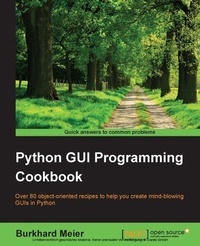
Python GUI Programming Cookbook
Over 80 object-oriented recipes to help you create mind-blowing GUIs in Python
Published on 7. October 2025
350 pages
978-1-78528-748-0 (ISBN)
Description

Over 80 object-oriented recipes to help you create mind-blowing GUIs in Python
Key Features
Book DescriptionPython is a multi-domain, interpreted programming language. It is a widely used general-purpose, high-level programming language. It is often used as a scripting language because of its forgiving syntax and compatibility with a wide variety of different eco-systems. Its flexible syntax enables developers to write short scripts while at the same time, they can use object-oriented concepts to develop very large projects. Python GUI Programming Cookbook follows a task-based approach to help you create beautiful and very effective GUIs with the least amount of code necessary. This book uses the simplest programming style, using the fewest lines of code to create a GUI in Python, and then advances to using object-oriented programming in later chapters. If you are new to object-oriented programming (OOP), this book will teach you how to take advantage of the OOP coding style in the context of creating GUIs written in Python. Throughout the book, you will develop an entire GUI application, building recipe upon recipe, connecting the GUI to a database. In the later chapters, you will explore additional Python GUI frameworks, using best practices. You will also learn how to use threading to ensure your GUI doesn't go unresponsive. By the end of the book, you will be an expert in Python GUI programming to develop a common set of GUI applications.What you will learn
Who this book is forIf you are a Python programmer with intermediate level knowledge of GUI programming and want to learn how to create beautiful, effective, and responsive GUIs using the freely available Python GUI frameworks, this book is for you.
Key Features
Book DescriptionPython is a multi-domain, interpreted programming language. It is a widely used general-purpose, high-level programming language. It is often used as a scripting language because of its forgiving syntax and compatibility with a wide variety of different eco-systems. Its flexible syntax enables developers to write short scripts while at the same time, they can use object-oriented concepts to develop very large projects. Python GUI Programming Cookbook follows a task-based approach to help you create beautiful and very effective GUIs with the least amount of code necessary. This book uses the simplest programming style, using the fewest lines of code to create a GUI in Python, and then advances to using object-oriented programming in later chapters. If you are new to object-oriented programming (OOP), this book will teach you how to take advantage of the OOP coding style in the context of creating GUIs written in Python. Throughout the book, you will develop an entire GUI application, building recipe upon recipe, connecting the GUI to a database. In the later chapters, you will explore additional Python GUI frameworks, using best practices. You will also learn how to use threading to ensure your GUI doesn't go unresponsive. By the end of the book, you will be an expert in Python GUI programming to develop a common set of GUI applications.What you will learn
Who this book is forIf you are a Python programmer with intermediate level knowledge of GUI programming and want to learn how to create beautiful, effective, and responsive GUIs using the freely available Python GUI frameworks, this book is for you.
All prices
More details
Edition
Digital original
Language
English
Place of publication
Birmingham
United Kingdom
Target group
Professional and scholarly
US School Grade: College Graduate Student
Edition type
Digital original
File size
9,24 MB
ISBN-13
978-1-78528-748-0 (9781785287480)
Copyright in bibliographic data and cover images is held by Nielsen Book Services Limited or by the publishers or by their respective licensors: all rights reserved.
Schweitzer Classification
Other editions
New editions
Burkhard Meier Meier
Python GUI Programming Cookbook
Develop functional and responsive user interfaces with tkinter and PyQt5
E-Book
10/2019
3rd Edition
Packt Publishing Limited
€29.99
Available for download
Additional editions
Burkhard A. Meier
Python GUI Programming Cookbook
Over 80 object-oriented recipes to help you create mind-blowing GUIs in Python
Book
12/2015
Packt Publishing
€56.50
Shipment within 3-4 weeks
Person
Meier Burkhard :
Burkhard Meier is a professional software test automation designer, developer, and analyst. He has more than 17 years' professional experience working for several software companies in California, USA. He is the author of Python GUI Programming Cookbook, First and Second Edition. This book is also available as a Packt video course. He is also the author of the Python Projects Packt video course. In his professional career, he developed advanced in-house testing frameworks written in Python 3. He also developed advanced test automation GUIs in Python, which highly increased the productivity of the software development testing team. When not dreaming in Python code, he reads programming books about design, likes to go for long walks, and reads classical poetry.
Burkhard Meier is a professional software test automation designer, developer, and analyst. He has more than 17 years' professional experience working for several software companies in California, USA. He is the author of Python GUI Programming Cookbook, First and Second Edition. This book is also available as a Packt video course. He is also the author of the Python Projects Packt video course. In his professional career, he developed advanced in-house testing frameworks written in Python 3. He also developed advanced test automation GUIs in Python, which highly increased the productivity of the software development testing team. When not dreaming in Python code, he reads programming books about design, likes to go for long walks, and reads classical poetry.
Content
Table of Contents
Creating the GUI Form and Adding Widgets
Layout management
Look and feel customization
Data and Classes
Matplotlib charts
Threads & Networking
Database handling
Testing & Internationalization
Enhancing the GUI with the wxPython library
Creating Amazing 2D GUIs with PyOpenGL and pyglet
Best Practices
Creating the GUI Form and Adding Widgets
Layout management
Look and feel customization
Data and Classes
Matplotlib charts
Threads & Networking
Database handling
Testing & Internationalization
Enhancing the GUI with the wxPython library
Creating Amazing 2D GUIs with PyOpenGL and pyglet
Best Practices

