

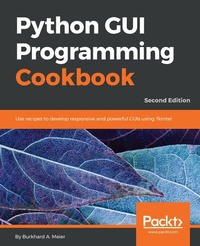
Python GUI Programming Cookbook, Second Edition
Use recipes to develop responsive and powerful GUIs using Tkinter
2nd Edition
Published on 3. June 2024
444 pages
978-1-78712-902-3 (ISBN)
Description

Master over 80 object-oriented recipes to create amazing GUIs in Python and revolutionize your applications todayKey Features - Use object-oriented programming to develop amazing GUIs in Python
- Create a working GUI project as a central resource for developing your Python GUIs
- Easy-to-follow recipes to help you develop code using the latest released version of Python
Book DescriptionPython is a multi-domain, interpreted programming language. It is a widely used general-purpose, high-level programming language. It is often used as a scripting language because of its forgiving syntax and compatibility with a wide variety of different eco-systems. Python GUI Programming Cookbook follows a task-based approach to help you create beautiful and very effective GUIs with the least amount of code necessary. This book will guide you through the very basics of creating a fully functional GUI in Python with only a few lines of code. Each and every recipe adds more widgets to the GUIs we are creating. While the cookbook recipes all stand on their own, there is a common theme running through all of them. As our GUIs keep expanding, using more and more widgets, we start to talk to networks, databases, and graphical libraries that greatly enhance our GUI's functionality. This book is what you need to expand your knowledge on the subject of GUIs, and make sure you're not missing out in the long run. What you will learn - [*] Create the GUI Form and add widgets
- [*] Arrange the widgets using layout managers
- [*] Use object-oriented programming to create GUIs
- [*] Create Matplotlib charts
- [*] Use threads and talking to networks
- [*] Talk to a MySQL database via the GUI
- [*] Perform unit-testing and internationalizing the GUI
- [*] Extend the GUI with third-party graphical libraries
- [*] Get to know the best practices to create GUIs
Who this book is forThis book is for intermediate Python programmers who wish to enhance their Python skills by writing powerful GUIs in Python. As Python is such a great and easy to learn language, this book is also ideal for any developer with experience of other languages and enthusiasm to expand their horizon.
- Create a working GUI project as a central resource for developing your Python GUIs
- Easy-to-follow recipes to help you develop code using the latest released version of Python
Book DescriptionPython is a multi-domain, interpreted programming language. It is a widely used general-purpose, high-level programming language. It is often used as a scripting language because of its forgiving syntax and compatibility with a wide variety of different eco-systems. Python GUI Programming Cookbook follows a task-based approach to help you create beautiful and very effective GUIs with the least amount of code necessary. This book will guide you through the very basics of creating a fully functional GUI in Python with only a few lines of code. Each and every recipe adds more widgets to the GUIs we are creating. While the cookbook recipes all stand on their own, there is a common theme running through all of them. As our GUIs keep expanding, using more and more widgets, we start to talk to networks, databases, and graphical libraries that greatly enhance our GUI's functionality. This book is what you need to expand your knowledge on the subject of GUIs, and make sure you're not missing out in the long run. What you will learn - [*] Create the GUI Form and add widgets
- [*] Arrange the widgets using layout managers
- [*] Use object-oriented programming to create GUIs
- [*] Create Matplotlib charts
- [*] Use threads and talking to networks
- [*] Talk to a MySQL database via the GUI
- [*] Perform unit-testing and internationalizing the GUI
- [*] Extend the GUI with third-party graphical libraries
- [*] Get to know the best practices to create GUIs
Who this book is forThis book is for intermediate Python programmers who wish to enhance their Python skills by writing powerful GUIs in Python. As Python is such a great and easy to learn language, this book is also ideal for any developer with experience of other languages and enthusiasm to expand their horizon.
More details
Person
Meier Burkhard :
Burkhard Meier is a professional software test automation designer, developer, and analyst. He has more than 17 years' professional experience working for several software companies in California, USA. He is the author of Python GUI Programming Cookbook, First and Second Edition. This book is also available as a Packt video course. He is also the author of the Python Projects Packt video course. In his professional career, he developed advanced in-house testing frameworks written in Python 3. He also developed advanced test automation GUIs in Python, which highly increased the productivity of the software development testing team. When not dreaming in Python code, he reads programming books about design, likes to go for long walks, and reads classical poetry.
Burkhard Meier is a professional software test automation designer, developer, and analyst. He has more than 17 years' professional experience working for several software companies in California, USA. He is the author of Python GUI Programming Cookbook, First and Second Edition. This book is also available as a Packt video course. He is also the author of the Python Projects Packt video course. In his professional career, he developed advanced in-house testing frameworks written in Python 3. He also developed advanced test automation GUIs in Python, which highly increased the productivity of the software development testing team. When not dreaming in Python code, he reads programming books about design, likes to go for long walks, and reads classical poetry.
Content
Table of Contents - Creating the GUI Form and Adding Widgets
- Layout management
- Look and feel customization
- Data and Classes
- Matplotlib charts
- Threads & Networking
- Database handling
- Testing & Internationalization
- Enhancing the GUI with the wxPython library
- Creating Amazing 2D GUIs with PyOpenGL and pyglet
- Best Practices
- Layout management
- Look and feel customization
- Data and Classes
- Matplotlib charts
- Threads & Networking
- Database handling
- Testing & Internationalization
- Enhancing the GUI with the wxPython library
- Creating Amazing 2D GUIs with PyOpenGL and pyglet
- Best Practices
