

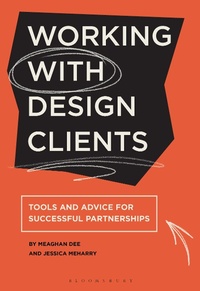
Working with Design Clients
Tools and Advice for Successful Partnerships
1st Edition
Published on 5. September 2024
224 pages
978-1-350-35884-3 (ISBN)
Description

Working with clients is one of the most valuable ways for students to develop their professional design practice skills. This is a practical guide to working on real-life briefs in the design studio-how to collaborate with and connect with communities, find and retain clients, and manage real-world design problems. Using tools and frameworks based on years of research and experience, the book is divided into four sections:
Why (industry connections, experiential learning, personal empowerment)
What (engaging with communities, client work, structure)
Who (work roles, client relationships, articulating value)
How (launching, logistics, planning)
The final section of the book covers information for those expanding into student-led studios and includes information on strategies, financing, and how to plan for the future.
Supported by case studies and interviews, this is an essential guide to working with real projects and clients, for both students and instructors alike.
Why (industry connections, experiential learning, personal empowerment)
What (engaging with communities, client work, structure)
Who (work roles, client relationships, articulating value)
How (launching, logistics, planning)
The final section of the book covers information for those expanding into student-led studios and includes information on strategies, financing, and how to plan for the future.
Supported by case studies and interviews, this is an essential guide to working with real projects and clients, for both students and instructors alike.
More details
Edition
1. Auflage
Language
English
Place of publication
London
United Kingdom
Publishing group
Bloomsbury Publishing PLC
Target group
College/higher education
Professional and scholarly
Illustrations
200 colour illus
ISBN-13
978-1-350-35884-3 (9781350358843)
Copyright in bibliographic data and cover images is held by Nielsen Book Services Limited or by the publishers or by their respective licensors: all rights reserved.
Schweitzer Classification
Other editions
Additional editions
Jessica Meharry | Meaghan Dee
Working with Design Clients
Tools and advice for successful partnerships
Book
10/2024
Bloomsbury Visual Arts
€29.00
Shipment within 15-20 days
Persons
Meaghan Dee is a designer and an Associate Professor (and Chair) of Graphic Design at Virginia Tech, USA. Prior to this role, Meaghan spent three years as Director of a student-run, faculty-led studio, where she gained hands-on experience. Meaghan also spent six years serving on the board (and as co-chair) of the AIGA Design Educators' Community.
Jessica Meharry is an Associate Professor and co-Director of Academic Diversity, Equity, and Inclusion at Columbia College Chicago, USA. She is a designer, scholar, and educator with cross-disciplinary research focused on developing inclusive design management pedagogy and designing for equitable economies. She has more than 20 years of experience in higher education.
Jessica Meharry is an Associate Professor and co-Director of Academic Diversity, Equity, and Inclusion at Columbia College Chicago, USA. She is a designer, scholar, and educator with cross-disciplinary research focused on developing inclusive design management pedagogy and designing for equitable economies. She has more than 20 years of experience in higher education.
Content
Introduction
Part 1: Why
1. Learning Through Experience
This chapter situates client work in the design classroom within a larger educational context by addressing learning-through-doing, project outcomes, and a variety of styles of studio
2. Connecting to Industry
Explores the relationship between client-based experiences and an overall design education. The chapter connects these experiences to current marketplace demands and alternative models for design practice, as well as hearing advice from professionals working in industry
3. Becoming Empowered (including input from Najla Mouchrek)
Studio experiences can provide a sense of agency and purpose when students take on responsibilities of guiding real-world clients and community interactions. This chapter covers empowerment, mentorship, power sharing and collaborations
Part 2: What
4. Engaging with Communities
This chapter explores a range of approaches to ethical community and client engagement through real-world project experiences. Throughout this chapter we will identify strategies for "designing with, not for" communities and provide a deep examination of ethical and value considerations
5. Finding Focus and Targeting Communities
This chapter addresses framing the scope of projects, the types of clients and partners, and approaches to various contractual arrangements
6. Achieving Learning Goals
There are a vast ranges of approaches to how, when, and where these experiences happen for students, from single projects within a class, to capstone-level practicum courses, to independent, standalone studios. Through a series of surveys and interviews, we show real- world examples of each model and outline options for how to establish client relationships and studio experiences based on a program's unique needs and intentions
Part 3: Who
7. Exploring Work Roles
This chapter identifies the responsibilities that students, faculty, and assistants assume as well as the strategies for dealing with the workload related to those responsibilities. Real-world clients bring real-world challenges. As such, this chapter offer strategies for dealing with conflicts, how to effectively collaborate, and how to structure student teams
8. Working With Clients
This chapter uncovers the nuts and bolts of working with clients. The best way to build and maintain strong client relationships is to establish clear communication. Designers must listen to clients and be able to articulate and confirm expectations. Instructors must align client work with learning outcomes and student expectations. Students must also develop knowledge and skills in project management and financial management, including how to analyze and create contractual documents and creative briefs
9. Articulating Value
In this chapter, readers will be guided through strategies to articulate the value (both monetarily and educationally) to stakeholders
Part 4: How
10. Launching the Studio
This chapter outlines best practices and strategies for a successful launch (or re-launch) of a full-fledged, student-run campus design studio
11. Managing the Money
This chapter addresses the operations and logistics of advising and operating a student-run campus design studio. In this chapter, we share findings from our interviews and research that outline a range of practices that have worked for those who are actively guiding these experiences
12. Planning for the Future
This chapter addresses the challenges and best practices of studio operations when taking over an existing studio and for when pivoting directions with your current studio. Based on interviews and case studies, we outline best and worst case scenarios. We include a discussion of how to handle the hand-off between firms, turning repositioning into a design project, and collaborating with other firms within an institution. We conclude by providing tools to help you create a future vision for your ideal studio
Conclusion and Resources
Part 1: Why
1. Learning Through Experience
This chapter situates client work in the design classroom within a larger educational context by addressing learning-through-doing, project outcomes, and a variety of styles of studio
2. Connecting to Industry
Explores the relationship between client-based experiences and an overall design education. The chapter connects these experiences to current marketplace demands and alternative models for design practice, as well as hearing advice from professionals working in industry
3. Becoming Empowered (including input from Najla Mouchrek)
Studio experiences can provide a sense of agency and purpose when students take on responsibilities of guiding real-world clients and community interactions. This chapter covers empowerment, mentorship, power sharing and collaborations
Part 2: What
4. Engaging with Communities
This chapter explores a range of approaches to ethical community and client engagement through real-world project experiences. Throughout this chapter we will identify strategies for "designing with, not for" communities and provide a deep examination of ethical and value considerations
5. Finding Focus and Targeting Communities
This chapter addresses framing the scope of projects, the types of clients and partners, and approaches to various contractual arrangements
6. Achieving Learning Goals
There are a vast ranges of approaches to how, when, and where these experiences happen for students, from single projects within a class, to capstone-level practicum courses, to independent, standalone studios. Through a series of surveys and interviews, we show real- world examples of each model and outline options for how to establish client relationships and studio experiences based on a program's unique needs and intentions
Part 3: Who
7. Exploring Work Roles
This chapter identifies the responsibilities that students, faculty, and assistants assume as well as the strategies for dealing with the workload related to those responsibilities. Real-world clients bring real-world challenges. As such, this chapter offer strategies for dealing with conflicts, how to effectively collaborate, and how to structure student teams
8. Working With Clients
This chapter uncovers the nuts and bolts of working with clients. The best way to build and maintain strong client relationships is to establish clear communication. Designers must listen to clients and be able to articulate and confirm expectations. Instructors must align client work with learning outcomes and student expectations. Students must also develop knowledge and skills in project management and financial management, including how to analyze and create contractual documents and creative briefs
9. Articulating Value
In this chapter, readers will be guided through strategies to articulate the value (both monetarily and educationally) to stakeholders
Part 4: How
10. Launching the Studio
This chapter outlines best practices and strategies for a successful launch (or re-launch) of a full-fledged, student-run campus design studio
11. Managing the Money
This chapter addresses the operations and logistics of advising and operating a student-run campus design studio. In this chapter, we share findings from our interviews and research that outline a range of practices that have worked for those who are actively guiding these experiences
12. Planning for the Future
This chapter addresses the challenges and best practices of studio operations when taking over an existing studio and for when pivoting directions with your current studio. Based on interviews and case studies, we outline best and worst case scenarios. We include a discussion of how to handle the hand-off between firms, turning repositioning into a design project, and collaborating with other firms within an institution. We conclude by providing tools to help you create a future vision for your ideal studio
Conclusion and Resources
