

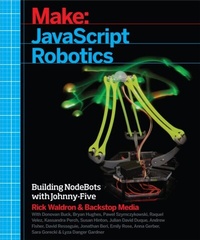
JavaScript Robotics
Building NodeBots with Johnny-Five, Raspberry Pi, Arduino, and BeagleBone
1st Edition
Published on 13. April 2015
272 pages
978-1-4571-8693-6 (ISBN)
Description

JavaScript Robotics is on the rise. Rick Waldron, the lead author of this book and creator of the Johnny-Five platform, is at the forefront of this movement. Johnny-Five is an open source JavaScript Arduino programming framework for robotics. This book brings together fifteen innovative programmers, each creating a unique Johnny-Five robot step-by-step, and offering tips and tricks along the way. Experience with JavaScript is a prerequisite.
More details
Other editions
Additional editions

.. Backstop | Rick Waldron | Kassandra Perch
Javascript Robotics
Building Nodebots with Johnny-Five, Raspberry Pi, Arduino, and Beaglebone
Book
06/2015
O'Reilly
€28.50
Shipment within 10-20 days
Content
- Intro
- Copyright
- Table of Contents
- Preface
- Conventions Used in This Book
- Using Code Examples
- Safari® Books Online
- How to Contact Us
- Acknowledgments
- Julián Duque
- Chapter 1. Building Robots with Lo-tech Materials
- Building the SimpleBot
- Bill of Materials
- Build Steps
- Installing Node.js Packages
- Testing the Build with a Basic Program
- Troubleshooting
- A Simple Driving Program
- Troubleshooting
- Cutting the Cord
- Building a Wireless SimpleBot
- Wiring Up
- Controlling the SimpleBot
- Troubleshooting
- What's Next?
- Chapter 2. TypeBot
- Bill of Materials
- Understanding Your Servomotors
- Anatomy of a Robot Arm
- Arm Layout
- Arm Constraints
- Building the Hardware
- The Base and Shoulder
- The Elbow
- The Wrist
- The Finger
- The Brains
- Writing the Software
- Creating the Project Files
- Controlling the Servos
- Initialization
- Sequencing a Key Press
- Running for the First Time
- Fine-Tuning the Arm
- What's Next?
- Chapter 3. Getting Started with NodeBoats
- Bill of Materials
- Tools
- The Submarine Motor Pod
- Why Use a Motor Driver?
- Motor Pod Components
- Modifying the Motor
- Testing the Motor
- Finishing the Motor
- Inserting the Motor
- Drilling into the Motor Pod
- Closing the Motor Pod
- Waterproofing Your Wires
- Setting Up Your Spark
- Testing the Spark
- Your First Spark Program
- Soldering the Motor Driver
- Wiring Up Your Boat
- Powering the Motor Driver
- Connecting the Spark and the Motor Driver
- Connecting the Motor
- Controlling Your Motor: The Code
- Adding Keypress Events
- Storing Keypress State
- Floating the Boat
- Steering with Servos
- Programming Servo Control
- Assembling the Rudder
- Setting Sail
- What's Next?
- Chapter 4. piDuino5 Mobile Robot Platform
- Bill of Materials
- Tools
- Setting Up the Boards and Installing Software
- Installing Node.js on the Raspberry Pi
- Downloading the piDuino5 Code and Dependencies
- Plug in the Arduino
- Test Johnny-Five over WebSockets
- Walk Through app.js
- Initializing Johnny-Five
- Controlling the Hardware
- Low-Latency Control with WebSockets
- Connect from Anywhere
- Assemble the Hardware
- Controlling with a Smartphone
- Downloading the piDuino5 Web App
- Post localtunnel to the Web App
- Try the Web App on a Phone
- Walk Through app.js and index.html
- Storing the localtunnel Address and Frontend
- Serving the UI
- Touchscreen Joystick
- Establishing a Connection
- Sending Commands
- What's Next?
- Chapter 5. Controlling a Hexapod with Johnny-Five
- Bill of Materials
- Controlling the Robot from the Command Line
- An Introduction to phoenix.js
- Assembling the Robot
- Prepare the Chassis
- Mount the Electronics
- Prepare the Servos
- Installing the coxae
- Installing the Femurs
- Installing the Tibias
- The Coordinate System
- Trim the Servos
- Trim the coxae
- Trim the Femurs
- Trim the Tibias
- Add Ranges to the Servos
- Walking Is Hard!
- Meet the Animation Class
- An Array of Servos as the Target
- A Servo.Array as the Target
- An Array of Servo.Arrays as the Target
- The First Animation Segment
- Walking
- The Row Gait
- The Walk Gait
- The Run Gait
- Turning
- Command Reference
- What's Next?
- Chapter 6. Building Voice-Controlled NodeBots
- Bill of Materials
- BeagleBone Black
- Building Our Project
- Building a Relay Circuit
- Controlling the Relay Circuit from Johnny-Five
- Building a Microphone Preamplifier Circuit
- Connecting the Microphone to the Relay from Johnny-Five
- Building the Commands Server
- Simple Voice Control Using the Web Speech API
- Integrate the Commands Server with the Relay Circuit
- Advanced Voice Control Using an Android Wearable
- Android Mobile Application
- Android Wear Application
- What's Next?
- Chapter 7. An Indoor Sundial
- Bill of Materials
- Foam Core Structural Pieces
- Building Our Sundial
- Cutting and Assembling the Core Structure
- Assemble the Mounting Board
- Wiring and Configuring the Servos
- Wiring the Servos
- Configuring the Servos
- Building the Lower Base
- Making the Disks
- Build the Base Walls and Base Disk Support
- Build the Base Walls
- Position the Disks
- Build the Disk Support
- Finish Parts and Construction
- Build the Azimuth Arm
- Construct the Elevation Arc
- Cut a Gnomon
- Wire Up the Sun
- Code to Make It Go
- Understanding sundial.js
- Set Up Some Configuration in sundial.js
- sundial.js Details
- Putting It All Together!
- Making It Go!
- What's Next?
- Chapter 8. Spooky Lights
- Bill of Materials
- Choosing a Controller Board
- Background
- What's an LED Matrix?
- Assembling the Lights
- Tools Required
- Preparing the Matrices
- Constructing a Cable Assembly
- Decorating the Lights
- Troubleshooting
- Controlling an LED matrix
- Preparing the Arduino
- Running a Test Program
- Matrix Constructor Options
- Drawing to the Matrix
- Developing a Web Application
- Development Tools
- Using the Express Generator
- Developing an API
- Adding a User Interface
- Extending the Application
- What's Next?
- Chapter 9. CheerfulJ5
- Bill of Materials
- Wiring the Circuit
- The CheerfulJ5 code
- Connecting to the Arduino
- Controlling an RGB
- Using the Node.js Read-Eval-Print Loop
- Defining the CheerLights Color Map
- Accessing the CheerLights ThingSpeak API
- Using the Twitter Streaming API
- Going Wireless with the Spark WiFi Development Kit
- Adding the Spark to Your Circuit
- Using the Spark-io IO Plugin
- Switching to Battery Power
- Packaging It Up
- What's Next?
- Chapter 10. Interactive RGB LED Display with BeagleBone Black
- Bill of Materials
- BeagleBone Black
- WiFi USB Adapter (optional)
- External 5V Power Supply (Semi-Optional)
- RGB LEDs
- Sensors
- Miscellaneous
- Getting Ready: Software
- LEDScape
- Wiring Your LEDs
- Wiring Up Your RGB LEDs
- Code Time! Let's Bring in the JavaScript
- Running a Test Script
- Adding in Johnny-Five/Beaglebone-io
- Adding a Photoresistor
- Changing Colors with an Accelerometer
- What's Next?
- Chapter 11. Physical Security, JavaScript, and You
- Simple Ultrasonic Sensor Project: Experimental Control Test (SUSPECT)
- Implementation
- SMS Augmented Ultrasonic Sensor Application: General Experimentation (SAUSAGE)
- Implementation
- Point-of-Entry Monitoring System (PoEMS)
- Implementation
- Lasers Impress Both Enemies and Relatives, Thank You (LIBERTY)
- Implementation
- Status Indicator Necessary, Buttons and Diodes (SINBaD)
- Implementation
- What's Next?
- Chapter 12. Artificial Intelligence: BatBot
- Artificial Intelligence: The Basics
- Remote-Controlled Robots
- Semi-Autonomous Robots
- Autonomous Robots
- BatBot
- Bill of Materials
- Some Notes About the Materials
- Assembly
- Step 1: Remote Control
- Moving the Robot
- Controlling the Robot
- Pointing and Reading from the Sonar
- Step 2: Autonomy
- Implementing the Algorithm
- Troubleshooting
- What's Next?
- Chapter 13. Delta Robots and Kinematics
- Bill of Materials
- Delta Anatomy
- Building Junky Delta
- Making It Move
- Predictable Positioning Through Kinematics
- More Sophisticated Delta Options
- TapsterBot
- Robot Army
- What's Next?
- Chapter 14. Meow Shoes
- Bill of Materials
- Parts Explained
- Making the Sensor Inserts
- Solder the Sensors to the Wiring
- Install Sensors into the Shoes
- Tunnel the Wiring out of the Shoe
- Connecting the Shoes
- Prepare the Coiled Connector Cord
- Connect the Shoes to an Arduino
- Prepare Wiring
- Arduino Soldering
- Attach the Arduino to the Right Shoe
- Running the Code with Johnny-Five
- Connecting to Johnny-Five
- Setting up Sensors
- Logging Output of Sensors
- Example Behavior
- What's Next?
- Appendix A
- Installing Node.js
- Installing Johnny-Five
- Troubleshooting
- More Information
- Configuring Your Hardware
- Arduino
- BeagleBone Black
- Raspberry Pi
- Spark WiFi Development Kit
- Android Development
- Installing Android Studio
- Creating an Android Project
- Installing Volley
- Index
- About the Authors
