

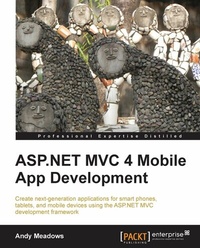
ASP.NET MVC 4 Mobile App Development
If your skill-sets include developing in C# on the .NET platform, this tutorial is a golden opportunity to extend your capabilities into mobile app development using the ASP.NET MVC framework. A totally practical primer.
1st Edition
Published on 13. January 2025
356 pages
978-1-84968-737-9 (ISBN)
Description

If your skill-sets include developing in C# on the.NET platform, this tutorial is a golden opportunity to extend your capabilities into mobile app development using the ASP.NET MVC framework. A totally practical primer.Key Features - Learn and utilize the latest Microsoft tools and technologies to develop mobile web apps with a native feel
- Create web applications for the traditional and mobile web
- Discover techniques used to overcome the pitfalls of developing Internet-ready apps
Book DescriptionThe ASP.NET MVC 4 framework is used to build scalable web applications with the help of design patterns and.NET Framework. The Model-View-Controller (MVC) is a design principle which separates the components of a web application. This separation helps you to modify, develop, and test different components of a web application. ASP.NET MVC 4 Mobile App Development helps you to develop next generation applications, while guiding you to deal with the constraints the mobile web places on application development. By the end of the book, you will be well versed with all the aspects of mobile app development. ASP.NET MVC 4 Mobile App Development introduces you to developing mobile web apps using the ASP.NET MVC 4 framework. Walking you through the process of creating a homebrew recipe sharing application, this book teaches you the fundamentals and concepts relevant to developing Internet-ready mobile-enabled web apps. Through the sample application, you will learn how to secure your apps against XSS and CSRF attacks, open up your application to users using third party logins such as Google or Facebook, and how to use Razor, HTML 5, and CSS 3 to create custom views and content targeting mobile devices. Using these custom views, you will then learn how to create web apps with a native mobile device feel using jQuery mobile. By the end of the book, you will be presented with a set of challenges to prove to yourself that you now have the skills to extend your existing web applications to the mobile web or create new mobile web apps.What you will learn - Understand the differences between developing traditional web apps and apps targeting the mobile web
- Learn to use the conventions and configurations used by Entity Framework 5.0 to tailor our model to suit our requirements
- Secure your apps and protect your users from Internet attacks like XSS and CSRF
- Familiarize yourself with HTML 5 and CSS 3 to develop next-generation web apps
- Socialize your app using SignalR and WebSockets to provide real-time features to your users
- Create highly-optimized multi-threaded mobile apps using the new async and await keywords and content bundles
Who this book is forThis book is targeted at people who are familiar with C# development on the.NET platform and are interested in web development with the ASP.NET development framework. No prior web or mobile development experience is required.
- Create web applications for the traditional and mobile web
- Discover techniques used to overcome the pitfalls of developing Internet-ready apps
Book DescriptionThe ASP.NET MVC 4 framework is used to build scalable web applications with the help of design patterns and.NET Framework. The Model-View-Controller (MVC) is a design principle which separates the components of a web application. This separation helps you to modify, develop, and test different components of a web application. ASP.NET MVC 4 Mobile App Development helps you to develop next generation applications, while guiding you to deal with the constraints the mobile web places on application development. By the end of the book, you will be well versed with all the aspects of mobile app development. ASP.NET MVC 4 Mobile App Development introduces you to developing mobile web apps using the ASP.NET MVC 4 framework. Walking you through the process of creating a homebrew recipe sharing application, this book teaches you the fundamentals and concepts relevant to developing Internet-ready mobile-enabled web apps. Through the sample application, you will learn how to secure your apps against XSS and CSRF attacks, open up your application to users using third party logins such as Google or Facebook, and how to use Razor, HTML 5, and CSS 3 to create custom views and content targeting mobile devices. Using these custom views, you will then learn how to create web apps with a native mobile device feel using jQuery mobile. By the end of the book, you will be presented with a set of challenges to prove to yourself that you now have the skills to extend your existing web applications to the mobile web or create new mobile web apps.What you will learn - Understand the differences between developing traditional web apps and apps targeting the mobile web
- Learn to use the conventions and configurations used by Entity Framework 5.0 to tailor our model to suit our requirements
- Secure your apps and protect your users from Internet attacks like XSS and CSRF
- Familiarize yourself with HTML 5 and CSS 3 to develop next-generation web apps
- Socialize your app using SignalR and WebSockets to provide real-time features to your users
- Create highly-optimized multi-threaded mobile apps using the new async and await keywords and content bundles
Who this book is forThis book is targeted at people who are familiar with C# development on the.NET platform and are interested in web development with the ASP.NET development framework. No prior web or mobile development experience is required.
All prices
More details
Other editions
Additional editions
Andy Meadows
ASP.Net MVC 4 Mobile App Development
Book
07/2013
Packt Publishing
€56.50
Shipment within 3-4 weeks
Person
Meadows Andrew Scott :
Andy Meadows has been in a love affair with technology since his third-grade teacher introduced him to her TRS-80 Model III in 1981. After several months of typing "Go North" on the keyboard, he began his foray into BASIC programming. The TRS-80 Model III begat a Commodore 64 and an introduction to Pascal. By 1988, he was spending his summers earning money by writing software in C for local small businesses. While attending college at the University of Georgia, Andy developed his passion for web development and, of course, beer. His first web application was a series of CGI scripts that output content for NCSA Mosaic and by 1994, he was designing web interfaces for global information systems. After college, Andy wandered listlessly through the IT world spending time in several verticals using several different languages, but he always returned home to web development. In 2002, he began his foray into mobile development beginning with native Java development, and quickly moving into the mobile web space where he began marrying his two passions: mobile web development and.NET. Since then, Andy has worked on several projects involving mobile development, web development, or both. He is extremely excited about the future of the mobile web made possible by the newest generation of mobile devices. He is currently working at a startup in Atlanta, where he lives with his wife and two children.
Andy Meadows has been in a love affair with technology since his third-grade teacher introduced him to her TRS-80 Model III in 1981. After several months of typing "Go North" on the keyboard, he began his foray into BASIC programming. The TRS-80 Model III begat a Commodore 64 and an introduction to Pascal. By 1988, he was spending his summers earning money by writing software in C for local small businesses. While attending college at the University of Georgia, Andy developed his passion for web development and, of course, beer. His first web application was a series of CGI scripts that output content for NCSA Mosaic and by 1994, he was designing web interfaces for global information systems. After college, Andy wandered listlessly through the IT world spending time in several verticals using several different languages, but he always returned home to web development. In 2002, he began his foray into mobile development beginning with native Java development, and quickly moving into the mobile web space where he began marrying his two passions: mobile web development and.NET. Since then, Andy has worked on several projects involving mobile development, web development, or both. He is extremely excited about the future of the mobile web made possible by the newest generation of mobile devices. He is currently working at a startup in Atlanta, where he lives with his wife and two children.
Content
- Intro
- ASP.NET MVC 4 Mobile App Development
- Table of Contents
- ASP.NET MVC 4 Mobile App Development
- Credits
- About the Author
- Acknowledgment
- About the Reviewers
- www.PacktPub.com
- Support files, eBooks, discount offers and more
- Why Subscribe?
- Free Access for Packt account holders
- Instant Updates on New Packt Books
- Preface
- What this book covers
- What you need for this book
- Who this book is for
- Conventions
- Reader feedback
- Customer support
- Downloading the example code
- Errata
- Piracy
- Questions
- 1. Developing for the Mobile Web
- History of the mobile web
- The Nokia 9000
- Market fragmentation
- WAP 1.0 and WML
- WAP 2.0 and XHTML MP
- Continued development constraints
- Processing constraints
- Network constraints
- Content compression
- Server to client compression
- Minification
- Image optimizations
- Lower color depth
- CSS image sprites
- Data URIs
- Content Delivery Networks
- Cached data
- Less traffic
- Presentation constraints
- Single window
- Lower resolution
- Content spacing
- Viewing the mobile web
- Market percentage
- Browser variants and compatibility
- WebKit
- Trident
- Gecko
- Presto
- Emulating the mobile web
- Mobile device and browser emulators
- Opera
- Android
- iOS
- Windows Mobile
- The user agent
- Emulating Internet Explorer Mobile
- Emulating Mobile Safari
- Emulating Chrome for Mobile
- Emulation in this book
- Support for the mobile web in ASP.NET MVC 4
- Summary
- 2. Homebrew and You
- Understanding the homebrew domain
- Knowing your ingredients
- Malt
- Yeast
- Ale versus lager
- Hops
- Brewing
- Mashing
- Sparging
- The boil
- Fermentation
- Bottling and kegging
- About our mobile app
- App requirements
- Adding, editing, and deleting recipes
- Adding recipes to a library
- Rating recipes
- Commenting on recipes
- Anonymous browsing, authenticated contributing
- The BrewHow solution
- Creating the project
- Choosing our template
- The Empty template
- The Basic template
- The Internet Application template
- The Intranet Application template
- The Mobile Application template
- The Web API template
- Project changes in MVC 4
- NuGet
- Global.asax
- Launching the BrewHow app
- Responsive design
- Configuring and launching an emulator
- Summary
- 3. Introducing ASP.NET MVC 4
- The Model-View-Controller pattern
- The controller
- The view
- The model
- The MVC pattern and ASP.NET MVC 4
- Controllers in ASP.NET MVC
- Creating the Recipe controller
- Introduction to routing
- Action methods
- ActionResults
- Invoking the Recipe controller
- Views in ASP.NET MVC
- Razor
- The @ character
- Code blocks
- Expressions
- Inline code
- Comments
- Shared views
- Layouts
- The _ViewStart file
- Partial views
- HTML helpers
- Html.RenderPartial and Html.Partial
- Html.RenderAction and Html.Action
- Display templates
- Html.Display
- Html.DisplayFor
- Html.DisplayForModel
- Editor templates
- Creating our Recipe view
- Making Recipe default
- Returning a model to the view
- Using ViewData
- Using ViewBag
- Using TempData
- Strongly typed models
- Returning a Recipe list
- Creating the model
- Returning the model
- Displaying the model
- Summary
- 4. Modeling BrewHow in EF5
- What's new in Entity Framework 5.0?
- Performance enhancements
- LocalDB support
- Enumeration support
- The BrewHow model
- Modeling data
- Recipe
- Review
- Style
- Category
- The BrewHow context
- Generating our database
- Altering the model
- Adding relationships
- Overriding conventions
- Enabling migrations
- The InitialCreate migration
- The Configuration class
- Adding seed data
- Adding a migration
- Applying migrations
- Consuming the model
- Pagination
- Summary
- 5. The BrewHow Domain and Domain-driven Design
- Tenets of DDD
- Domain model
- Entities
- Value objects
- Aggregates
- Factories
- Repositories
- Services
- BrewHow design
- BrewHow entities
- BrewHow repositories
- Consuming the domain
- Recipe view model
- Data annotations
- Recipe controller
- GET versus POST
- Model binding
- Recipe views
- Summary
- 6. Writing Maintainable Code
- The SOLID principles
- Single Responsibility Principle
- Open Closed Principle
- Liskov Substitution Principle
- Interface Segregation Principle
- Dependency Inversion Principle
- SOLIDifying BrewHow
- Adding interfaces
- Infrastructure
- Dependency Injection
- Service locator
- Managed Extensibility Framework
- Convention-based configuration
- MEF Service Locator
- Using the MEF Service Locator
- Dependency Resolver
- The MefDependencyResolver class
- Completing the conversion
- IBrewHowContext
- Repositories
- Registering dependencies
- Summary
- 7. Separating Functionality Using Routes and Areas
- Routes
- Locating by style
- Routing constraints
- Style interaction
- Recipe list modification
- Style Controller and view
- Slugging BrewHow
- Model slugs
- Stage the database
- Modifying entities
- Retrieval by slug
- Areas
- Creating the review area
- Registering the Review area
- The Recipe review controller
- Recipe review view models
- Recipe review action methods
- Creating the views
- Area route values
- Routing namespaces
- Summary
- 8. Validating User Input
- Data validation
- Data annotations
- MetadataType attribute
- Updating the database
- Validating the validations
- Server validation
- Cross-Site Request Forgery (CSRF)
- ValidateAntiForgeryToken
- Cross-Site Scripting (XSS)
- ValidateInput attribute
- AllowHtml
- Html.Raw
- Summary
- 9. Identifying and Authorizing Users
- User authentication
- Windows authentication
- Forms authentication
- Authenticating BrewHow users
- SimpleMembership
- Customizing authentication
- SimpleMembership initialization
- Unifying contexts
- The UserProfile repository
- AccountController contexts
- Registering and logging in
- External authentication
- Registering with an external account
- Associating an external account
- Authorization
- Restricting access
- The Authorize attribute
- Authorizing user contributions
- Cleaning the UI
- Content ownership
- Enabling ownership
- UserProfile schema mapping
- Seeding users
- Applying the ownership migration
- Assigning ownership
- Enforcing ownership
- Adjusting the view model
- Ensuring ownership
- Validating ownership
- A recipe library
- The library data model
- The library repository
- The library controller
- The library view
- Summary
- 10. Asynchronous Programming and Bundles
- Asynchronous programming
- Task Parallel Library
- Task
- Creating a Task
- Awaiting completion
- Completion callbacks
- Async
- Await
- Asynchronous controller action methods
- Creating asynchronous actions
- An asynchronous recipe controller
- Bundles
- Creating bundles
- Bundle types
- Wildcard support
- Consuming bundles
- Summary
- 11. Coding for the Real-time Web
- Simulating a connected state
- Long polling
- Forever Frame
- Server-Sent Events
- WebSockets
- SignalR
- Persistent connections
- Hubs
- Real-time recipe updates
- Installing and configuring SignalR
- Creating the recipe hub
- Modifying the recipe list view
- Publishing event notifications
- Summary
- 12. Designing Your App for Mobile Devices
- HTML5
- Markup changes
- The DOCTYPE tag
- The character set
- Type attributes
- Visual Studio 2012 support
- Semantic tags
- The article tag
- The header tag
- The section tag
- The nav tag
- The footer tag
- Modifying recipe details
- Custom data attributes
- Form controls
- Local storage
- Geolocation
- CSS3
- Media types
- CSS selectors
- Type selectors
- ID selectors
- Attribute selectors
- Class selectors
- Universal selectors
- Pseudo-class selectors
- CSS media queries
- Media features
- The viewport meta tag
- A responsive design
- A responsive list
- Summary
- 13. Extending Support for the Mobile Web
- Mobile views
- A .Mobile layout
- Mobilizing BrewHow
- Removing content
- Prioritizing content
- How it works
- Display modes
- Supporting Asus Nexus 7
- Creating the display mode
- Registering the display mode
- Testing with Nexus 7
- Summary
- 14. Improving the User Experience with jQuery Mobile
- Installing jQuery Mobile
- Enabling the jQuery Mobile bundle
- Viewing the results
- jQuery Mobile's layout
- Data-roles and data attributes
- Form elements
- Themes
- $.mobile
- View switcher
- Mobilizing BrewHow
- Adjusting the header
- The home button
- Logging in users
- Site navigation
- Creating a footer
- Desktop footer
- Configuring content
- Recipe list
- The jQuery Mobile listview
- Expanded listview content
- Listview filters
- Buttons
- Navigation hints
- Recipe details
- Back button
- Action buttons
- Recipe edits
- Fieldcontain
- Reviews
- IsMobileDevice
- Mobile views
- Summary
- 15. Reader Challenges
- Full-text search
- Embedded search
- Search boxes
- APIs
- Lucene.NET
- SQL Server Full-text Search
- Socialization
- Social media support
- Recipe additions
- Recipe sharing
- Offline support
- Push notifications
- Going native
- ASP.NET Web API
- Developing native apps
- PhoneGap and Appcelerator
- Xamarin
- Summary
- Index

