

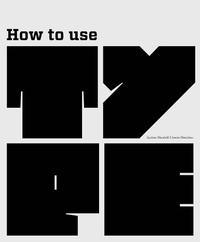
How to Use Type
Published on 28. September 2012
208 pages
978-1-78067-384-4 (ISBN)
Description

This book is a guide to the use of type in design for print and screen. It provides a creative, informative and practical introduction for those studying all pathways of graphic design.
The authors discuss who uses type, where and when type is employed, audience and appropriateness of type and communication. The book includes basic information about type and its terminology, using typefaces, designing and communicating with type, colour and movement, experimentation with type and production issues. Throughout, examples are drawn from design for both print and screen.
How to Use Type includes illustrated activities and case studies linked to key issues discussed in the text. This book offers an invaluable overview of an essential aspect of visual communication.
The authors discuss who uses type, where and when type is employed, audience and appropriateness of type and communication. The book includes basic information about type and its terminology, using typefaces, designing and communicating with type, colour and movement, experimentation with type and production issues. Throughout, examples are drawn from design for both print and screen.
How to Use Type includes illustrated activities and case studies linked to key issues discussed in the text. This book offers an invaluable overview of an essential aspect of visual communication.
More details
Persons
Lindsey Marshall, Lester Meachem
Content
- Intro
- Title Page
- Copyright
- Contents
- Introduction
- 1. The basics
- The anatomy of type
- Categories of type
- Combining typefaces
- Selecting typefaces
- Families of type
- Expert sets
- Measurement of type
- Structure of a letterform
- Counterforms
- Case study
- 2. Using the typeface
- Legibility and readability
- Upper and lower case
- Line measure and spacing
- Color and size
- The typeface
- Background
- Type on screen
- Paragraphs
- Layout
- Type and image
- Graphic elements
- Case study
- 3. Designing with type
- The design process
- Experimentation
- Design considerations
- Tools
- Refining
- Case study
- 4. Communication
- Forms of communication
- Meanings
- Context
- Impact
- Rhythm and repetition
- Visual continuity
- Type as image
- Symbols and graphic devices
- Case study
- 5. Color and movement
- Color of type
- Using color to create hierarchy
- Color and symbolism
- Technical issues relating to color
- Type and movement
- Case study
- 6. Experiments with type
- Experimental techniques
- Type out there
- Self-generated experiments
- Surfaces
- Type in three dimensions
- Type as image
- Pattern and decoration
- Case study
- 7. Production considerations
- Evaluation
- Preflight
- Choice of stock
- Print processes
- Color in production
- Production for print
- File formats for print
- Production for screen
- Legal issues and accessibility
- Case study
- Glossary
- Some further reading / Websites
- Index
- Picture credits
