

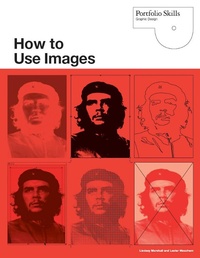
How to Use Images
Published on 28. May 2010
306 pages
978-1-78067-524-4 (ISBN)
Description

Fundamental to the study of graphic design is the creative use of images in a design context. This book teaches you how to select and use images for a range of applications, including: magazines and newspapers, posters, booklets, books, leaflets, stationery, book and CD covers, advertising and promotional material, packaging, point of purchase, web pages and digital advertisements.
The book explores methodologies for choosing, placing, combining, manipulating and montaging imagery and the relationship of image to text. It has chapters on selection, structure and layout, composition, communication, colour, image potential, and production
Using fully illustrated case studies from leading graphic designers and practical exercises, the book provides professional insights and tips into ways of using pictures and will be invaluable for graphic design students.
The book explores methodologies for choosing, placing, combining, manipulating and montaging imagery and the relationship of image to text. It has chapters on selection, structure and layout, composition, communication, colour, image potential, and production
Using fully illustrated case studies from leading graphic designers and practical exercises, the book provides professional insights and tips into ways of using pictures and will be invaluable for graphic design students.
More details
Persons
Lindsey Marshall, Lester Meachem
Content
- Intro
- Title Page
- Copyright
- Contents
- Introduction
- History and Background
- Which Professions Use Images?
- Who Are the Intended Viewers/Readers?
- Why Are Images Used?
- Where Are Images Used?
- When Are Images Used?
- 1. Selection
- Identifying Effective Images
- Media Used for Image Production
- Appropriate Imagery
- Sourcing Images
- The Audience
- Meanings of Images
- Social Responsibility
- Legal Responsibilities: Copyright
- Case Study: Logo: 5th Berlin Biennial for Contemporary Art, Ludovic Balland
- 2. Structure and Layout
- Collecting the Elements
- Before You Start
- Structure Related to Content
- Grids
- House Styles and Templates
- Aligning Images with Text
- Conventions
- Case Study: Reactype, Parc&Maul
- 3. Composition
- What is Composition?
- Identifying the Audience
- The Rules of Composition
- Directing the Audience
- Relating Images to Text
- Case Study: Juvelen 1, Grandpeople
- 4. Communication
- Information or Persuasion
- Directing the Reader to the Message
- Visual Continuity
- Visual and Verbal Synergy
- Transmitting Meanings
- Case Study: Photophilliac, Zane Manasco, Gibraltar
- 5. Color
- Using Color in Print
- Greyscale
- Color Relationships
- Color Associations
- Color in Production
- Case Study: Rock Guitar Styles, John Clementson, London and Brighton
- 6. Image Potential
- Scaling Images
- Cropping Images
- Manipulating Images
- Editing Images
- Camera Angle and Viewpoint
- Case Study: Flowers in the Mirrors, Hong Kong Science Museum, Nicola Chang, Hong Kong
- 7. Production
- Image Size and Resolution
- Stock Weight and Finish
- Print Processes
- Color in Production
- Binding
- Before Production
- Digital Tips
- Case Study: Bastardised, Bunch Design, London, Croatia, Singapore
- Glossary
- Further Reading
- Picture Credits
- Index
