

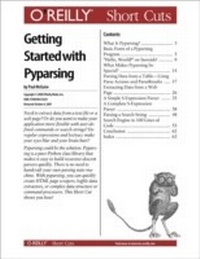
Getting Started with Pyparsing
1st Edition
Published on 5. October 2007
65 pages
978-0-596-51423-5 (ISBN)
Description

Need to extract data from a text file or aweb page? Or do you want to make yourapplication more flexible with user-definedcommands or search strings? Doregular expressions and lex/yacc makeyour eyes blur and your brain hurt?Pyparsing could be the solution. Pyparsingis a pure-Python class library thatmakes it easy to build recursive-descentparsers quickly. There is no need tohandcraft your own parsing state machine.With pyparsing, you can quicklycreate HTML page scrapers, logfile dataextractors, or complex data structure orcommand processors. This Short Cutshows you how!
More details
Series
Language
English
Place of publication
Sebastopol
United States
Product notice
Windows
File size
0,62 MB
ISBN-13
978-0-596-51423-5 (9780596514235)
Copyright in bibliographic data and cover images is held by Nielsen Book Services Limited or by the publishers or by their respective licensors: all rights reserved.
Schweitzer Classification
Content
- Intro
- What Is Pyparsing?
- Basic Form of a Pyparsing Program
- Import Names from Pyparsing
- Define the Grammar
- Use the Grammar to Parse the Input Text
- Process the Results from Parsing the Input Text
- Hello, World!" on Steroids!
- What Makes Pyparsing So Special?
- Parsing Data from a Table-Using Parse Actions and ParseResults
- Extracting Data from a Web Page
- A Simple S-Expression Parser
- A Complete S-Expression Parser
- Parsing a Search String
- Search Engine in 100 Lines of Code
- Conclusion
- Index
