

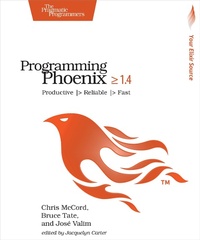
Programming Phoenix 1.4
Description

Don't accept the compromise between fast and beautiful: you can have it all. Phoenix creator Chris McCord, Elixir creator Jose Valim, and award-winning author Bruce Tate walk you through building an application that's fast and reliable. At every step, you'll learn from the Phoenix creators not just what to do, but why. Packed with insider insights and completely updated for Phoenix 1.4, this definitive guide will be your constant companion in your journey from Phoenix novice to expert, as you build the next generation of web applications.
Phoenix is the long-awaited web framework based on Elixir, the highly concurrent language that combines a beautiful syntax with rich metaprogramming. The best way to learn Phoenix is to code, and you'll get to attack some interesting problems. Start working with controllers, views, and templates within the first few pages. Build an in-memory context, and then back it with an Ecto database layer, complete with changesets and constraints that keep readers informed and your database integrity intact. Craft your own interactive application based on the channels API for the real-time applications that this ecosystem made famous. Write your own authentication plugs, and use the OTP layer for supervised services. Organize code with modular umbrella projects.
This edition is fully updated for Phoenix 1.4, with a new chapter on using Channel Presence to find out who's connected, even on a distributed application. Use the new generators and the new ExUnit features to organize tests and make Ecto tests concurrent.
This is a book by developers and for developers, and we know how to help you ramp up quickly. Any book can tell you what to do. When you've finished this one, you'll also know why to do it.
What You Need:
To work through this book, you will need a computer capable of running Erlang 18 or higher, Elixir 1.5 or higher, and Phoenix 1.4 or higher. A rudimentary knowledge of Elixir is also highly recommended.
More details
Other editions
Additional editions
Person
Chris McCord, the creator of Phoenix, professionally trains new developers for the rising framework and works with teams adapting it.
Content
- Intro
- Programming Phoenix = 1.4
- About the Pragmatic Bookshelf
- Table of Contents
- Early Praise for Programming Phoenix 1.4
- Acknowledgments
- José Valim
- Bruce Tate
- Chris McCord
- Preface
- Is This Book for You?
- About this Book
- Online Resources
- Chapter 1: Introducing Phoenix
- Productive
- Concurrent
- Beautiful Code
- Interactive
- Reliable
- Part 1: Building with Functional MVC
- Chapter 2: The Lay of the Land
- Simple Functions
- Installing Your Development Environment
- Creating a Throwaway Project
- Building a Feature
- Going Deeper: The Request Pipeline
- Wrapping Up
- Chapter 3: Controllers
- Understanding Controllers
- Building a Controller
- Coding Views
- Using Helpers
- Showing a User
- Wrapping Up
- Chapter 4: Ecto and Changesets
- Understanding Ecto
- Defining the User Schema and Migration
- Using the Repository to Add Data
- Building Forms
- Creating Resources
- Wrapping Up
- Chapter 5: Authenticating Users
- Preparing for Authentication
- Managing Registration Changesets
- Creating Users
- The Anatomy of a Plug
- Writing an Authentication Plug
- Implementing Login and Logout
- Presenting User Account Links
- Wrapping Up
- Chapter 6: Generators and Relationships
- Using Generators
- Building Relationships
- Managing Related Data
- In-context Relationships
- Wrapping Up
- Chapter 7: Ecto Queries and Constraints
- Seeding and Associating Categories
- Diving Deeper into Ecto Queries
- Constraints
- Wrapping Up
- Chapter 8: Testing MVC
- Understanding ExUnit
- Testing Contexts
- Using Ecto Sandbox for Test Isolation and Con currency
- Integration Tests
- Unit-Testing Plugs
- Testing Views and Templates
- Wrapping Up
- Part 2: Writing Interactive and Maintainable Applications
- Chapter 9: Watching Videos
- Watching Videos
- Adding JavaScript
- Creating Slugs
- Wrapping Up
- Chapter 10: Using Channels
- The Channel
- Phoenix Clients with ES6
- Preparing Our Server for the Channel
- Creating the Channel
- Sending and Receiving Events
- Socket Authentication
- Persisting Annotations
- Handling Disconnects
- Tracking Presence on a Channel
- Wrapping Up
- Chapter 11: Observer and Umbrellas
- Introspecting Applications with Observer
- Using Umbrellas
- Extracting Rumbl and RumblWeb
- Wrapping Up
- Chapter 12: OTP
- Managing State with Processes
- Building GenServers for OTP
- Designing an Information System with OTP
- Building the Wolfram Info System
- Integrating OTP Services with Channels
- Wrapping Up
- Chapter 13: Testing Channels and OTP
- Testing the Information System
- Isolating Wolfram
- Adding Tests to Channels
- Authenticating a Test Socket
- Communicating with a Test Channel
- Wrapping Up
- Chapter 14: What's Next?
- Other Interesting Features
- Phoenix LiveView
- Phoenix PubSub 2.0
- Phoenix and Telemetry Integration
- Good Luck!
- You May Be Interested In.
