

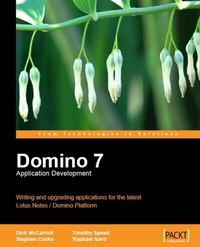
Domino 7 Application Development
Writing and upgrading applications for the latest IBM Lotus Notes Domino Platform
1st Edition
Published on 13. January 2025
228 pages
978-1-84719-000-0 (ISBN)
Description

Writing and upgrading applications for the latest IBM Lotus Notes Domino PlatformKey Features - Understand the new features in Notes and Domino 7.
- Use DB2 as a data store for Domino databases so as to bring the scalability features of DB2 and the flexibility of SQL into Domino applications. The chapter shows how to install, configure, map, and then access Domino data stored in DB2.
- Chapter 4 will show you how to make the best use of new features added in Domino Designer 7 to better manage Lotus Notes and Domino applications. Specifically we would be covering Autosave, Agent Profiling and remote Java debugging.
- Chapter 5 shows how to ensure that critical applications continue to run smoothly after you upgrade your Notes/Domino installation, while taking advantage of the new features and functionality release 7 has to offer.
- In chapter 6, we will tackle issues you need to consider when upgrading your @Formula language to Notes/Domino. We first detail a backup strategy and then take a tour through the new Notes/Domino @Formulas and the potential upgrade issues they raise.
- Chapter7runs through the process of upgrading Domino based agents and LotusScript; we also cover the use of TeamStudio Analyzer, which is a third-party tool to assist with your upgrade. The second half of the chapter runs through the new features available to LotusScript developers in Domino Designer 7
- Web services can extend the reach of your existing Domino applications, as well as provide tools for integration with existing applications. In Chapter 8 we examine Domino-based web services and see the Java implementation of one such web service. We cover the various tools Domino Designer 7 provides for interacting with WSDL and finish by examining the role UDDI plays in facilitating the adoption of web services.
- Chapter 9 covers using best practices to optimize your Domino applications for performance; specifically we would see how to efficiently code database properties, views, and forms/agents to work well in a Domino environment.
- In chapter 10, we will learn to use the new programming features offered in Lotus Notes/Domino 7 by actually implementing them in code.
- In Chapter 11, we will examine two important new features Domino Domain Monitoring (DDM) and Agent Profiles, which are critical for troubleshooting your Notes/Domino applications. Additionally, the chapter runs through several tips and techniques for identifying and correcting problems in your Notes/Domino 7 applications.
- In Appendix A, we review several vendor tools that you can use to help upgrade your applications to Lotus Notes/Domino 7. These include Angkor by Atlantic Decisions, PistolStar Password Power 8 Plug-ins by PistolStar, Inc, CMT Inspector from Binary Tree, and FT Search Manager from IONET.
Book DescriptionWritten by Lotus insiders, the book provides a practical guide to developing applications making use of the important features and enhancements introduced in Notes/Domino 7. These experienced experts use their own experiences to map out the benefits you could gain, and the dangers you may face, as you develop Domino applications in your business. Written by specific experts, edited and overseen by Lotus content generator Dick McCarrick, this book is the definitive guide to developing Domino 7 applications. TECHNOLOGY Domino is an application server that can be used as a standalone web server or as the server component of IBM's Lotus Domino product which provides a powerful collaborative platform for development of customized business applications. It also provides enterprise-grade email, messaging, and scheduling capabilities.What you will learn - Understand the new features in Notes and Domino 7.
- Use DB2 as a data store for Domino databases so as to bring the scalability features of DB2 and the flexibility of SQL into Domino applications. The chapter shows how to install, configure, map, and then access Domino data stored in DB2.
- Chapter 4 will show you how to make the best use of new features added in Domino Designer 7 to better manage Lotus Notes and Domino applications. Specifically we would be covering Autosave, Agent Profiling and remote Java debugging.
- Chapter 5 shows how to ensure that critical applications continue to run smoothly after you upgrade your Notes/Domino installation, while taking advantage of the new features and functionality release 7 has to offer.
- In chapter 6, we will tackle issues you need to consider when upgrading your @Formula language to Notes/Domino. We first detail a backup strategy and then take a tour through the new Notes/Domino @Formulas and the potential upgrade issues they raise.
- Chapter7runs through the process of upgrading Domino based agents and LotusScript; we also cover the use of TeamStudio Analyzer, which is a third-party tool to assist with your upgrade. The second half of the chapter runs through the new features available to LotusScript developers in Domino Designer 7
- Web services can extend the reach of your existing Domino applications, as well as provide tools for integration with existing applications. In Chapter 8 we examine Domino-based web services and see the Java implementation of one such web service. We cover the various tools Domino Designer 7 provides for interacting with WSDL and finish by examining the role UDDI plays in facilitating the adoption of web services.
- Chapter 9 covers using best practices to optimize your Domino applications for performance; specifically we would see how to efficiently code database properties, views, and forms/agents to work well in a Domino environment.
- In chapter 10, we will learn to use the new programming features offered in Lotus Notes/Domino 7 by actually implementing them in code.
- In Chapter 11, we will examine two important new features Domino Domain Monitoring (DDM) and Agent Profiles, which are critical for troubleshooting your Notes/Domino applications. Additionally, the chapter runs through several tips and techniques for identifying and correcting problems in your Notes/Domino 7 applications.
- In Appendix A, we review several vendor tools that you can use to help upgrade your applications to Lotus Notes/Domino 7. These include Angkor by Atlantic Decisions, PistolStar Password Power 8 Plug-ins by PistolStar, Inc, CMT Inspector from Binary Tree, and FT Search Manager from IONET.
Who this book is forEstablished Notes/Domino industry experts teach you how to harness the powerful new features available in Lotus Notes/Domino version 7 to develop robust business applications. Developers who work with Lotus technologies, and need to get to grips with the new developer features provided in version 7.
- Use DB2 as a data store for Domino databases so as to bring the scalability features of DB2 and the flexibility of SQL into Domino applications. The chapter shows how to install, configure, map, and then access Domino data stored in DB2.
- Chapter 4 will show you how to make the best use of new features added in Domino Designer 7 to better manage Lotus Notes and Domino applications. Specifically we would be covering Autosave, Agent Profiling and remote Java debugging.
- Chapter 5 shows how to ensure that critical applications continue to run smoothly after you upgrade your Notes/Domino installation, while taking advantage of the new features and functionality release 7 has to offer.
- In chapter 6, we will tackle issues you need to consider when upgrading your @Formula language to Notes/Domino. We first detail a backup strategy and then take a tour through the new Notes/Domino @Formulas and the potential upgrade issues they raise.
- Chapter7runs through the process of upgrading Domino based agents and LotusScript; we also cover the use of TeamStudio Analyzer, which is a third-party tool to assist with your upgrade. The second half of the chapter runs through the new features available to LotusScript developers in Domino Designer 7
- Web services can extend the reach of your existing Domino applications, as well as provide tools for integration with existing applications. In Chapter 8 we examine Domino-based web services and see the Java implementation of one such web service. We cover the various tools Domino Designer 7 provides for interacting with WSDL and finish by examining the role UDDI plays in facilitating the adoption of web services.
- Chapter 9 covers using best practices to optimize your Domino applications for performance; specifically we would see how to efficiently code database properties, views, and forms/agents to work well in a Domino environment.
- In chapter 10, we will learn to use the new programming features offered in Lotus Notes/Domino 7 by actually implementing them in code.
- In Chapter 11, we will examine two important new features Domino Domain Monitoring (DDM) and Agent Profiles, which are critical for troubleshooting your Notes/Domino applications. Additionally, the chapter runs through several tips and techniques for identifying and correcting problems in your Notes/Domino 7 applications.
- In Appendix A, we review several vendor tools that you can use to help upgrade your applications to Lotus Notes/Domino 7. These include Angkor by Atlantic Decisions, PistolStar Password Power 8 Plug-ins by PistolStar, Inc, CMT Inspector from Binary Tree, and FT Search Manager from IONET.
Book DescriptionWritten by Lotus insiders, the book provides a practical guide to developing applications making use of the important features and enhancements introduced in Notes/Domino 7. These experienced experts use their own experiences to map out the benefits you could gain, and the dangers you may face, as you develop Domino applications in your business. Written by specific experts, edited and overseen by Lotus content generator Dick McCarrick, this book is the definitive guide to developing Domino 7 applications. TECHNOLOGY Domino is an application server that can be used as a standalone web server or as the server component of IBM's Lotus Domino product which provides a powerful collaborative platform for development of customized business applications. It also provides enterprise-grade email, messaging, and scheduling capabilities.What you will learn - Understand the new features in Notes and Domino 7.
- Use DB2 as a data store for Domino databases so as to bring the scalability features of DB2 and the flexibility of SQL into Domino applications. The chapter shows how to install, configure, map, and then access Domino data stored in DB2.
- Chapter 4 will show you how to make the best use of new features added in Domino Designer 7 to better manage Lotus Notes and Domino applications. Specifically we would be covering Autosave, Agent Profiling and remote Java debugging.
- Chapter 5 shows how to ensure that critical applications continue to run smoothly after you upgrade your Notes/Domino installation, while taking advantage of the new features and functionality release 7 has to offer.
- In chapter 6, we will tackle issues you need to consider when upgrading your @Formula language to Notes/Domino. We first detail a backup strategy and then take a tour through the new Notes/Domino @Formulas and the potential upgrade issues they raise.
- Chapter7runs through the process of upgrading Domino based agents and LotusScript; we also cover the use of TeamStudio Analyzer, which is a third-party tool to assist with your upgrade. The second half of the chapter runs through the new features available to LotusScript developers in Domino Designer 7
- Web services can extend the reach of your existing Domino applications, as well as provide tools for integration with existing applications. In Chapter 8 we examine Domino-based web services and see the Java implementation of one such web service. We cover the various tools Domino Designer 7 provides for interacting with WSDL and finish by examining the role UDDI plays in facilitating the adoption of web services.
- Chapter 9 covers using best practices to optimize your Domino applications for performance; specifically we would see how to efficiently code database properties, views, and forms/agents to work well in a Domino environment.
- In chapter 10, we will learn to use the new programming features offered in Lotus Notes/Domino 7 by actually implementing them in code.
- In Chapter 11, we will examine two important new features Domino Domain Monitoring (DDM) and Agent Profiles, which are critical for troubleshooting your Notes/Domino applications. Additionally, the chapter runs through several tips and techniques for identifying and correcting problems in your Notes/Domino 7 applications.
- In Appendix A, we review several vendor tools that you can use to help upgrade your applications to Lotus Notes/Domino 7. These include Angkor by Atlantic Decisions, PistolStar Password Power 8 Plug-ins by PistolStar, Inc, CMT Inspector from Binary Tree, and FT Search Manager from IONET.
Who this book is forEstablished Notes/Domino industry experts teach you how to harness the powerful new features available in Lotus Notes/Domino version 7 to develop robust business applications. Developers who work with Lotus technologies, and need to get to grips with the new developer features provided in version 7.
All prices
More details
Other editions
Additional editions
Raphael Savir
Domino 7 Lotus Notes Application Development
Book
01/2007
Packt Publishing
€73.20
Shipment within 3-4 weeks
Content
- Intro
- Domino 7 Application Development
- Table of Contents
- Domino 7 Application Development
- Warning and Disclaimer
- IBM
- Credits
- Foreword
- About the Authors
- About the Reviewer
- Preface
- What This Book Covers
- Conventions
- Reader Feedback
- Customer Support
- Downloading the Example Code for the Book
- Errata
- Questions
- 1. A Short History of Notes and Domino
- Summary
- 2. New Notes 7 Client and Domino 7 Server Features
- Lotus Notes 7
- Domino Administrator
- Domino Server
- LEI
- Summary
- 3. Lotus Notes/Domino 7 and DB2
- DB2 as a Domino Data Store
- Prerequisites
- Software Required for the Domino Server
- Transactional Logging
- DB2 Installation Accounts
- Installation and Configuration
- Testing Connectivity to the DB2 Instance
- Verifying DB2 Version Information
- Additional DB2 Configuration
- The DB2 Server Enablement Tool
- The DB2 Access Server, DB2 Access Views, and Query Views
- Installing the DB2 Access Server
- DB2 Access Views
- Creating the DB2 Access View Definition
- Populating DB2 with Domino Data
- Mapping DB2 User Names to Domino
- Query Views
- Summary
- 4. New Lotus Domino Designer 7 Features
- AutoSave
- Configuring the Lotus Notes Client for AutoSave
- Configuring Applications for AutoSave
- Design Enhancements
- Shared Columns
- Design View
- Input-Enabled Formulas
- The Default Form Indicator
- Design Elements
- Design Elements Sortable by Name
- Inline Editing of Design Elements
- New SmartIcons
- Agent Profiling
- Accessing Modified Documents
- Right Mouse Button
- Java
- Sun Java Support
- Remote Java Debugging
- Summary
- 5. Upgrading Domino Applications
- Lotus Notes 7 Client Features
- New Domino Designer Client Features
- AutoSave
- Things to Consider when Enabling AutoSave in a Form
- Referencing Profile Documents in Views
- Web Services
- DB2 Design Integration
- Tips when Using DB2
- Template Management
- Reviewing Code
- Customizing New Templates
- Recompiling Script Libraries
- A Final Note about Templates
- Summary
- 6. Upgrading Formulas
- Before you Begin: Devise a Backup Strategy
- New @Commands and @Formulas
- @Command([DiscoverFolders])
- @AdminECLIsLocked
- DB2-Related @Functions
- @IsDB2
- @DB2Schema
- @IsEmbeddedInsideWCT
- @PolicyIsFieldLocked
- Obsolete @Formulas
- Third-Party Tools
- Summary
- 7. Upgrading Agents and LotusScript
- Before You Begin
- Design a Test Plan
- Create Backups
- Recompile All LotusScript
- Other Considerations
- Third-Party Tools
- New Features
- Profiling
- New LotusScript Methods
- NotesDatabase.GetModifiedDocuments([ndtSince], [intClass])
- NotesDocumentCollection.UntilTime
- NotesUIWorkspace.IsEmbeddedInsideWCT
- NotesAgent.GetPerformanceDocument
- LotusScript Debugger
- Agent Design View
- Summary
- 8. Web Services and Domino 7
- Creating a Simple Web Service Using Domino Designer 7
- Implementing a Simple Web Service
- Exploring the Web Service Using a Browser
- Adding Exception Handling to the Web Service
- Expanding the Web Service to Include Complex Data Types
- Other Complex Return Types
- Implementing the CompanyInfo Web Service Using Java
- Domino Designer WSDL Actions
- Export WSDL
- Import WSDL
- Show WSDL
- UDDI Registries
- Summary
- 9. Optimizing Application Performance
- Database Properties
- Unread Marks
- Optimize Document Table Map
- Views
- Reducing View Size
- Categorized Columns
- Time/Date
- Reader Names
- Forms and Agents
- Domino Objects are Expensive
- Search Methods
- Saving Documents
- Keyword @Db Formulas
- Summary
- 10. Code Samples
- The Save & Close Action Bar Button
- Preventing Editing of Fields and Documents Dynamically
- Fast DbLookups
- Creating Keyword Drop-Down Fields
- Using the PostModeChange Event to Refresh the Keyword List
- Creating a View for the Lookup
- InViewEditing
- Overview: What does a User See and Do with InViewEditing?
- Setting Up a View and Columns for InViewEditing
- Points to Consider when Using InViewEdit
- The Sample InViewEdit Code
- Tips
- Summary
- 11. Troubleshooting Applications
- Testing your Application
- Asking the Right Questions
- Logging
- Domino Domain Monitoring (DDM)
- Agent Profiler
- Summary
- A. Vendor Tools
- Angkor
- How Angkor Works
- Results
- PistolStar Password Power 8 Plug-Ins
- Password Power 8 Domino Plug-In
- Password Power 8 Web Set Password Plug-In
- Security
- Auditing Features
- Help Desk
- End-Users
- System Requirements
- Web Set Password Plug-In
- Domino SSO and Authentication Redirection Plug-In
- Single Sign-On Cookies
- CMT Inspector
- Architecture and Deployment Options
- CMT for Public Folders
- CMT for Notes
- CMT for Coexistence
- What does CMT for Lotus/Exchange Coexistence Do?
- MS Notes Connector and CMT for Lotus/Exchange Coexistence
- CMT for Domains
- Notes Desktop Update
- Notes Port
- Other Features
- FT Search Manager
- Multi-Threading in the Notes Client
- Speed
- Concurrent Client Operation
- Code Locking
- Emulating Browser Behavior
- A Workaround to the Notes "Enter" Problem
- Allowing Web-Style Query Syntax
- About IONET
- Index

