

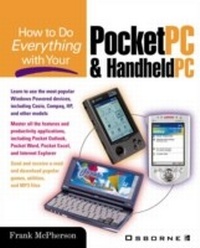
How to Do Everything with Your Pocket PC and Handheld PC
1st Edition
Published on 22. May 2000
625 pages
978-0-07-137308-1 (ISBN)
Description

This title has proven to be yet another hit in the How to do Everything series. Based on a standard Windows platform, this book describes the latest in the family of computing environments, designed for handheld personal computers. The Pocket PC runs a variety of portable computing devices, allowing the user to keep vital information to hand and synchronise it with your desktop or laptop. With little documentation available to support the booming handheld device market, there is a real need for a comprehensive reference book such as this.
More details
Other editions
Additional editions

Frank McPherson
How to Do Everything with Windows CE
Book
12/2000
Osborne/McGraw-Hill
€19.80
Article exhausted; check for reprint
Content
- Intro
- Copyright
- Contents at a Glance
- Contents
- Acknowledgments
- Introduction
- Part I Getting Started
- Chapter 1 Welcome to Windows for Pocket and Handheld PCs
- Chapter 2 Getting Acquainted with Your Pocket PC and Handheld PC
- Chapter 3 Moving Information into Your Device
- Part II Getting Things Done
- Chapter 4 Using Pocket Outlook
- Chapter 5 Creating Documents
- Chapter 6 Crunching Numbers
- Chapter 7 Managing Your Money
- Chapter 8 Using Voice Recordings
- Chapter 9 Displaying Presentations Using Pocket PowerPoint
- Chapter 10 Working with Databases Using Pocket Access
- Chapter 11 Accessory Programs
- Chapter 12 Must-Have Programs You Can Download
- Chapter 13 Using Your Pocket PC and Handheld PC at the Office
- Chapter 14 Let the Games Begin
- Chapter 15 Traveling with Your Pocket PC and Handheld PC
- Part III Going Online
- Chapter 16 Connecting to the Internet
- Chapter 17 Using the Internet
- Chapter 18 Taking Web Content with You
- Part IV Customizing Your Pocket PC and Handheld PC
- Chapter 19 Using Control Panel Settings
- Chapter 20 Using Peripherals
- Index
