

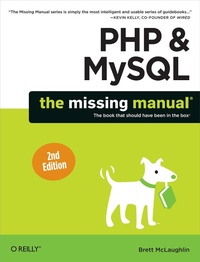
PHP & MySQL: The Missing Manual
Published on 13. November 2012
546 pages
978-1-4493-5555-5 (ISBN)
Description

If you can build websites with CSS and JavaScript, this book takes you to the next level?creating dynamic, database-driven websites with PHP and MySQL. Learn how to build a database, manage your content, and interact with users. With step-by-step tutorials, this completely revised edition gets you started with expanded coverage of the basics and takes you deeper into the world of server-side programming.
The important stuff you need to know:
- Get up to speed quickly. Learn how to install PHP and MySQL, and get them running on both your computer and a remote server.
- Gain new techniques. Take advantage of the all-new chapter on integrating PHP with HTML web pages.
- Manage your content. Use the file system to access user data, including images and other binary files.
- Make it dynamic. Create pages that change with each new viewing.
- Build a good database. Use MySQL to store user information and other data.
- Keep your site working. Master the tools for fixing things that go wrong.
- Control operations. Create an administrative interface to oversee your site.
More details
Other editions
Additional editions
Brett McLaughlin
PHP & MySQL: The Missing Manual
Book
12/2012
2nd Edition
O'Reilly
€37.50
Shipment within 10-20 days
Content
- Intro
- The Missing Credits
- Introduction
- Part One: PHP and MySQL Basics
- Chapter 1: PHP: What, Why, and Where?
- PHP Comes in Two Flavors: Local and Remote
- PHP: Going Local
- Write Your First Program
- Run Your First Program
- But Where's That Web Server?
- Chapter2: PHP Meets HTML
- Script or HTML?
- PHP Talks Back
- Run PHP Scripts Remotely
- Chapter 3: PHP Syntax: Weird and Wonderful
- Get Information from a Web Form
- Working with Text in PHP
- The $_REQUEST Variable Is an Array
- What Do You Do with User Information?
- Chapter 4: MySQL and SQL: Database and Language
- What Is a Database?
- Installing MySQL
- SQL Is a Language for Talking to Databases
- Part Two: Dynamic Web Pages
- Chapter 5: Connecting PHP to MySQL
- Writing a Simple PHP Connection Script
- Cleaning Up Your Code with Multiple Files
- Building a Basic SQL Query Runner
- Chapter 6: Regular Expressions
- String Matching, Double-Time
- Chapter 7: Generating Dynamic Web Pages
- Revisiting a User's Information
- Planning Your Database Tables
- Saving a User's Information
- Show Me the User
- Revisiting (and Redirecting) the Create User Script
- Part Three: From Web Pages to Web Applications
- Chapter 8: When Things Go Wrong (and They Will)
- Planning Your Error Pages
- Finding a Middle Ground for Error Pages with PHP
- Add Debugging to Your Application
- Redirecting On Error
- Chapter 9: Handling Images and Complexity
- Images Are Just Files
- Images Are for Viewing
- And Now for Something Completely Different
- Chapter 10: Binary Objects and Image Loading
- Storing Different Objects in Different Tables
- Inserting a Raw Image into a Table
- Your Binary Data Isn't Safe to Insert...Yet
- Connecting Users and Images
- Show Me the Image!
- Embedding an Image Is Just Viewing an Image
- So, Which Approach Is Best?
- Chapter 11: Listing, Iterating, and Administrating
- Thinking about What You Need as an Admin
- Listing All Your Users
- Deleting a User
- Talking Back to Your Users
- Standardizing on Messaging
- Integrating Utilities, Views, and Messages
- Part Four: Security and the Real World
- Chapter 12: Authentication and Authorization
- Basic Authentication
- Abstracting What's the Same
- Passwords Don't Belong in PHP Scripts
- Passwords Create Security, But Should Be Secure
- Chapter 13: Cookies, Sign-Ins, and Ditching Crummy Pop-Ups
- Moving Beyond Basic Authentication
- Logging In with Cookies
- Adding Context-Specific Menus
- Chapter 14: Authorization and Sessions
- Modeling Groups in Your Database
- Checking for Group Membership
- Group-Specific Menus
- Entering Browser Sessions
- Memory Lane: Remember That Phishing Problem?
- Why Would You Ever Use Cookies?
- Part Five: Appendixes
- Appendix A: Installing PHP on Windows Without WAMP
- Appendix B: Installing MySQL Without MAMP or WAMP
- Index
