

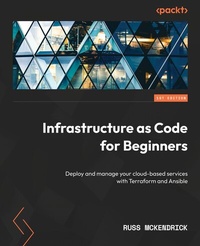
Infrastructure as Code for Beginners
Deploy and manage your cloud-based services with Terraform and Ansible
1st Edition
Published on 21. May 2024
222 pages
978-1-83763-617-4 (ISBN)
Description

No detailed description available for "Infrastructure as Code for Beginners".
All prices
More details
Other editions
Additional editions
Russ McKendrick
Infrastructure as Code for Beginners
Deploy and manage your cloud-based services with Terraform and Ansible
Book
05/2023
Packt Publishing
€46.40
Shipment within 3-4 weeks
Person
McKendrick Russ :
Russ McKendrick is an experienced DevOps practitioner and system administrator with a passion for automation and containers. He has been working in IT and related industries for the better part of 30 years. During his career, he has had responsibilities in many different sectors, including first-line, second-line, and senior support in client-facing and internal teams for small and large organizations. He works almost exclusively with Linux, using open source systems and tools across dedicated hardware and virtual machines hosted in public and private clouds at Node4, where he holds the title of practice manager (SRE and DevOps). He also buys way too many records!
Russ McKendrick is an experienced DevOps practitioner and system administrator with a passion for automation and containers. He has been working in IT and related industries for the better part of 30 years. During his career, he has had responsibilities in many different sectors, including first-line, second-line, and senior support in client-facing and internal teams for small and large organizations. He works almost exclusively with Linux, using open source systems and tools across dedicated hardware and virtual machines hosted in public and private clouds at Node4, where he holds the title of practice manager (SRE and DevOps). He also buys way too many records!
Content
Table of Contents - Choosing the Right Approach - Declarative or Imperative
- Ansible and Terraform beyond the Documentation
- Planning the Deployment
- Deploying to Microsoft Azure
- Deploying to Amazon Web Services
- Building upon the Foundations
- Leveraging CI/CD in the Cloud
- Common Troubleshooting Tips and Best Practices
- Exploring Alternative Infrastructure-as-Code Tools
- Ansible and Terraform beyond the Documentation
- Planning the Deployment
- Deploying to Microsoft Azure
- Deploying to Amazon Web Services
- Building upon the Foundations
- Leveraging CI/CD in the Cloud
- Common Troubleshooting Tips and Best Practices
- Exploring Alternative Infrastructure-as-Code Tools
