

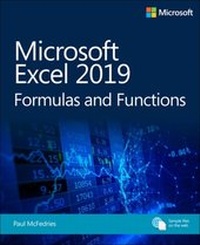
Microsoft Excel 2019 Formulas and Functions
1st Edition
Published on 19. February 2019
512 pages
978-1-5093-0635-0 (ISBN)
Description

Expert Paul McFedries helps you master key Excel 2019 and Office 365 tools for building more powerful spreadsheets.
Use Excel 2019 and Office 365 core features to build spreadsheets that solve business problems and deliver reliable answers. Drawing on his unsurpassed experience, Paul McFedries helps you make the most of formulas and functions, including the latest improvements to arrays, formula error handling, and statistics. McFedries' step-by-step projects walk you through handling key tasks, from building timesheets to projecting cash flow and aging receivables. His practical examples and clear instructions demystify intermediate- to advanced-level formula construction, and help you leverage Excel's most useful functions in your everyday work. Becoming an Excel expert has never been easier!
By reading this book, you will:
* Improve business analyses by adding intelligence and knowledge to your models
* Replace cumbersome formulas with convenient predefined functions
* Radically simplify complex calculations with Office 365's new dynamic arrays
* Use conditional formatting to reveal anomalies, problems, or opportunities
* Calculate loan payments, interest costs, terms, and amortization schedules
* Project the future value of investments, and plan to achieve investment goals
* Master essential discounting and cash-flow analysis tools, including net present value and internal rate of return
* Sort, filter, and analyze tabular data, from customers to inventory
* Easily analyze huge data sets with PivotTable calculations
About This Book
* For everyone who wants to get more done with Microsoft Excel in less time
* For business and financial professionals, entrepreneurs, students, and others who need to efficiently manage and analyze data
Use Excel 2019 and Office 365 core features to build spreadsheets that solve business problems and deliver reliable answers. Drawing on his unsurpassed experience, Paul McFedries helps you make the most of formulas and functions, including the latest improvements to arrays, formula error handling, and statistics. McFedries' step-by-step projects walk you through handling key tasks, from building timesheets to projecting cash flow and aging receivables. His practical examples and clear instructions demystify intermediate- to advanced-level formula construction, and help you leverage Excel's most useful functions in your everyday work. Becoming an Excel expert has never been easier!
By reading this book, you will:
* Improve business analyses by adding intelligence and knowledge to your models
* Replace cumbersome formulas with convenient predefined functions
* Radically simplify complex calculations with Office 365's new dynamic arrays
* Use conditional formatting to reveal anomalies, problems, or opportunities
* Calculate loan payments, interest costs, terms, and amortization schedules
* Project the future value of investments, and plan to achieve investment goals
* Master essential discounting and cash-flow analysis tools, including net present value and internal rate of return
* Sort, filter, and analyze tabular data, from customers to inventory
* Easily analyze huge data sets with PivotTable calculations
About This Book
* For everyone who wants to get more done with Microsoft Excel in less time
* For business and financial professionals, entrepreneurs, students, and others who need to efficiently manage and analyze data
All prices
More details
Edition
1. Auflage
Language
English
Place of publication
Boston
United States
Publishing group
Microsoft Press,U.S.
Target group
Professional and scholarly
File size
17,58 MB
ISBN-13
978-1-5093-0635-0 (9781509306350)
Copyright in bibliographic data and cover images is held by Nielsen Book Services Limited or by the publishers or by their respective licensors: all rights reserved.
Schweitzer Classification
Other editions
Additional editions
Paul McFedries
Microsoft Excel 2019 Formulas and Functions
Book
05/2019
1st Edition
Microsoft Press
€37.49
Shipment within 3-4 weeks
Person
Paul McFedries is an Excel expert and full-time technical writer. Paul has been authoring
computer books since 1991 and has more than 95 books to his credit, which combined
have sold more than 4 million copies worldwide. His titles include the Que Publishing
books My Office 2016, Windows 10 In Depth (with coauthor Brian Knittel), and PCs for
Grownups, as well as the Sams Publishing book Windows 7 Unleashed. Paul is also the
proprietor of Word Spy (www.wordspy.com), a website devoted to lexpionage, the
sleuthing of new words and phrases that have entered the English language. Please drop
by Paul's personal website at mcfedries.com or follow Paul on Twitter, at twitter.com/
paulmcf and twitter.com/wordspy.
computer books since 1991 and has more than 95 books to his credit, which combined
have sold more than 4 million copies worldwide. His titles include the Que Publishing
books My Office 2016, Windows 10 In Depth (with coauthor Brian Knittel), and PCs for
Grownups, as well as the Sams Publishing book Windows 7 Unleashed. Paul is also the
proprietor of Word Spy (www.wordspy.com), a website devoted to lexpionage, the
sleuthing of new words and phrases that have entered the English language. Please drop
by Paul's personal website at mcfedries.com or follow Paul on Twitter, at twitter.com/
paulmcf and twitter.com/wordspy.
Content
Part I-Mastering Excel formulas
Chapter 1-Building basic formulas
Chapter 2-Creating advanced formulas
Chapter 3-Troubleshooting formulas
Part II-Harnessing the power of functions
Chapter 4-Understanding functions
Chapter 5-Working with text functions
Chapter 6-Working with logical and information functions
Chapter 7-Working with lookup functions
Chapter 8-Working with date and time functions
Chapter 9-Working with math functions
Part III-Building business formulas
Chapter 10-Implementing basic business formulas
Chapter 11-Building descriptive statistical formulas
Chapter 12-Building inferential statistical formulas
Chapter 13-Applying regression to track trends and make forecasts
Chapter 14-Building loan formulas
Chapter 15-Working with investment formulas
Chapter 16-Building discount formulas
Part IV-Building business models
Chapter 17-Analyzing data with tables
Chapter 18-Analyzing data with PivotTables
Chapter 19-Using Excel's business modeling tools
Chapter 20-Solving complex problems with Solver
Chapter 1-Building basic formulas
Chapter 2-Creating advanced formulas
Chapter 3-Troubleshooting formulas
Part II-Harnessing the power of functions
Chapter 4-Understanding functions
Chapter 5-Working with text functions
Chapter 6-Working with logical and information functions
Chapter 7-Working with lookup functions
Chapter 8-Working with date and time functions
Chapter 9-Working with math functions
Part III-Building business formulas
Chapter 10-Implementing basic business formulas
Chapter 11-Building descriptive statistical formulas
Chapter 12-Building inferential statistical formulas
Chapter 13-Applying regression to track trends and make forecasts
Chapter 14-Building loan formulas
Chapter 15-Working with investment formulas
Chapter 16-Building discount formulas
Part IV-Building business models
Chapter 17-Analyzing data with tables
Chapter 18-Analyzing data with PivotTables
Chapter 19-Using Excel's business modeling tools
Chapter 20-Solving complex problems with Solver
