

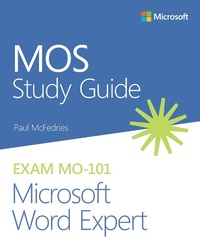
MOS Study Guide for Microsoft Word Expert Exam MO-101
1st Edition
Published on 29. March 2021
160 pages
978-0-13-662848-4 (ISBN)
Description

Advance your expert-level proficiency with Word. And earn the credential that proves it!
Demonstrate your expert-level competency with Microsoft Word! Designed to help you practice and prepare for Microsoft Office Specialist: Word Expert (Word and Word 2019) certification, this official Study Guide delivers:
In-depth preparation for each MOS objective
Detailed procedures to help build the skills measured by the exam
Hands-on tasks to practice what you've learned
Ready-made practice files
Sharpen the skills measured by these objectives:
Manage Document Options and Settings
Use Advanced Editing and Formatting Features
Create Custom Document Elements
Use Advanced Word Features
About MOS: Expert Certification
A Microsoft Office Specialist (MOS): Expert certification validates your hands-on experience and competency with an Office product at an expert level. It demonstrates that you can apply the product's principal features at an advanced level, can complete expert tasks independently, and are ready to enter the job market.
See full details at: microsoft.com/learn
Practice Files
Available at: MicrosoftPressStore.com/MOSWordExpert101/downloads
Demonstrate your expert-level competency with Microsoft Word! Designed to help you practice and prepare for Microsoft Office Specialist: Word Expert (Word and Word 2019) certification, this official Study Guide delivers:
In-depth preparation for each MOS objective
Detailed procedures to help build the skills measured by the exam
Hands-on tasks to practice what you've learned
Ready-made practice files
Sharpen the skills measured by these objectives:
Manage Document Options and Settings
Use Advanced Editing and Formatting Features
Create Custom Document Elements
Use Advanced Word Features
About MOS: Expert Certification
A Microsoft Office Specialist (MOS): Expert certification validates your hands-on experience and competency with an Office product at an expert level. It demonstrates that you can apply the product's principal features at an advanced level, can complete expert tasks independently, and are ready to enter the job market.
See full details at: microsoft.com/learn
Practice Files
Available at: MicrosoftPressStore.com/MOSWordExpert101/downloads
More details
Edition
1. Auflage
Language
English
Place of publication
Boston
United States
Publishing group
Pearson Education (US)
Target group
Professional and scholarly
File size
2,83 MB
ISBN-13
978-0-13-662848-4 (9780136628484)
Copyright in bibliographic data and cover images is held by Nielsen Book Services Limited or by the publishers or by their respective licensors: all rights reserved.
Schweitzer Classification
Other editions
Additional editions
Paul McFedries
MOS Study Guide for Microsoft Word Expert Exam MO-101
Book
08/2020
1st Edition
Addison Wesley
€23.49
Shipment within 15-20 days
Person
Paul McFedries is a Word expert and full-time technical writer. Paul has been authoring computer books since 1991 and has nearly 100 books to his credit, which combined have sold more than 4 million copies worldwide. His titles include the Microsoft Press Publishing book Formulas and Functions for Microsoft Excel 2019, the Que Publishing books My Office 2016, My Office for iPad, Windows 10 In Depth (with coauthor Brian Knittel), and PCs for Grownups. Please drop by Paul's personal website at www.mcfedries.com or follow Paul on Twitter at twitter.com/paulmcf.
Content
Chapter 1: Manage document options and settings
Objective 1.1: Manage documents and templates
Objective 1.2: Prepare documents for collaboration
Objective 1.3: Use and configure language options
Chapter 2: Use advanced editing and formatting features
Objective 2.1: Perform advanced editing and formatting
Objective 2.2: Configure paragraph layout options
Objective 2.3: Create and manage styles
Chapter 3: Create custom document elements
Objective 3.1: Create and modify building blocks
Objective 3.2: Create custom design elements
Objective 3.3: Create and manage indexes
Objective 3.4: Create and manage tables of figures
Chapter 4: Use advanced Word features
Objective 4.1: Manage forms, fields, and controls
Objective 4.2: Create and modify macros
Objective 4.3: Perform mail merges
Objective 1.1: Manage documents and templates
Objective 1.2: Prepare documents for collaboration
Objective 1.3: Use and configure language options
Chapter 2: Use advanced editing and formatting features
Objective 2.1: Perform advanced editing and formatting
Objective 2.2: Configure paragraph layout options
Objective 2.3: Create and manage styles
Chapter 3: Create custom document elements
Objective 3.1: Create and modify building blocks
Objective 3.2: Create custom design elements
Objective 3.3: Create and manage indexes
Objective 3.4: Create and manage tables of figures
Chapter 4: Use advanced Word features
Objective 4.1: Manage forms, fields, and controls
Objective 4.2: Create and modify macros
Objective 4.3: Perform mail merges
