

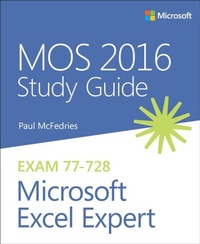
MOS 2016 Study Guide for Microsoft Excel Expert
1st Edition
Published on 4. November 2016
192 pages
978-1-5093-0005-1 (ISBN)
Description

Hone your advanced Excel 2016 skills. And earn the credential that proves it!
Demonstrate your expertise with Microsoft Excel! Designed to help you practice and prepare for Microsoft Office Specialist (MOS): Excel Expert 2016 certification, this official Study Guide delivers:
In-depth preparation for each MOS objective
Detailed procedures to help build the skills measured by the exam
Hands-on tasks to practice what you've learned
Ready-made practice files
Sharpen the skills measured by these objectives:
Create and Manage Workbooks
Apply Custom Formatting and Layouts
Create Advanced Formulas
Perform Data Analysis
Create Advanced Charts and PivotTables
Demonstrate your expertise with Microsoft Excel! Designed to help you practice and prepare for Microsoft Office Specialist (MOS): Excel Expert 2016 certification, this official Study Guide delivers:
In-depth preparation for each MOS objective
Detailed procedures to help build the skills measured by the exam
Hands-on tasks to practice what you've learned
Ready-made practice files
Sharpen the skills measured by these objectives:
Create and Manage Workbooks
Apply Custom Formatting and Layouts
Create Advanced Formulas
Perform Data Analysis
Create Advanced Charts and PivotTables
More details
Series
Language
English
Place of publication
Boston
United States
Publishing group
Microsoft Press,U.S.
Target group
Professional and scholarly
ISBN-13
978-1-5093-0005-1 (9781509300051)
Copyright in bibliographic data and cover images is held by Nielsen Book Services Limited or by the publishers or by their respective licensors: all rights reserved.
Schweitzer Classification
Other editions
Additional editions
Paul McFedries
MOS 2016 Study Guide for Microsoft Excel Expert
Book
02/2017
1st Edition
Microsoft Press
€22.99
Shipment within 10-20 days
Person
Paul McFedries is a full-time technical author who has worked with computers in one form or another since 1975. He is the author of more than 90 computer books that have sold more than 4 million copies worldwide. His recent Office-related titles include My Office 2016, My Office 2016 for Mac, and Formulas and Functions for Microsoft Excel 2016. His other titles include Windows 10 In Depth, (with Brian Knittel), PCs for Grownups, and Fixing Your Computer Absolute Beginner's Guide. Paul is also the proprietor of Word Spy (www.wordspy.com) a website devoted to tracking new words and phrases as they enter the English language. Please feel free to drop by Paul's personal website at www.mcfedries.com or follow him on Twitter at twitter.com/paulmcf and twitter.com/wordspy.
Content
Chapter 1 - Manage and share workbooks
1.1 Manage workbooks
1.2 Manage workbook review
Chapter 2 - Apply custom formats and layouts
2.1 Apply custom data formats
2.2 Apply advanced conditional formatting and filtering
2.3 Apply custom styles and templates
2.4 Prepare workbooks for internationalization and accessibility
Chapter 3 - Create advanced formulas
3.1 Apply functions in formulas
3.2 Look up data by using functions
3.3 Apply advanced date and time functions
3.4 Perform data analysis and business intelligence
3.5 Troubleshoot formulas
3.6 Define named ranges and objects
Chapter 4 - Create advanced charts and tables
4.1 Create advanced chart elements
4.2 Create and manage PivotTables
4.3 Create and manage PivotCharts
1.1 Manage workbooks
1.2 Manage workbook review
Chapter 2 - Apply custom formats and layouts
2.1 Apply custom data formats
2.2 Apply advanced conditional formatting and filtering
2.3 Apply custom styles and templates
2.4 Prepare workbooks for internationalization and accessibility
Chapter 3 - Create advanced formulas
3.1 Apply functions in formulas
3.2 Look up data by using functions
3.3 Apply advanced date and time functions
3.4 Perform data analysis and business intelligence
3.5 Troubleshoot formulas
3.6 Define named ranges and objects
Chapter 4 - Create advanced charts and tables
4.1 Create advanced chart elements
4.2 Create and manage PivotTables
4.3 Create and manage PivotCharts
