

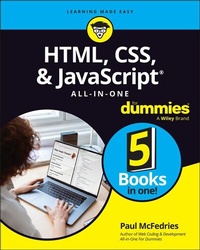
HTML, CSS, & JavaScript All-in-One For Dummies
1st Edition
Published on 17. July 2023
848 pages
978-1-394-16497-4 (ISBN)
Description

A thorough and helpful reference for aspiring website builders
Looking to start an exciting new career in front-end web building and design? Or maybe you just want to develop a new skill and create websites for fun. Whatever your reasons, it's never been easier to start learning how to build websites from scratch than with help from HTML, CSS, & JavaScript All-in-One For Dummies. This book has the essentials you need to wrap your head around the key ingredients of website design and creation.
You'll learn to build attractive, useful, and easy-to-navigate websites by combining HTML, CSS, and JavaScript into fun and practical creations. Using the 6 books compiled within this comprehensive collection, you'll discover how to make static and dynamic websites, complete with intuitive layouts and cool animations. The book also includes:
* Incorporate the latest approaches to HTML, CSS, and JavaScript, including those involving new markup, page styles, interactivity, and more
* Step-by-step instructions for new site creators explaining the very basics of page layouts and animations
* Easy-to-follow advice for adjusting page color and background, adding widgets to a site, and getting rid of all the bugs that affect site performance
* Bonus 6th book available at https://www.wiley.com/en-us/HTML%2C+CSS%2C+%26amp%3B+JavaScript+All+in+One+For+Dummies-p-9781394164721.
Web development is a fun, interesting, and challenging skill that can lead to a lucrative career (if you're so inclined). And with the right help, almost anyone can learn to create engaging websites from scratch. So, grab a copy of HTML, CSS, & JavaScript All-in-One For Dummies and you'll be designing and building before you know it!
Looking to start an exciting new career in front-end web building and design? Or maybe you just want to develop a new skill and create websites for fun. Whatever your reasons, it's never been easier to start learning how to build websites from scratch than with help from HTML, CSS, & JavaScript All-in-One For Dummies. This book has the essentials you need to wrap your head around the key ingredients of website design and creation.
You'll learn to build attractive, useful, and easy-to-navigate websites by combining HTML, CSS, and JavaScript into fun and practical creations. Using the 6 books compiled within this comprehensive collection, you'll discover how to make static and dynamic websites, complete with intuitive layouts and cool animations. The book also includes:
* Incorporate the latest approaches to HTML, CSS, and JavaScript, including those involving new markup, page styles, interactivity, and more
* Step-by-step instructions for new site creators explaining the very basics of page layouts and animations
* Easy-to-follow advice for adjusting page color and background, adding widgets to a site, and getting rid of all the bugs that affect site performance
* Bonus 6th book available at https://www.wiley.com/en-us/HTML%2C+CSS%2C+%26amp%3B+JavaScript+All+in+One+For+Dummies-p-9781394164721.
Web development is a fun, interesting, and challenging skill that can lead to a lucrative career (if you're so inclined). And with the right help, almost anyone can learn to create engaging websites from scratch. So, grab a copy of HTML, CSS, & JavaScript All-in-One For Dummies and you'll be designing and building before you know it!
More details
Other editions
Additional editions
Paul McFedries
HTML, CSS, & JavaScript All-in-One For Dummies
Book
08/2023
1st Edition
Wiley
€39.00
Shipment within 15-20 days
Person
Paul McFedries is a long-time technical author with over 100 published titles to his credit. His For Dummies work includes Web Coding & Development All-in-One For Dummies, iPad and iPad Pro For Dummies, Alexa For Dummies, G Suite For Dummies, and Excel Data Analysis For Dummies.
Content
Introduction 1
Book 1: Getting Started 5
Chapter 1: Getting Acquainted with HTML, CSS, and JavaScript 7
Chapter 2: Getting Ready to Code 39
Chapter 3: Finding and Setting Up a Web Host 47
Chapter 4: Testing and Validating Your Code 59
Book 2: Learning HTML Basics 77
Chapter 1: Building Good Bones: Structuring the Page 79
Chapter 2: Adding Links, Lists, and Other Text Tidbits 97
Chapter 3: Working with Images, Video, and other Media 123
Chapter 4: Building Tables with Your Bare Hands 143
Chapter 5: Using Forms to Make a Page Interactive 163
Chapter 6: Making Your Web Pages Accessible 181
Book 3: Learning CSS Basics 203
Chapter 1: Figuring Out the CSS Box Model 205
Chapter 2: Getting to Know the CSS Selectors 235
Chapter 3: Pseudo School: Learning Pseudo-Classes and Pseudo-Elements 251
Chapter 4: Making CSS Make Sense 287
Chapter 5: Taking the Measure of CSS 321
Chapter 6: Fancifying Pages with Colors and Backgrounds 337
Chapter 7: Taking Your Text Up a Notch with Web Typography 363
Book 4: Building Dynamic Pages with JavaScript 397
Chapter 1: JavaScript: The Bird's-Eye View 399
Chapter 2: Understanding Variables 411
Chapter 3: Building Expressions 427
Chapter 4: Controlling the Flow of JavaScript 457
Chapter 5: Harnessing the Power of Functions 481
Chapter 6: Playing with the Document Object Model 513
Chapter 7: Working with Arrays 553
Chapter 8: Manipulating Strings, Dates, and Numbers 583
Chapter 9: Storing User Data in the Browser 617
Chapter 10: Debugging Your Code 627
Chapter 11: Processing Form Data 649
Book 5: Looking Good with Layouts 673
Chapter 1: Exploring Some Layout Basics 675
Chapter 2: Getting Fancy with Flexbox 703
Chapter 3: Laying Out a Page with CSS Grid 737
Chapter 4: Creating Responsive Layouts 765
Index 801
Book 1: Getting Started 5
Chapter 1: Getting Acquainted with HTML, CSS, and JavaScript 7
Chapter 2: Getting Ready to Code 39
Chapter 3: Finding and Setting Up a Web Host 47
Chapter 4: Testing and Validating Your Code 59
Book 2: Learning HTML Basics 77
Chapter 1: Building Good Bones: Structuring the Page 79
Chapter 2: Adding Links, Lists, and Other Text Tidbits 97
Chapter 3: Working with Images, Video, and other Media 123
Chapter 4: Building Tables with Your Bare Hands 143
Chapter 5: Using Forms to Make a Page Interactive 163
Chapter 6: Making Your Web Pages Accessible 181
Book 3: Learning CSS Basics 203
Chapter 1: Figuring Out the CSS Box Model 205
Chapter 2: Getting to Know the CSS Selectors 235
Chapter 3: Pseudo School: Learning Pseudo-Classes and Pseudo-Elements 251
Chapter 4: Making CSS Make Sense 287
Chapter 5: Taking the Measure of CSS 321
Chapter 6: Fancifying Pages with Colors and Backgrounds 337
Chapter 7: Taking Your Text Up a Notch with Web Typography 363
Book 4: Building Dynamic Pages with JavaScript 397
Chapter 1: JavaScript: The Bird's-Eye View 399
Chapter 2: Understanding Variables 411
Chapter 3: Building Expressions 427
Chapter 4: Controlling the Flow of JavaScript 457
Chapter 5: Harnessing the Power of Functions 481
Chapter 6: Playing with the Document Object Model 513
Chapter 7: Working with Arrays 553
Chapter 8: Manipulating Strings, Dates, and Numbers 583
Chapter 9: Storing User Data in the Browser 617
Chapter 10: Debugging Your Code 627
Chapter 11: Processing Form Data 649
Book 5: Looking Good with Layouts 673
Chapter 1: Exploring Some Layout Basics 675
Chapter 2: Getting Fancy with Flexbox 703
Chapter 3: Laying Out a Page with CSS Grid 737
Chapter 4: Creating Responsive Layouts 765
Index 801
