

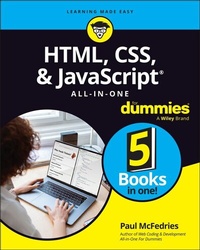
HTML, CSS, & JavaScript All-in-One For Dummies
Description

Looking to start an exciting new career in front-end web building and design? Or maybe you just want to develop a new skill and create websites for fun. Whatever your reasons, it's never been easier to start learning how to build websites from scratch than with help from HTML, CSS, & JavaScript All-in-One For Dummies. This book has the essentials you need to wrap your head around the key ingredients of website design and creation.
You'll learn to build attractive, useful, and easy-to-navigate websites by combining HTML, CSS, and JavaScript into fun and practical creations. Using the 6 books compiled within this comprehensive collection, you'll discover how to make static and dynamic websites, complete with intuitive layouts and cool animations. The book also includes:
* Incorporate the latest approaches to HTML, CSS, and JavaScript, including those involving new markup, page styles, interactivity, and more
* Step-by-step instructions for new site creators explaining the very basics of page layouts and animations
* Easy-to-follow advice for adjusting page color and background, adding widgets to a site, and getting rid of all the bugs that affect site performance
* Bonus 6th book available at https://www.wiley.com/en-us/HTML%2C+CSS%2C+%26amp%3B+JavaScript+All+in+One+For+Dummies-p-9781394164721.
Web development is a fun, interesting, and challenging skill that can lead to a lucrative career (if you're so inclined). And with the right help, almost anyone can learn to create engaging websites from scratch. So, grab a copy of HTML, CSS, & JavaScript All-in-One For Dummies and you'll be designing and building before you know it!
More details
Other editions
Additional editions
Person
Content
Book 1: Getting Started 5
Chapter 1: Getting Acquainted with HTML, CSS, and JavaScript 7
Chapter 2: Getting Ready to Code 39
Chapter 3: Finding and Setting Up a Web Host 47
Chapter 4: Testing and Validating Your Code 59
Book 2: Learning HTML Basics 77
Chapter 1: Building Good Bones: Structuring the Page 79
Chapter 2: Adding Links, Lists, and Other Text Tidbits 97
Chapter 3: Working with Images, Video, and other Media 123
Chapter 4: Building Tables with Your Bare Hands 143
Chapter 5: Using Forms to Make a Page Interactive 163
Chapter 6: Making Your Web Pages Accessible 181
Book 3: Learning CSS Basics 203
Chapter 1: Figuring Out the CSS Box Model 205
Chapter 2: Getting to Know the CSS Selectors 235
Chapter 3: Pseudo School: Learning Pseudo-Classes and Pseudo-Elements 251
Chapter 4: Making CSS Make Sense 287
Chapter 5: Taking the Measure of CSS 321
Chapter 6: Fancifying Pages with Colors and Backgrounds 337
Chapter 7: Taking Your Text Up a Notch with Web Typography 363
Book 4: Building Dynamic Pages with JavaScript 397
Chapter 1: JavaScript: The Bird's-Eye View 399
Chapter 2: Understanding Variables 411
Chapter 3: Building Expressions 427
Chapter 4: Controlling the Flow of JavaScript 457
Chapter 5: Harnessing the Power of Functions 481
Chapter 6: Playing with the Document Object Model 513
Chapter 7: Working with Arrays 553
Chapter 8: Manipulating Strings, Dates, and Numbers 583
Chapter 9: Storing User Data in the Browser 617
Chapter 10: Debugging Your Code 627
Chapter 11: Processing Form Data 649
Book 5: Looking Good with Layouts 673
Chapter 1: Exploring Some Layout Basics 675
Chapter 2: Getting Fancy with Flexbox 703
Chapter 3: Laying Out a Page with CSS Grid 737
Chapter 4: Creating Responsive Layouts 765
Index 801
Chapter 1
Getting Acquainted with HTML, CSS, and JavaScript
IN THIS CHAPTER
Finding out a bit about what you're getting yourself into
Befriending HTML
Introducing yourself to CSS
Shaking hands with JavaScript
Well begun is half done.
- ANCIENT GREEK PROVERB
In the early days of the internet in general and of the web in particular, people often used the abbreviation RTFM, which stood for (in the bowdlerized version), read the freaking manual. In days of yore, software programs came with little booklets - called manuals - that described the workings of the program. Look-before-you-leap types would carefully read the manual and would therefore know how to use the program. But a sizable proportion of the population would rather leap than look, meaning they would just start using the software, poking around willy-nilly to try to make things happen. Those dedicated leapers would inevitably end up on message boards or forums, desperately seeking solutions to the problems their haphazard experimenting caused them. The answer, more than often than not, was a simple one: "RTFM!"
This book is a sort of manual writ large for using HTML, CSS, and JavaScript. However, and this is particularly true if you're just getting started with coding web pages, if there's any part of the book that fits the RTFM credo, it's this chapter. Everything you learn in this chapter acts as a kind of home base for the explorations that come later, especially in Book 2 and beyond.
In this chapter, you learn the basic concepts behind HTML, CSS, and JavaScript, get a better understanding of how they work, and get started exploring these powerful technologies.
What Do HTML, CSS, and JavaScript Do, Exactly?
If you're new to the world of weaving web pages, you may be asking yourself a very basic - but a very astute - question about HTML, CSS, and JavaScript: What do they do?
The bird's-eye view is that HTML, CSS, and JavaScript are the technologies behind what appears when you visit a page on the web. Sure, your trusty web browser shows you the page text and images, but the way in which the text and images are presented to you is a function of the page's underlying HTML, CSS, and JavaScript code. These technologies have three separate but interrelated functions:
- Structure: The basic scaffolding of the page, such as the page headings, the text paragraphs, and where the images appear. This is the realm of HTML.
- Style: How the page looks, including the fonts, colors, and margins. This is the bailiwick of CSS.
- Dynamism: Extras that make the page perform actions such as interacting with the user, "listening" for mouse clicks and keypresses, and writing content to the page based on certain conditions. This is the job of JavaScript.
That's the big picture. I get into all this in a bit more detail later in this chapter (starting with HTML in the "Adding Structure with HTML" section).
Why Learn HTML, CSS, and JavaScript?
I mention in the Introduction that learning HTML, CSS, and JavaScript isn't hard. That's still true, but I must admit that it doesn't tell the entire story. Yes, learning these technologies isn't hard, but it's certainly not trivial, either. Although you could probably memorize every element of HTML in an afternoon, both CSS and JavaScript are huge topics that take time to master. And although the basics of HTML, CSS, and JavaScript have a pleasingly gentle learning curve, after you get past these ABCs you quickly run into quite a few quirks and gotchas that steepen the ascent.
So, it's reasonable to ask a basic question right up front: Why may you want to go to the trouble to learn HTML, CSS, and JavaScript? After all, there's no shortage of templates, web page generators, content management systems, and web designers out there that - with varying degrees of ease, cost, and success - can convert your words and images into honest-to-goodness web pages. Why not take one of these easier paths to putting up a web presence?
Good question. And it just may be the case that, if you're chronically short on time or motivation, one of these let-someone-else-do-most-of-the-work solutions may be the right one for you. For everyone else, here are my reasons - call them the Four Cs - for learning HTML, CSS, and JavaScript to handcraft your own web pages:
- Carte blanche: When you build web pages with your bare hands using HTML, CSS, and JavaScript, you have complete freedom over every aspect of your creation: content, colors, fonts, layout, the whole shebang. A new web page is a tabula rasa that you can fill up in whatever way you like.
- Creativity: Forging your own web pages means you have the final say (not to mention the first, second, and third say) over not only what you say, but how you say it. You don't have one hand tied behind your back in the form of someone else's design or vision. Instead, you can express yourself in whatever way you want to show the world.
- Customization: Almost any prefab web page is a rigid construct that offers only the most minimal customizations at creation time, and often no further customizing after the page is published. Forget that! When your pages are handmade, every possibility is open to you from the start and, of course, your pages are always infinitely customizable.
- Cost: It may surprise you to learn that the cost of producing your own web pages using HTML, CSS, and JavaScript is effectively nothing. That's right: zero (0) dollars (or euros or pesos or whatever). How can that be? Because, as I discuss in the section that follows, all you really need to handmake a web page is a text editor, and most of those are free. Yep, you'll usually need to pay someone to host your pages on the web (check out Book 1, Chapter 3 for the details), but forging those pages is free.
Seeing How It All Works
You know the web. You've browsed until your fingers are blue. You've experienced the wonder of those websites that are truly spectacular. Now, as you're about to embark on the journey of learning how to create your own web pages, you may believe that to achieve those amazing effects you need some fancy software. Perhaps a big-time page layout program or maybe a high-end word processor with special add-ins and templates for doing web pages. Or maybe you need a hideously complex and expensive "web page processor" app that offers the requisite bells and whistles needed to crank out perfect and professional-looking pages.
Well, it gives me great pleasure to report that you don't need any of those things. The only thing you really need to start banging out web pages is a humble text editor. All you have is Windows' Notepad or the Mac's TextEdit? Yup, either one will do. (Thankfully, you don't have to use either of these lowly programs because the world is awash in editors that are designed to make entering and editing HTML, CSS, and JavaScript - and, of course, text - a snap. And most of them are free! Refer to Book 1, Chapter 2 for more info.)
I see by your raised eyebrow that needing only a text editor surprises you. How is it possible, you ask, that the web's awesome web pages could even remotely be the product of an ignoble text editor? How do you get the magnificence of the web from the mundanity of pure text?
The answer to these questions lies with the app you use to surf the web: the browser. Most web pages are just text with strategically placed HTML (for structure), CSS (for style), and JavaScript (for dynamism) code. In simplest terms, when you navigate to a page, the web browser grabs the page's text file and dissects the file to look for its HTML, CSS, and JavaScript markings. The browser then uses that code to display - or, as the web geeks say, render - the page accordingly.
For example, you can add special codes inside a text file to specify that you want a particular collection of words or phrases to appear as a bulleted list. When the web browser comes to that part of the file, it dutifully renders those items as a list, bullets and all. The person browsing your page doesn't get the "render these items as a bulleted list" code; they just get the bulleted list. The web browser performs these and many other transformations behind the scenes. As long as you have the right HTML, CSS, and JavaScript markings in the right places, the browser will render your page the way you want.
To get started, launch a new text file
So, to get to the point at long last, your first step whenever you want to create a web page is to start a new text file. To do that, not surprisingly, you need to fire up your favorite text editor:
- Notepad (Windows): In Windows 11, choose Start? All Apps? Notepad. Notepad displays a brand-new text file automatically when you start the program. You can also fire up a new document by choosing File? New.
- TextEdit (Mac): Click Search (the magnifying glass) in the menu bar, start typing textedit, and then click TextEdit as soon as it shows up in the search results. In the...
