

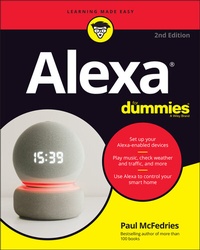
Alexa For Dummies
Description

You might be thinking, "All I have to do is plug in my Echo device and start using it!" And you'd be right. But if you really want to explore what that compact little device can do, then Alexa For Dummies is your go-to resource. This book shows you how to customize your device to respond to your requests and enhance your life.
Alexa For Dummies takes you on a tour of all things Alexa: its capabilities, tools, settings, and skills. Go beyond the basics of playing music, calling friends, reading the news, and checking the weather. You'll learn how to make Alexa private and secure, connect it to your smart home devices, and even make it sound like Samuel L. Jackson, if you feel like it. You can also extend its capabilities by adding new skills.
* Customize your device to respond to your voice
* Troubleshoot when a light is signaling something's wrong
* Add skills to play music and audiobooks
* Create routines to turn on lights, adjust the thermostat, set your security alarm, and lock your doors
* Sync your smart devices throughout your home
* Use Alexa to connect to a Zoom meeting or phone call with your friends or family
No matter which device you have--Echo, Echo Dot, Echo Show, Echo Studio, Echo Flex, Echo Loop, Echo Buds, or Echo Frames--Alexa For Dummies is the perfect companion. Ready to get started? Say "Hey, Alexa, order Alexa For Dummies!"
More details
Other editions
Additional editions
Person
Content
Part 1: Getting Started with Alexa 5
Chapter 1: Getting to Know Alexa 7
Chapter 2: Setting Up Alexa and Your Devices 21
Chapter 3: Learning Alexa Basics 43
Part 2: Having Fun with Alexa 59
Chapter 4: Playing Media 61
Chapter 5: Communicating with Alexa 89
Chapter 6: Using Alexa at Home 111
Chapter 7: Being More Productive 131
Part 3: Getting More out of Your Relationship with Alexa 149
Chapter 8: Asking Alexa Questions 151
Chapter 9: Adding Skills to Alexa 161
Chapter 10: Making Alexa Accessible 177
Part 4: Controlling Your Smart Home 191
Chapter 11: Setting Up Your Smart Home 193
Chapter 12: Uncovering Some Smarter Smart-Home Techniques 215
Part 5: The Part of Tens 237
Chapter 13: Ten (Times Ten) Ridiculously Fun Alexa Tricks 239
Chapter 14: Ten Things That Can Go Wrong (and How to Fix Them) 247
Chapter 15: Ten Ways to Beef Up Security and Privacy 263
Index
Chapter 1
Getting to Know Alexa
IN THIS CHAPTER
Learning about Alexa
Seeing where you can buy Alexa
Looking at Amazon's Echo devices
Figuring out which Alexa device is best for you
Reviewing what you can do with Alexa
An old proverb tells us that "Well begun is half done." That is, if you begin a project in the best way you can, you'll have made such a good start that it'll seem like you're already halfway to your goal. In this chapter, you begin your relationship with Alexa well by learning some useful, perhaps even interesting, background about Alexa, including an answer to what might be the most important question of all: Just what is Alexa, anyway? (Or should that be just who is Alexa?)
To get your Alexa education off to a solid start, this chapter takes you on an exploratory tour of the Alexa landscape. This is big-picture stuff where you learn not only what Alexa is but also where you can get Alexa and how to figure out which Alexa-friendly device you need. After taking you through these what, where, and how fundamentals, you also investigate what is likely the second most important question: Why would people even need Alexa in their lives?
What Is This Alexa That Everyone's Talking About (or, Really, To)?
Okay, let me get right to it: Amazon Alexa is a voice service, a cloud-based software program that acts as a voice-controlled virtual personal assistant. In a nutshell, you use your voice to ask Alexa a question or give Alexa a command, and it dutifully answers you (assuming an answer exists) or carries out your request (assuming your request is possible). The key here is that Alexa responds to voice commands.
In the movie Star Trek IV: Voyage Home, the crew of the Starship Enterprise travel back in time 300 years to 1986. In a memorable scene, Scotty, the ship's chief engineer, goes up to a mid-'80s-era PC and says, "Computer!" When the machine doesn't respond, he says, "Computer!" once again. He's then handed a mouse and, thinking it's a microphone, says, "Hello, computer!" Apparently, in the year 2286, interacting with a computer using anything but voice commands is unthinkable.
We're a long way from the voice-only future envisioned in Star Trek (and countless other sci-fi stories; remember voice-controlled HAL in 2001: A Space Odyssey?). However, as we sit here near the end of the second decade of the 21st century, you can feel the computer-interaction landscape starting to shift. After some 40 years of folks sitting in front of their PCs, typing away in near-total silence (with only the occasional wail of exasperation or groan of impatience to break the quiet), users are starting to find their voices.
True, operating systems such as Windows and macOS have had voice-control tools for many years, but they were obscure and unreliable and used by only a handful of people. Voice control's bid for the mainstream didn't get serious until Apple purchased the Siri speech-recognition app in 2010 and released it with iOS 5 a year later. Suddenly, it became cool to interact with a computer (at least one in the shape of a smartphone) by using voice commands.
Since then, numerous voice-control tools have been released, including Google's Assistant, Microsoft's Cortana, and various voice-command features found in modern cars. But it was the release of the full version of Amazon's Alexa in 2015 that really got the voice ball rolling. Amazon doesn't share sales figures, but most industry know-it-alls agree that at least two hundred million Alexa devices have been sold.
Meet your new assistant
Why is Alexa so popular? There are lots of reasons, but the one that matters is that Alexa is (or tries hard to be) a personal assistant. Older voice-command tools were geared toward using a computer: running programs, pulling down menus, accessing settings, and so on. Alexa doesn't do any of that. Instead, it's focused on doing things for you in your real life, including (but by no means limited to) the following:
- Playing music, podcasts, or audiobooks
- Setting timers and alarms
- Telling you the latest news, weather, or traffic
- Creating to-do lists and shopping lists
- Buying something from Amazon
- Controlling home-automation devices such as lights and thermostats
- Telling jokes
That last one may be a bit surprising, but perhaps the second-most important reason behind's Alexa's success is that it comes with whimsy as a feature. Alexa, as I hope to show in this book, is both useful and fun.
Older and lesser voice-controlled systems recognize only a limited set of commands that have to be enunciated precisely, so using such systems feels stilted and slow. Alexa, by contrast, is an example of a new breed of voice-aware systems that use conversational artificial intelligence. That term sounds pretty geeky, but it simply means that Alexa isn't meant to be controlled so much as interacted with. With Alexa, you ask your questions and give your commands using natural language and your normal voice. Does it work perfectly every time? Nope, we're not in Star Trek territory just yet, but I think you'll be pleasantly surprised at just how well it does work.
Alexa's components
Throughout this book I talk about "Alexa" as though it's a single object, but Alexa is actually a large collection of objects that, together, create the full, seamless Alexa experience. I talk about many of these objects - particularly the Alexa app - throughout this book. From the behind-the-scenes perspective, however, all you need to know for now is that Alexa consists of the following four components:
- Name recognition: When you interact with Alexa, it seems as though the device understands what you say, but the only speech your Alexa device recognizes is the word Alexa, which Amazon calls the wake word. That is, it's the word that lets Alexa know it should wake up and start listening for an incoming command or question. (In case you're wondering: Yep, you can change the wake word to something else. I show you how to do that in Chapter 15.)
- Speech recording: Your Alexa device has one or more built-in microphones that capture the questions, commands, requests, and other utterances that you direct to the device. A simple computer inside records what you say and then sends the recording over the Internet to the Alexa Voice Service (discussed next). This part of Alexa is sometimes called the voice user interface (VUI).
- Alexa Voice Service (AVS): Here's where the real Alexa magic happens. This part of Alexa resides in Amazon's cloud. AVS takes the recording that contains your voice command and uses some fancy-schmancy speech recognition to tease out the words you spoke. AVS then uses natural-language processing to analyze the meaning of your command, from which it produces a result.
- Speech synthesis: This component takes the results provided by AVS and renders them as speech, which it stores in an audio file. That file is returned and played through the Alexa device's built-in or connected speakers.
WHAT'S ALL THIS ABOUT A "CLOUD"?
I've mentioned the term cloud a couple of times now, so let me take a few minutes of your precious time to explain what I'm talking about. In many network diagrams, the designer is most interested in the devices that connect to the network, not the network itself. After all, the details of what happens inside the network to shunt signals from source to destination are often complex and convoluted, so all those minutiae would only detract from the network diagram's larger message of showing which devices can connect to the network, how they connect, and their network entry and exit points.
When designers of a network flowchart want to show the network but not any of its details, they almost always abstract the network by displaying it as a cloud symbol. (It is, if you will, the "yadda yadda yadda" of network diagrams.) At first the cloud symbol represented the workings of a single network, but in recent years it has come to represent the Internet (the network of networks).
So far, so good. Earlier in this millennium, some folks had the bright idea that instead of storing files on local computers, they could be stored on a server connected to the Internet, which meant that anyone with the right credentials could access the files from anywhere in the world. Eventually, folks started storing programs on Internet servers, too, and started telling anyone who'd listen that these files and applications resided "in the cloud" (meaning on a server - or, more typically, a large collection of servers that reside in a special building called a data center - accessible via the Internet).
One such application is Alexa Voice Service, which resides inside Amazon's cloud service called Amazon Web Services (AWS). So, that's why I say that Alexa is a "cloud-based voice service." That's also why you need an Internet connection to use Alexa: It requires that...
