

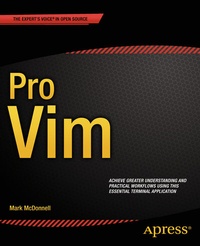
Pro Vim
Description

Pro Vim teaches you the real-world workflows, tips, and tricks of this powerful, terminal-based text editor. This book covers all the essentials, as well as lesser-known but equally powerful features that will ensure you become a top-level performant and professional user, able to jump between multiple sessions while manipulating and controlling with ease many different documents and programming files. With easy-to-digest chapters on all the areas you need to learn, this book is a key addition to your library that will enable you to become a fast, efficient user of Vim.
Using this book, you will learn how to properly configure your terminal environment and work without even touching the mouse. You will become an expert in how Vim actually works: how buffers and sessions work, automation through Macros and shell scripting, real-world workflows, and how to work efficiently and fast with plugins and different themes. You will also learn practical, real-world tips on how to best utilize Vim alongside the terminal multiplexer tmux; helping you to manage files across multiple servers and terminal sessions. Avoid common pitfalls and work with best practice ways to efficiently edit and control your files and sessions from the terminal interface.
Vim is an advanced power tool that is commonly recognized as being difficult to learn, even for experienced developers. This book shows you how to become an expert by focusing on not only the fundamentals of how Vim works, but also by distilling the author's own experiences learning Vim into an easy-to-understand and follow guide. It's time to bring your programming, editing, and workflow skills up to the professional level - use Pro Vim today.
More details
Other editions
Additional editions
Person
Content
2. Installation and Configuration
3. Fundamentals
4. Files
5. Commands
6. Registers
7. Folding
8. Visual Block Mode
9. Bulk Command Processing
10. Editing Workflow
11. Search and Replace
12. Buffer/Window/Tab Management
13. Automation
14. Lists
15. Marks
16. Sessions
17. Plugins
18. Diffing
19. Custom Commands and Bindings
20. Terminal integration
21. Working with code
22. Practical Tips and Tricks
23. Terminal Multiplexer
24. Fundamentals
25. Modifications
26. Copy and Paste
27. Scripting and Automation
28. Pane/Window Management
29. Pair Programming
30. Workflow Management
