

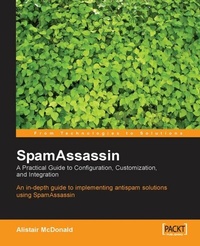
SpamAssassin: A practical guide to integration and configuration
In depth guide to implementing antispam solutions using SpamAssassin
1st Edition
Published on 13. January 2025
240 pages
978-1-84719-006-2 (ISBN)
Description

In depth guide to implementing antispam solutions using SpamAssassinKey Features - learning spamassassin, learn spamassassin, spamassassin book, teach yourself spamassssin, spamassassin
Book DescriptionAs a busy administrator, you know Spam is a major distraction in todays network. The effects range from inappropriate content arriving in the mailboxes up to contact email addresses placed on a website being deluged with unsolicited mail, causing valid enquiries and sales leads to be lost and wasting employee time. The perception of the problem of spam is as big as the reality. In response to the growing problem of spam, a number of free and commercial applications and services have been developed to help network administrators and email users combat spam. Its up to you to choose and then get the most out of an antispam solution. Free to use, flexible, and effective, SpamAssassin has become the most popular open source antispam application. Its unique combination of power and flexibility make it the right choice. This book will now help you set up and optimize SpamAssassin for your network.What you will learn - This comprehensive and detailed guide answers all your SpamAssassin questions. You will learn about:
- Spam detection and prevention
- Installing and running SpamAssassin
- Using Bayesian Filtering
- Configuring mail clients
- Rewriting spam messages
- Integrating SpamAssassin with external services
- Blacklisting and whitelisting
- Increasing Performance
- Using SpamAssassin as a service
- Using SpamAssassin with Fetchmail, postfix, sendmail, Exim, Qmail, procmail
- SpamAssassin rules
Who this book is forIf you are a network or system administrator and you're either using or evaluating SpamAssassin, this book will increase your understanding and transform your productivity.
Book DescriptionAs a busy administrator, you know Spam is a major distraction in todays network. The effects range from inappropriate content arriving in the mailboxes up to contact email addresses placed on a website being deluged with unsolicited mail, causing valid enquiries and sales leads to be lost and wasting employee time. The perception of the problem of spam is as big as the reality. In response to the growing problem of spam, a number of free and commercial applications and services have been developed to help network administrators and email users combat spam. Its up to you to choose and then get the most out of an antispam solution. Free to use, flexible, and effective, SpamAssassin has become the most popular open source antispam application. Its unique combination of power and flexibility make it the right choice. This book will now help you set up and optimize SpamAssassin for your network.What you will learn - This comprehensive and detailed guide answers all your SpamAssassin questions. You will learn about:
- Spam detection and prevention
- Installing and running SpamAssassin
- Using Bayesian Filtering
- Configuring mail clients
- Rewriting spam messages
- Integrating SpamAssassin with external services
- Blacklisting and whitelisting
- Increasing Performance
- Using SpamAssassin as a service
- Using SpamAssassin with Fetchmail, postfix, sendmail, Exim, Qmail, procmail
- SpamAssassin rules
Who this book is forIf you are a network or system administrator and you're either using or evaluating SpamAssassin, this book will increase your understanding and transform your productivity.
All prices
More details
Other editions
Additional editions
Book
09/2004
Packt Publishing
€50.50
Shipment within 3-4 weeks
Content
- Intro
- SpamAssassin
- Table of Contents
- SpamAssassin
- Credits
- About the Author
- About the Reviewers
- Introduction
- What This Book Covers
- What You Need for Using This Book
- Conventions
- Reader Feedback
- Customer Support
- Downloading the Example Code for the Book
- Errata
- Questions
- 1. Introducing Spam
- Defining Spam
- Definitions
- The History of Spam
- Spammers
- The Costs of Spam
- Costs to the Spammer
- Costs to the Recipient
- Spam and the Law
- Summary
- 2. Spam and Anti-Spam Techniques
- Spamming Techniques
- Open Relay Exploitation
- Collecting Email Addresses
- Hiding Content
- Statistical Filter Poisoning
- Unique Email Generation
- Trojanned Machines
- Anti-Spam Techniques
- Keyword Filters
- Open Relay Blacklists (ORBLs)
- ISP Complaints
- Statistical Filters
- Email Header Analysis
- Non-Spam Content Tests
- Whitelists
- Email Content Databases
- Sender Validation Systems
- Sender Policy Framework (SPF)
- Spam Filtering Services
- Collect and Forward
- Collect and Return
- Send and Forward
- Choosing an Anti-Spam Service Provider
- ISP-Provided Services
- Anti-Spam Tools
- SpamAssassin
- How SpamAssassin Works
- Easy to Use
- Techniques Used by SpamAssassin
- Summary
- 3. Open Relays
- Email Delivery
- Open Relay Tests
- Automated Open Relay Testers
- Manual Open Relay Testing
- MTA Configuration
- Sendmail
- Sendmail Versions 8.9 and Above
- Sendmail Versions Below 8.9
- Postfix
- The mynetworks Configuration Directive
- The relay_domains Configuration Directive
- Exim
- Exim Configuration Parameters
- qmail
- Summary
- 4. Protecting Email Addresses
- Websites
- Alternative Character Representations
- JavaScript
- Usenet
- Trojan Software
- Mailing Lists and Archives
- Registration for Websites
- Tracking Email Address Usage
- Sendmail Plus Technique
- Rogue Employees
- Employees
- Business Cards and Promotional Material
- How Spammers Verify Email Addresses
- Web Bugs
- Summary
- 5. Detecting Spam
- Content Tests
- Header Tests
- DNS-Based Blacklists
- Statistical Tests
- Message Recognition
- URL Recognition
- Examining Headers
- Faked Headers
- Reporting Spammers
- Valid Bulk Email Delivery
- Summary
- 6. Installing SpamAssassin
- Building from Source
- Prerequisites
- Checking Current Configuration
- Installing Perl
- Installing CPAN
- Testing for a C Compiler
- Using CPAN
- Installing by Hand
- Resolving Build Failures
- Packaged Distributions
- RPM
- Debian
- Gentoo
- Other Formats
- Windows
- Verifying the Installation
- Upgrading
- Uninstalling
- Uninstalling from Source
- Using CPANPLUS
- Other Packages
- Uninstalling on Windows
- SpamAssassin Components
- Executables
- Perl Modules
- Documentation
- Summary
- 7. Configuration Files
- Configuration Files
- Standard Configuration
- Site-Wide Configuration
- User-Specific Configuration
- Rule Files
- Rules
- Scores
- Summary
- 8. Using SpamAssassin
- SpamAssassin as a Daemon
- Creating a User Account
- SpamAssassin and Procmail
- Testing for Procmail
- Obtaining and Installing Procmail
- Configuring Procmail
- MTA Configuration
- sendmail
- Postfix
- Exim
- qmail
- Configuring User Accounts
- Site-Wide Procmail Usage
- Integrating SpamAssassin into the MTA
- Sendmail
- Sendmail Milter Support
- MIMEDefang
- Postfix
- Exim
- qmail
- Testing and Troubleshooting
- Check the MTA
- Further Diagnosis
- Rejecting Spam
- Summary
- 9. Bayesian Filtering
- Scoring
- Training
- Confirming Operation
- Filter Training
- User Involvement
- Local Users
- Unlearning
- Auto-learn Thresholds
- Bayesian Database Files
- Removing a Bayesian Database
- Sharing a Bayesian Database
- Disabling Bayesian Filtering
- Summary
- 10. Look and Feel
- Headers
- Changing Headers
- Creating Headers
- Removing Headers
- Reports
- Enabling and Disabling Reports
- Changing Reports
- Subject Rewriting
- Summary
- 11. Network Tests
- RBLs
- SURBLs
- SpamAssassin 2.63
- Vipul's Razor
- Installing Razor
- Configuring Razor
- Configuring SpamAssassin
- Testing Razor
- Pyzor
- Installing Pyzor
- Configuring Pyzor
- Configuring SpamAssassin
- Testing Pyzor
- Pyzor Headers
- DCC
- Installing DCC
- Configuring SpamAssassin
- Testing DCC
- DCC Headers
- Spamtraps
- Choosing a Spamtrap Address
- Baiting the Spamtrap
- Configuring the Email Account
- Summary
- 12. Rules
- Writing Rules
- Rules Performance
- Meta Rules
- Writing Positive Rules
- Examples of Positive Rules
- Rawbody Rules
- Using a Corpus to Test Rules and Scoring
- Corpus Development
- The Public Corpus
- Testing SpamAssassin on a Corpus
- Examining Hit Frequencies
- Using Other Rulesets
- Summary
- 13. Improving Filtering
- Whitelists and Blacklists
- Manual Whitelisting and Blacklisting
- Whitelisting Domains
- The Auto-Whitelist
- Resolving Incorrect Classifications
- Examining Messages
- Changing the Spam Threshold
- Re-weighting Test Scores
- Increasing the Score of Spam Emails
- Coping with False Positives
- Bayesian Unlearning and Relearning
- Character Sets and Languages
- Disallowing Languages
- Disallowing Character Sets
- Summary
- 14. Performance
- Bottlenecks
- Memory
- CPUs
- Disk I/O
- Network I/O
- Determining Bottlenecks
- Performance Improvement Methodology
- Using the SpamAssassin Daemon
- Integrating SpamAssassin into the MTA
- Omitting Messages
- Large Messages
- Disabling Tests
- Running Network-Based Tests First
- Razor, Pyzor, and DCC
- Using Additional Machines
- Faster File Locking
- Using SQL
- Requirements
- MySQL
- Configuration
- Spamd with SQL
- SQL for User Preferences
- Adding New User Preferences
- Displaying User Preferences
- Altering User Preferences
- Deleting User Preferences
- Testing if SQL User Preferences Are Being Used
- Preference Precedence
- SQL for Bayesian Databases
- Testing if the SQL Bayesian Database Is Being Used
- The Auto-Whitelist Database
- Testing if the SQL Auto-Whitelist Database Is Being Used
- Summary
- 15. Housekeeping and Reporting
- Separating Levels of Spam
- Detecting When SpamAssassin Fails
- Spam and Ham Reports
- Spam Counter
- Keeping Statistics Over a Period of Time
- Determining SpamAssassin Processing Time
- Summary
- 16. Building an Anti-Spam Gateway
- Choosing a PC Platform
- Choosing a Linux Distribution
- Installing Linux
- Configuring Postfix
- Accepting Email for the Domain
- Mail for the root User
- Basic Spam Filtering with Postfix
- Forwarding Email to the Original Email Server
- Reloading Postfix
- Testing Postfix
- Installing Amavisd-new
- Installation from Package
- Installing Prerequisites
- Installing from Source
- Creating a User Account for Amavisd-new
- Configuring Amavisd-new
- Configuring Postfix to Run Amavisd-new
- Configuring External Services
- Firewall Configuration
- Backups
- Testing
- Going Live
- Summary
- 17. Email Clients
- General Configuration Rules
- Microsoft Outlook
- Microsoft Outlook Express
- Mozilla Thunderbird
- Qualcomm Eudora
- Summary
- 18. Choosing Other Spam Tools
- Spam Policies
- Evaluating Spam Filters
- Configuring the Second Filter
- Using a Single Machine
- Using Separate Machines
- Sendmail
- Postfix
- Exim
- qmail
- Other Techniques
- Greylisting
- SPF
- Sender Validation
- Summary
- A. Glossary
- Index

