

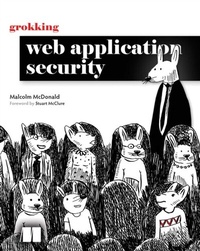
Grokking Web Application Security
1st Edition
Published on 9. July 2024
336 pages
978-1-63835-504-5 (ISBN)
Description

When you launch an application on the web, every hacker in the world has access to it. Are you sure your web apps can stand up to the most sophisticated attacks?
Trying to teach yourself about web security from the internet can feel like walking into a huge disorganized library?one where you can never find what you need, and the wrong advice might endanger your application! You need a single, all-in-one guide to securing your apps against all the attacks they can and will face. You need Grokking Web Application Security.
This brilliantly illustrated and clearly written guide delivers detailed coverage on:
- Browser security, including sandboxing, the same-origin policy, and cookie security
- Securing web servers with input validation, escaping of output, and defense in depth
- A development process that prevents security bugs
- Browser vulnerabilities, from cross-site scripting and cross-site request forgery, to clickjacking
- Network vulnerabilities, such as man-in-the-middle attacks, SSL-stripping, and DNS poisoning
- Authentication vulnerabilities, such as brute forcing of credentials with single sign-on or multi-factor authentication
- Authorization vulnerabilities, such as broken access control and session jacking
- How to use encryption in web applications
- Injection attacks, command execution attacks, and remote code execution attacks
- Malicious payloads that can be used to attack XML parsers and file upload functions
- A security-first development process
- Encryption in web applications
- Supply-chain and API attacks
- What to do when a hacker gets in
More details
Other editions
Additional editions
Malcolm McDonald
Grokking Web Application Security
Book
06/2024
Manning Publications
€66.00
Shipment within 3-4 weeks
Person
Malcolm McDonald is the creator of hacksplaining.com, a comprehensive and interactive security training solution that helps working web developers brush up on their security knowledge. He is a security engineer with 20 years of experience across investment banking, start-ups, and PayPal. He has personally trained thousands of developers in web security over his career.
