

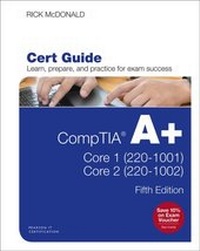
CompTIA A+ Core 1 (220-1001) and Core 2 (220-1002) Cert Guide
5th Edition
Published on 28. January 2020
1360 pages
978-0-13-530003-9 (ISBN)
Description

This is the eBook version of the print title. Note that the eBook does not provide access to the practice test software that accompanies the print book.
Learn, prepare, and practice for CompTIA A+ Core 1 (220-1001) and Core 2 (220-1002) exam success with this CompTIA Cert Guide from Pearson IT Certification, a leader in IT Certification learning.
Master CompTIA A+ Core 1 (220-1001) and Core 2 (220-1002) exam topics
Assess your knowledge with chapter-ending quizzes
Review key concepts with exam preparation tasks
Practice with realistic exam questions
Get practical guidance for next steps and more advanced certifications
CompTIA A+ Cert Guide Core 1 (220-1001) and Core 2 (220-1002), Fifth Edition is a best-of-breed exam study guide. Leading IT certification instructor Rick McDonald shares preparation hints and test-taking tips, helping you identify areas of weakness and improve both your conceptual knowledge and hands-on skills. Material is presented in a concise manner, focusing on increasing your understanding and retention of exam topics.
The book presents you with an organized test preparation routine through the use of proven series elements and techniques. Exam topic lists make referencing easy. Chapter-ending Exam Preparation Tasks help you drill on key concepts you must know thoroughly. Review questions help you assess your knowledge, and a final preparation chapter guides you through tools and resources to help you craft your final study plan.
Well-regarded for its level of detail, assessment features, and challenging review questions and exercises, this CompTIA study guide helps you master the concepts and techniques that will allow you to succeed on the exam the first time.
The CompTIA study guide helps you master all the topics on the A+ Core 1 (220-1001) and Core 2 (220-1002) exams, including:
Core 1 (220-1001): Mobile devices, networking, hardware, virtualization and cloud computing, and hardware and network troubleshooting
Core 2 (220-1002): Operating systems, security, software troubleshooting, and operational procedures
Extensive improvements in this edition include: new content on Windows 10, Chrome OS, security, scripting, and remote access; expanded coverage of troubleshooting, operational procedures, laptop teardown, subassembly replacement, and virtualization; new coverage of Linux and macOS troubleshooting; new MacBook coverage; updated coverage of processors, BIOSes (including UEFI); USB 3.1 and USB-Type C; mobile device teardown; hardware upgrades; dealing with prohibited content/activity; Windows features and upgrade paths; and network and cloud computing.
Learn, prepare, and practice for CompTIA A+ Core 1 (220-1001) and Core 2 (220-1002) exam success with this CompTIA Cert Guide from Pearson IT Certification, a leader in IT Certification learning.
Master CompTIA A+ Core 1 (220-1001) and Core 2 (220-1002) exam topics
Assess your knowledge with chapter-ending quizzes
Review key concepts with exam preparation tasks
Practice with realistic exam questions
Get practical guidance for next steps and more advanced certifications
CompTIA A+ Cert Guide Core 1 (220-1001) and Core 2 (220-1002), Fifth Edition is a best-of-breed exam study guide. Leading IT certification instructor Rick McDonald shares preparation hints and test-taking tips, helping you identify areas of weakness and improve both your conceptual knowledge and hands-on skills. Material is presented in a concise manner, focusing on increasing your understanding and retention of exam topics.
The book presents you with an organized test preparation routine through the use of proven series elements and techniques. Exam topic lists make referencing easy. Chapter-ending Exam Preparation Tasks help you drill on key concepts you must know thoroughly. Review questions help you assess your knowledge, and a final preparation chapter guides you through tools and resources to help you craft your final study plan.
Well-regarded for its level of detail, assessment features, and challenging review questions and exercises, this CompTIA study guide helps you master the concepts and techniques that will allow you to succeed on the exam the first time.
The CompTIA study guide helps you master all the topics on the A+ Core 1 (220-1001) and Core 2 (220-1002) exams, including:
Core 1 (220-1001): Mobile devices, networking, hardware, virtualization and cloud computing, and hardware and network troubleshooting
Core 2 (220-1002): Operating systems, security, software troubleshooting, and operational procedures
Extensive improvements in this edition include: new content on Windows 10, Chrome OS, security, scripting, and remote access; expanded coverage of troubleshooting, operational procedures, laptop teardown, subassembly replacement, and virtualization; new coverage of Linux and macOS troubleshooting; new MacBook coverage; updated coverage of processors, BIOSes (including UEFI); USB 3.1 and USB-Type C; mobile device teardown; hardware upgrades; dealing with prohibited content/activity; Windows features and upgrade paths; and network and cloud computing.
All prices
More details
Series
Edition
5th edition
Language
English
Place of publication
Upper Saddle River
United States
Publishing group
Pearson Education (US)
Target group
Professional and scholarly
File size
68,80 MB
ISBN-13
978-0-13-530003-9 (9780135300039)
Copyright in bibliographic data and cover images is held by Nielsen Book Services Limited or by the publishers or by their respective licensors: all rights reserved.
Schweitzer Classification
Other editions
Additional editions
Richard McDonald
CompTIA A+ Core 1 (220-1001) and Core 2 (220-1002) Cert Guide
Book
11/2019
5th Edition
Pearson It Certification
€56.00
Shipment within 3-4 weeks
Person
Rick McDonald is a professor in the IT Specialist program at the University of Alaska in Fairbanks, Alaska. He holds degrees and certificates from Gonzaga University in Spokane, Washington, and University of Illinois Springfield. After several years in the airline industry, he returned to full-time teaching in North Carolina and then in Ketchikan, Alaska. Previous publication projects include CCNA Companion Guides and technical editing of various certification textbooks. He is currently teaching A+, CCNA, and AWS certification classes in Fairbanks and across Alaska via the Web.
Content
Chapter 1 Mobile Devices
Chapter 2 Networking
Chapter 3 Hardware
Chapter 4 Virtualization and Cloud Computing
Chapter 5 Hardware and Network Troubleshooting
Chapter 6 Operating Systems
Chapter 7 Security
Chapter 8 Software Troubleshooting
Chapter 9 Operational Procedures
Chapter 10 Final Preparation
Appendix A Answers to the "Do I Know This Already?" Quizzes and Review Question Sections
Appendix B CompTIA A+ Core 1 (220-1001) and Core 2 (220-1002) Cert Guide Exam Updates
Chapter 2 Networking
Chapter 3 Hardware
Chapter 4 Virtualization and Cloud Computing
Chapter 5 Hardware and Network Troubleshooting
Chapter 6 Operating Systems
Chapter 7 Security
Chapter 8 Software Troubleshooting
Chapter 9 Operational Procedures
Chapter 10 Final Preparation
Appendix A Answers to the "Do I Know This Already?" Quizzes and Review Question Sections
Appendix B CompTIA A+ Core 1 (220-1001) and Core 2 (220-1002) Cert Guide Exam Updates
