

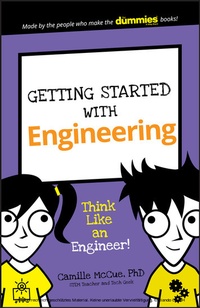
Getting Started with Engineering
Description

Does your kid's love of 'tinkering' resemble that of a budding Thomas Edison? Then Getting Started with Engineering is guaranteed to spark their fascination! The focused, easy-to-complete projects offered inside are designed to broaden their understanding of basic engineering principles, challenge their problem-solving skills, and sharpen their creativity--all while having fun along the way.
Engineers are experts on how things work--and this book is your youngster's best first step to developing the skills they need to think, design, and build things like the pros. The projects they'll complete feature a fun twist that appeal to their age group--from a tiny model roller coaster to a wearable toy that includes an electronic circuit--and the instructions are written in an easy-to-follow manner, making it possible for them to experience the pride and accomplishment of working independently.
* Appropriate for children aged 7-11
* Simple explanations guide children to complete three projects using household items
* The full-color design, short page count, and easy-to-follow instructions are designed to appeal to kids
* Brought to you by the trusted For Dummies brand
If you have a little engineer that could, Getting Started with Engineering is a great way to encourage their fascination of figuring out how things work.
More details
Other editions
Additional editions
Person
Content
About This Book 1
About You 3
About the Icons 4
The First Step 4
Project 1: Engineering 101 5
What Is Engineering? 5
Where Do Engineers Work? 5
What Are Some Engineering Fields? 6
What Is the Engineering Design Cycle? 7
What Does a Design Look Like? 8
What Is the Golden Rule of Engineering? 10
What Is the Iron Triangle of Engineering? 10
Mini Project: Classic Pocket Rocket 12
Project 2: Touchdown Mars 13
Introduction to Planetary Landers 13
Materials 15
Simulate a Landing with Technology 16
Play with a descent to Mars 16
Control a descent to Mars 18
Design Your Mars Lander 19
Build Your Mars Lander 21
Test Your Mars Lander 24
Improve Your Mars Lander 25
Aerospace Engineering and the Iron Triangle 25
Project 3: The Clock Is Ticking 27
All Here, In Order, On Time. Let's Go! 27
Materials 29
Simulate a Simple Logistics Process 30
Simulate a More Complex Logistics Process 32
Plan Your Industrial Engineering Process 34
Plan with a Gantt chart 34
Plan by acting it out 36
Implement Your Logistical Plan 37
Evaluate Your Success 39
Improve Your Process 39
Iron Triangle of Engineering 40
Gantt Charting with a Spreadsheet 40
Project 4: Squeaky Clean Up 42
Introduction to Oil Spill Clean Ups 42
Materials 44
Plan Your Oil Spill Clean-Up Process 45
Plan to contain the oil 46
Plan to skim the oil 46
Plan to use sorbents 46
Plan to disperse the oil 47
Sketch your process 48
Implement Your Clean-Up Process 49
Simulate the oil spill 49
Execute your clean-up plan 50
Evaluate Your Success 51
Improve Your Process 52
Iron Triangle of Engineering 53
Mini Project: Cleaning Feathers and Fur 54
Project 5: Load the Bridge 55
Civil Engineers Build the World 56
Introduction to Bridges 56
Materials 58
Model Your Bridge with Technology 58
Design Your Truss Bridge 63
Build Your Pasta Bridge 66
Test Your Pasta Bridge 68
Improve Your Bridge 70
Civil Engineering and the Iron Triangle 70
Project 6: Electric Alien Cap 73
Electronics 101 73
Electrical circuits 74
Symbols and schematics 74
Series and parallel circuits 75
Materials 77
Design Your Electric Alien Cap 79
Build Your Cap 80
Get your components ready 80
Mark your circuit onto the hat 81
Stitch the positive connections in your circuit 81
Stitch the ground connections in your circuit 83
Test Your Circuit 85
Improve Your Cap 85
Electrical Engineering and the Iron Triangle 85
Project 7: Now You're Cooking! 88
Early Mechanical Engineering 88
Archimedes the engineer 89
Energy everywhere 90
The First Law of Thermodynamics 90
Materials 91
Design Your Solar Oven 92
The Second Law of Thermodynamics 92
Oven design criteria 92
Build Your Design 94
Build the food chamber 94
Add the oven insulation 95
Attach the solar reflector 97
Test Your Design Plan 98
Improve Your Cooker 99
Solar Cooking and the Iron Triangle 100
Mini Project: Vdara Death Ray 102
Project 8: Roller Coaster Mania 103
Introduction to Roller Coasters 104
Mass in a roller coaster system 105
Energy in a roller coaster system 105
Materials 106
Model Your Coaster with Technology 106
Design Your Roller Coaster 112
Build Your Roller Coaster 113
Test Your Roller Coaster 116
Improve Your Roller Coaster 117
Entertainment Engineering and the Iron Triangle 117
Appendix: Cool Tools (and More!) 120
PROJECT 3
THE CLOCK IS TICKING
IS INDUSTRIAL ENGINEERING AN UNFAMILIAR ENGINEERING FIELD? When you schedule your homework, plan what you want to do on vacation, clean the clutter from your backpack, arrange your clothes, or figure out the most efficient route to ride your bike to school, you are working as an industrial engineer!
Industrial engineering is about optimization - finding the best, fastest, and cheapest way to get a product made or a process completed. In this project, you learn how to build a simple Gantt chart (time-planning chart) to schedule a set of tasks, and then you use it to solve a fun problem: getting people who walk at different rates across a bridge at night before their lamp burns out.
Courtesy of Tashatuvango/Shutterstock
ALL HERE, IN ORDER, ON TIME. LET'S GO!
Railroads such as Amtrak need industrial engineers to schedule trains, cargo, passengers, conductors, and maintenance technicians round the clock. Companies that warehouse billions of items and process millions of orders every day, such as Amazon, also rely on industrial engineers to organize their activities.
Courtesy of the Collection of Doug Helton, NOAA/NOS/ORR
Industrial engineering focuses on logistics, which is the coordination of people, facilities, and supplies. An industrial engineer works to optimize (make the best use of) time and resources. Here are some tasks an industrial engineer performs:
- Watch and learn: Observe a process start to finish to understand how it works and how well it works.
- Communicate: Talk with people who will use the product or service to understand the goal of the work.
- Plan facilities: Set up the location and layout of manufacturing facilities (places that make things) and warehouses (places that store things).
- Schedule: Plan the time needed to make a product or carry out a process.
- Staff: Hire or train people, and use robots and computers in jobs that don't need people.
- Get supplies and construct: Find or make parts that are assembled into a larger product, making sure that those parts are available in the right amounts when they are needed.
- Manage operations: Plan how all the parts of production or process fit together, keeping costs and turnaround (the time it takes to get something done) as small as possible.
- Control quality: Check for mistakes in products, and figure out from the number of mistakes when a bigger production problem has occurred (such as a broken machine). Fix the process or systems to make sure these problems do not occur again.
In this project, you play the role of an industrial engineer. You design and implement a process for getting a group of people across a bridge. But this task has some constraints - things that limit the way in which you can get the job done. You will apply the Engineering Cycle for Processes outlined in Project 1. You may have to evaluate and improve your process a few times before you can complete the task with success!
Figuring out whether a change has occurred in a process - and when the change took place - is a field called change point detection.
MATERIALS
To conduct this project, you will need
- Computer with an Internet connection
- Grid paper
- Colored pencils
SIMULATE A SIMPLE LOGISTICS PROCESS
Before you work a hard problem, it's a good idea to work on a similar but easier problem. When you succeed in solving the easy problem, you'll be prepared to move on to more difficult problems with additional constraints. For example, when you learn multiplication tables, you first work to solve the problems correctly, and then you add a time constraint so that you have to get the right answers fast.
You'll first solve an easy logistical process, and then move on to a more challenging process. The simple process is a famous puzzle called Wolf, Sheep, and Cabbage.
Open the computer simulation called Wolf, Sheep, and Cabbage at www.plastelina.net/game1.html. The simulation shows a man in a boat at the edge of a riverbank, where a wolf, a sheep, and a box of cabbage sit. The man can transport only one item at a time (besides himself) across the river. He can also cross alone, without any item in the boat.
Your job is to help him take all three items across the river. But be aware that if the man is not there to keep watch, the sheep will eat the cabbage - or the wolf will eat the sheep!
Complete these steps to simulate the transportation process:
- Click the Play button to begin.
-
Click the icon (the round button) of the item you want to load into the boat, and then click the Go! button.
The item is loaded into the boat, and then the man rows the item across the river. Click the Go! button without an item in the boat to make the man cross the river alone.
-
If the boat completes its river crossing, click the item icon again (when you reach the riverbank) to unload the item from the boat.
The item moves from the boat to the riverbank.
-
If the sheep eats the cabbage or the wolf eats the sheep, click the Try again! button that appears.
The action restarts, so you can make changes and try again.
-
Repeat Steps 2 to 4 in varying combinations until all the items have been moved across the river.
When you are successful at moving all the items across the river, a Well Done! message appears.
Items can be moved back and forth across the river as many times as you want. Try taking the sheep across first. The solution will include more than one journey for the sheep!
SIMULATE A MORE COMPLEX LOGISTICS PROCESS
In Wolf, Sheep, and Cabbage, you worked like an industrial engineer, focused on where to move items and when to move them. In that simulation, there was no time constraint. You will now work on a more complex logistics process.
Your new challenge, a simulation called the Family Crisis, includes time constraints. Open the simulation at www.plastelina.net/game3.html.
In Family Crisis, a family of five is stranded during the night on the right side of a cliff. You help walk them across a log bridge before their lantern fades out. No more than two people can walk across the bridge at a time. Someone must carry the lamp on every crossing. If the lamp burns out, the people can't see where they're walking and are in danger of falling.
Each person takes a different amount of time to cross the log bridge:
- Athlete: 1 second
- Average Joe: 3 seconds
- Girl: 6 seconds
- Photographer: 8 seconds
- Grandpa: 12 seconds
The process has two time constraints:
- If two people cross the log together, they walk at the speed of the slower person.
- The lamp has only 30 seconds of light.
Complete these steps to try out the simulated log crossing process:
-
Click the Play button to begin.
-
Click the icon (the diamond button) of each person you want to cross the log.
The icon for each person is highlighted. To remove a person, click his or her icon again.
-
Click the Go! button.
The selected person or people cross the log at the speed of the slower person. The clock shows the number of seconds of lamp use remaining.
- If time remains on the clock, repeat Steps 2 and 3.
-
If you run out of time and the lamp burns out, click the Try again! button that appears.
The process restarts, so you can make changes and try again. Note that you can click the Start again button at any time - you don't have to wait until the lamp burns out to try a different process.
PLAN YOUR INDUSTRIAL ENGINEERING PROCESS
Moving the family across the log given the time constraints requires good logistics. The Engineering Cycle for Processes gives you a method to plan, implement, evaluate, and improve these logistics.
In the first phase of the cycle, planning, you work to understand the parts of the process and the constraints. You then propose ways to carry out the process successfully - before you take any action in the real world.
As a junior industrial engineer, you will want to use a tool such as a Gantt chart to help you plan the logistics of Family Crisis.
PLAN WITH A GANTT CHART
A Gantt chart is a planning tool that engineers use to make a schedule. Use grid paper and colored pencils to make a Gantt chart as follows:
-
List all the different tasks that take place in the process.
For Family Crisis, a task is a person walking across the log. List these down the left side of the grid. Use a different color for each task.
-
Create the timeline for the process from start to finish.
Family Crisis must be completed in 30 seconds, so list the number of seconds from 30 to 1 across the top of the grid.
...
