

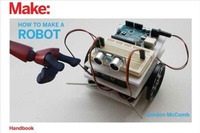
How to Make a Robot
1st Edition
Published on 15. March 2018
52 pages
978-1-68045-468-0 (ISBN)
Description

Learn the basics of modern robotics while building your own intelligent robot from scratch! You''ll use inexpensive household materials to make the base for your robot, then add motors, power, wheels, and electronics. But wait, it gets better: your creation is actually five robots in one! -- build your bot in stages, and add the features you want. Vary the functions to create a robot that''s uniquely yours. Mix and match features to make your own custom robot:
- Flexible Motorized Base -- a playpen for all kinds of programming experiments
- Obstacle Detector -- whiskers detect when your robot has bumped into things
- Object Avoider -- ultrasonic sound lets your robot see what''s in front of it
- Infrared Remote Control -- command your robot from your easy chair
- Line Follower -- use optics to navigate your bot; have races with other robot builders! You will learn how switches, ultrasonics, infrared detectors, and optical sensors work. Install an Arduino microcontroller board and program your robot to avoid obstacles, provide feedback with lights and sound, and follow a tracking line. In this book you will combine multiple disciplines -- electronics, programming, and engineering -- to successfully build a multifunctional robot. You''ll discover how to:
- construct a motorized base
- set up an Arduino to function as the brain
- use "whisker" switches to detect physical contact
- avoid obstacles with ultrasonic sensors
- teach your robot to judge distances
- use a universal remote to control your robot
- install and program a servo motor
- respond to input with LEDs, buzzers, and tones
- mount line-following sensors under your robot And more. Everything is explained with lots and lots of full-color line drawings. No prior experience is necessary. You''ll have fun while you learn a ton!
More details
Other editions
Additional editions

Content
- Intro
- Blank Page
- Blank Page
