

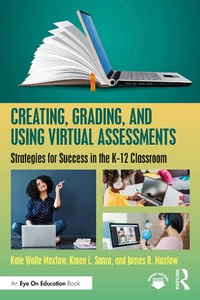
Creating, Grading, and Using Virtual Assessments
Strategies for Success in the K-12 Classroom
1st Edition
Published on 15. November 2021
167 pages
978-1-000-46712-3 (ISBN)
Description

This book provides a variety of strategies for creating, grading, and using assessments in the virtual setting.
With more teaching and learning taking place online, teachers are adjusting their strategies for creating, grading, and using virtual assessments. This strategies-based book helps you understand the key challenges and solutions to delivering virtual assessments, including use of quizzes, digital worksheets, grading, preventing cheating, and considerations of equity, quality, choice, and efficiency. Designed so that you can pick it up and start reading from any chapter, this book covers topics such as:
how to create, grade, and use traditional forms of assessment in the virtual space;
how to leverage discussion for meaningful learning in the virtual classroom;
how to create, grade, and use virtual performances and projects;
digital tools that may be helpful in engaging with and assessing students in the virtual environment.
Based on research and full of practical examples, this book guides educators, professional learning teams, and whole schools in implementing a successful virtual assessment plan for all types of intended learning objectives.
With more teaching and learning taking place online, teachers are adjusting their strategies for creating, grading, and using virtual assessments. This strategies-based book helps you understand the key challenges and solutions to delivering virtual assessments, including use of quizzes, digital worksheets, grading, preventing cheating, and considerations of equity, quality, choice, and efficiency. Designed so that you can pick it up and start reading from any chapter, this book covers topics such as:
how to create, grade, and use traditional forms of assessment in the virtual space;
how to leverage discussion for meaningful learning in the virtual classroom;
how to create, grade, and use virtual performances and projects;
digital tools that may be helpful in engaging with and assessing students in the virtual environment.
Based on research and full of practical examples, this book guides educators, professional learning teams, and whole schools in implementing a successful virtual assessment plan for all types of intended learning objectives.
Reviews / Votes
"I knew from the start that these authors were colleagues and understood what the past two years have been like for us educators in the classroom. ...The accessible, mentoring tone continues throughout this focused and well-organized book. ...Ultimately, this book delivers on the promise of its title. ...This is a book I will be referring to again and again as I plan and teach throughout the year."-MiddleWeb review by Theresa Wood, Middle School English/Language Arts Teacher
More details
Edition
1. Auflage
Language
English
Place of publication
London
United Kingdom
Publishing group
Taylor & Francis Ltd
Target group
College/higher education
Professional and scholarly
Illustrations
54 Tables, black and white
ISBN-13
978-1-000-46712-3 (9781000467123)
Copyright in bibliographic data and cover images is held by Nielsen Book Services Limited or by the publishers or by their respective licensors: all rights reserved.
Schweitzer Classification
Other editions
Additional editions
Kate Wolfe Maxlow | Karen L. Sanzo | James R. Maxlow
Creating, Grading, and Using Virtual Assessments
Strategies for Success in the K-12 Classroom
Book
11/2021
1st Edition
Routledge
€205.90
Shipment within 10-20 days
Kate Wolfe Maxlow | Karen L. Sanzo | James R. Maxlow
Creating, Grading, and Using Virtual Assessments
Strategies for Success in the K-12 Classroom
Book
11/2021
1st Edition
Routledge
€41.50
Shipment within 10-20 days
Kate Wolfe Maxlow
Creating, Grading, and Using Virtual Assessments
Strategies for Success in the K-12 Classroom
Book
09/2021
Routledge
Unfortunately, price unknown
Available (delivery time upon request)
Persons
Kate Wolfe Maxlow is Director of Innovation and Professional Learning for Hampton City Schools, Virginia, and an adjunct professor for Old Dominion University, USA.
Karen L. Sanzo is Professor in the Darden College of Education and Professional Studies at Old Dominion University, USA.
James R. Maxlow has been a public school teacher and administrator for over 20 years with a doctorate in Curriculum and Educational Technology. He is currently the Technology Support Manager for Hampton City Schools, Virginia.
Karen L. Sanzo is Professor in the Darden College of Education and Professional Studies at Old Dominion University, USA.
James R. Maxlow has been a public school teacher and administrator for over 20 years with a doctorate in Curriculum and Educational Technology. He is currently the Technology Support Manager for Hampton City Schools, Virginia.
Content
1. Creating, Grading, and Using Traditional Assessment Strategies 2. Creating, Grading, and Using Classwork and Homework 3. Virtual Discussion Strategies 4. Virtual Performance Strategies 5. Virtual Projects
