

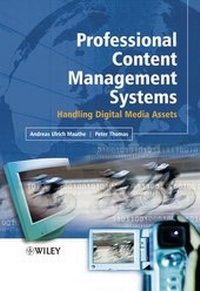
Professional Content Management Systems
Handling Digital Media Assets
Published on 5. August 2005
330 pages
978-0-470-85543-0 (ISBN)
Description

Content and Content Management are core topics in the IT andbroadcast industry. However these terms have not been clearlydefined for those learning the field. The topic is complex andusers from different industries have different backgrounds and avaried understanding of content issues. Multimedia ContentManagement helps to clarify the subject area, define problematicissues and establish a universal understanding of content and itsmanagement.
* Provides clarity in the subject area
* Defines potential problems and establishes a universalunderstanding
* Builds an architectural framework upon this account and differentaspects of the industry and solutions are reviewed
* Comprehensively describes the different users working andaccessing content, the applications and workflows
Essential reading for students, engineers and technical managers,in the area of data, storage management and multimedia, requiringan overview of this complex topic. The topics discussed will alsoprove highly insightful for executive managers and mediaprofessionals with a technical understanding and broadcastexecutives in the field.
Reviews / Votes
"For anyone working in this industry, the book is worthhaving as a long-term reference." (Computing Reviews.com,September 15, 2005) "...the most complete work in this area...I recommendthis book to students, engineers, and managers involved orinterested in the handling and management of multimedia content."(Computing Reviews.com, September 16, 2005)More details
Other editions
Additional editions
Software
10/2005
Wiley
€82.61
No shipping information available
Andreas Ulrich Mauthe | Peter Thomas
Professional Content Management Systems
Handling Digital Media Assets
Book
01/2004
Wiley
€154.50
Shipment within 10-20 days
Persons
Dr. Andreas Mauthe, Multimedia Communications Lab - KOM, Germany
Dr. Peter Thomas, blue order GmbH, Germany
Both authors have been working in the area of multimedia and content management for
a number of years. While working together on the development of content management
systems and within projects, a lot of knowledge was accumulated about all the issues
related to the handling and management of content in a professional production and
broadcast environment.
Content
Preface.
1. Introduction.
2. Content-Related Workflows.
3. Essence.
4. Content Representation and Metadata.
5. File Formats.
6. Content Management.
7. Content Management System Infrastructure.
8. System and Data Integration in CMS.
9. Applications.
10. Future Trends.
References.
Acronyms.
Index.
