

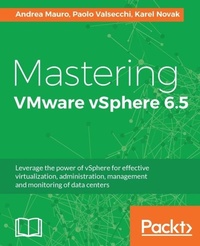
Mastering VMware vSphere 6.5
Leverage the power of vSphere for effective virtualization, administration, management and monitoring of data centers
Published on 13. January 2025
598 pages
978-1-78728-390-9 (ISBN)
Description

No detailed description available for "Mastering VMware vSphere 6.5".
More details
Edition
Digital original
Language
English
Place of publication
Birmingham
United Kingdom
Target group
Professional and scholarly
US School Grade: College Graduate Student
Edition type
Digital original
File size
97,21 MB
ISBN-13
978-1-78728-390-9 (9781787283909)
Copyright in bibliographic data and cover images is held by Nielsen Book Services Limited or by the publishers or by their respective licensors: all rights reserved.
Schweitzer Classification
Other editions
Additional editions
Andrea Mauro | Paolo Valsecchi | Karel Novak
Mastering VMware vSphere 6.5
Leverage the power of vSphere for effective virtualization, administration, management and monitoring of data centers
Book
12/2017
Packt Publishing
€65.30
Shipment within 3-4 weeks
Person
Andrea Mauro has 20 years of experience in IT, both in the industry and the academic world. He currently works as a solution architect in an Italian IT company (founded in 2000). He is responsible for infrastructure implementation, architecture design, upgrades, and migration processes.
He is a virtualization and storage architect, specializing in VMware, but also Microsoft, Citrix, and Linux solutions. His first virtualized solution in production was built around ESX 2.x several years ago.
He is a VMware Italian User Group founder and board member, VMTN community moderator, vBrownbag and Backup Academy contributor, and a passionate blogger.
His professional certifications include not only several VMware certifications (VCP3/4/5/6-DCV, vSAN 2017 Specialist, different VCAP, VCIX6-DCV, VCIX-NV, VCDX3/4/5/6-DCV), but also other vendor-related certifications (MCITP, MCSA, MCSE, NPP, CCA, EMCIE, EMCSA, VMCE, VMCA). He is also a VMware vExpert (2010-17), Nutanix NTC (2014-17), and Veeam Vanguard (2015-17), and he was a Microsoft MVP (2014-16). Paolo Valsecchi has worked in the IT industry for more than 20 years, and he currently works as a system engineer mainly focused on VMware vSphere, Microsoft technologies, and backup/DR solutions. His current role involves covering all of the tasks related to ensuring the IT infrastructure availability and data integrity (implementation, upgrade, and administration).
He holds the VMware VCP5-DCV, Veeam VMCE professional certifications, and he has been awarded the VMware vExpert title (2015-17) and the Veeam Vanguard title (2016-17). Karel Novak has 16 years of experience in the IT world. He currently works as a senior virtual infrastructure engineer at Arrow ECS, the Czech Republic, responsible for implementation, design, and complete consultation of VMware and Veeam. As an instructor of advanced VMware and Veeam, he has delivered many courses.
He specializes in VMware DCV and NSX and of course Veeam. He has been using VMware for 10 years and Veeam from the first version. He is the VMware User Group Leader for the Czech Republic, and Veeam User Group Czech Republic founder and unofficial Leader.
He is a VMware vExpert 2012-2017, VMware vExpert NSX 2016-2017, and a Veeam Vanguard 2015-2017.
His highest certifications are VCI-Level2, VCIX6-NV, VCIX6-DCV, VMCT-Mentor, and VMCA. He is also a VMware Certification Subject Matter Expert.
He is a virtualization and storage architect, specializing in VMware, but also Microsoft, Citrix, and Linux solutions. His first virtualized solution in production was built around ESX 2.x several years ago.
He is a VMware Italian User Group founder and board member, VMTN community moderator, vBrownbag and Backup Academy contributor, and a passionate blogger.
His professional certifications include not only several VMware certifications (VCP3/4/5/6-DCV, vSAN 2017 Specialist, different VCAP, VCIX6-DCV, VCIX-NV, VCDX3/4/5/6-DCV), but also other vendor-related certifications (MCITP, MCSA, MCSE, NPP, CCA, EMCIE, EMCSA, VMCE, VMCA). He is also a VMware vExpert (2010-17), Nutanix NTC (2014-17), and Veeam Vanguard (2015-17), and he was a Microsoft MVP (2014-16). Paolo Valsecchi has worked in the IT industry for more than 20 years, and he currently works as a system engineer mainly focused on VMware vSphere, Microsoft technologies, and backup/DR solutions. His current role involves covering all of the tasks related to ensuring the IT infrastructure availability and data integrity (implementation, upgrade, and administration).
He holds the VMware VCP5-DCV, Veeam VMCE professional certifications, and he has been awarded the VMware vExpert title (2015-17) and the Veeam Vanguard title (2016-17). Karel Novak has 16 years of experience in the IT world. He currently works as a senior virtual infrastructure engineer at Arrow ECS, the Czech Republic, responsible for implementation, design, and complete consultation of VMware and Veeam. As an instructor of advanced VMware and Veeam, he has delivered many courses.
He specializes in VMware DCV and NSX and of course Veeam. He has been using VMware for 10 years and Veeam from the first version. He is the VMware User Group Leader for the Czech Republic, and Veeam User Group Czech Republic founder and unofficial Leader.
He is a VMware vExpert 2012-2017, VMware vExpert NSX 2016-2017, and a Veeam Vanguard 2015-2017.
His highest certifications are VCI-Level2, VCIX6-NV, VCIX6-DCV, VMCT-Mentor, and VMCA. He is also a VMware Certification Subject Matter Expert.
Content
- Cover
- Title Page
- Copyright
- Credits
- About the Authors
- About the Reviewers
- www.PacktPub.com
- Customer Feedback
- Table of Contents
- Preface
- Chapter 1: Evolution of VMware vSphere Suite
- VMware and vSphere background
- VMware vSphere as a Cloud Foundation
- Virtual Machine (VM) versus containers
- VMware vSphere as an infrastructure foundation
- Storage platform
- Network and security platform
- Cloud platform
- End-user computing platform
- Container platform
- Other VMware products complementary to vSphere
- What's new on vSphere 6.5 and vSphere limits?
- What's new in 6.5?
- What's new with vSphere 6.5 Update 1?
- Configuration maximums
- VM
- Host ESXi 6.5
- vCenter Server 6.5
- Why you should upgrade to vSphere 6.5 and why not?
- Why upgrade?
- Why shouldn't you upgrade?
- Features and editions of vSphere 6.5
- Summary
- Chapter 2: Design and Plan a Virtualization Infrastructure
- Plan a virtual infrastructure project
- Assess
- Requirements, constraints, and assumptions
- Design
- Conceptual design
- Logical design
- Service dependencies
- Physical design
- ESXi host
- vCenter Services
- Building blocks
- How to provide good documentation
- Design areas and technologies
- Best practices
- Reference architecture
- VVD
- VMware Solution Enablement Toolkits (SETs)
- Different scenarios
- Enterprise
- Business requirements
- Possible constraints
- Main risks
- Some design decisions
- Small or Mid-Sized Business (SMB)
- Business requirements
- Possible constraints
- Main risks
- Some design decisions
- Remote offices and branch offices (ROBO)
- Business requirements
- Possible constraints
- Main risks
- Some design decisions
- Summary
- Chapter 3: Analysis and Assessment of an Existing Environment
- Analyzing a physical environment before virtualizing
- Useful metrics from a physical environment
- Processor metrics
- Memory metrics
- Disk metrics
- Network metrics
- Are all workloads good candidates to be virtualized?
- Existing tools to analyze a physical environment
- Capacity Planner
- DPACK
- Assessment of an existing virtual environment
- Discovery and inventory
- Health check
- Existing tools for analyzing a virtual environment
- RVTools
- VOA
- VMware vSphere Health Check
- Summary
- Chapter 4: Deployment Workflow and Component Installation
- vSphere components and workflow
- ESXi deployment plan
- Choosing the hardware platform
- Identification of the storage architecture
- Defining the network configuration
- ESXi installation
- Where to install ESXi?
- Preparing for deployment
- Interactive installation
- Unattended installation
- Auto Deploy installation
- How Auto Deploy works
- Configuring DHCP
- Configuring TFTP
- Creating an image profile
- Creating deployment rules
- Auto Deploy modes
- Stateless installation
- Stateless caching installation
- Stateful installation
- vCenter Server components
- PSC
- Where to install - physical or virtual?
- vCenter Server deployment
- Choosing the database
- Configuring a Microsoft SQL Server database
- Configuring ODBC DSN
- Installing vCenter Server for Windows
- vCSA deployment
- Why deploy vCSA instead of the Windows version?
- Installing the vCSA PSC
- Installing the vCSA vCenter
- Summary
- Chapter 5: Configuring and Managing vSphere 6.5
- VMware vSphere HTML5 client
- ESXi configuration
- Management console configuration
- Enabling SSH access
- Configuring NTP
- ESXi 6.5 partition layout
- Boot banks
- Scratch partition
- vCSA configuration
- Basic setup using vCenter Server Appliance Management Interface (VAMI)
- Modifying the IP address and DNS
- Exporting a support bundle
- Configuring time synchronization
- Changing the vCSA password
- Licensing
- Roles and permissions
- AD integration
- Configuring a host with AD authentication
- Installing the VMware Enhanced Authentication plugin
- vCSA and PSC
- Repointing the vCSA to another external PSC
- Pointing the vCSA with an embedded PSC to an external PSC
- Resetting the SSO password
- Managing data centers, clusters, and hosts
- Creating a data center
- Adding a host to vCenter Server
- Disconnecting a host from vCenter Server
- Removing a host from vCenter Server
- Creating a cluster
- Removing a host from a cluster
- Managing hosts
- Using tags
- Tasks
- Scheduling tasks
- Managing host profiles
- vCenter Server in Enhanced Linked mode (ELM)
- Automating tasks with scripts
- Automating with PowerCLI
- PowerCLI script examples
- Using vCLI
- Installing vCLI on Windows
- vCenter REST API
- Summary
- Chapter 6: Advanced Network Management
- Basic overview
- OSI model
- Encapsulation and de-encapsulation
- Broadcasting, unicasting, and multicasting
- MAC tables and MAC learning process
- Maximum Transmission Unit (MTU)
- Virtual LAN (VLAN)
- Transmission Control Protocol (TCP) versus User Datagram Protocol (UDP)
- IPv6
- Virtual networking
- vSS
- vDS
- Managing vSS
- VMkernel adapters
- Physical adapters
- TCP/IP stacks
- Managing vDS
- Properties
- Topology
- Link Aggregation Control Protocol (LACP)
- Private VLAN
- NetFlow
- Port mirroring
- Health check
- Network I/O Control (NIOC)
- Network protocol profiles
- Ports, hosts, VMs, and networks
- Introduction to NSX
- NSX components
- Management plane
- Control plane
- Data plane
- NSX installation
- Network Functions Virtualization (NVF)
- Summary
- Chapter 7: Advanced Storage Management
- Storage basics
- The evolution of the storage world
- Spinning disks
- Flash devices
- Storage array
- Converged networks
- VMware vSphere storage types
- Storage types at the VM logical level
- Storage types at the VM physical level
- Storage types at the ESXi logical level
- Storage types at the ESXi physical level
- VMware vSphere storage configuration
- Storage FC
- FCoE
- Storage iSCSI
- Storage NFS
- Storage features
- VM snapshots
- Virtual Machine File System (VMFS) 6
- Hot-extend for jumbo VMDK
- Automatic space reclaim
- Instant clones versus linked clones
- Storage DRS versus storage tiering
- Storage I/O Control (SIOC)
- Storage integration
- VMware vSphere Storage Policy Based Management (SPBM)
- Pluggable Storage Architecture (PSA)
- Multipathing
- Storage masking and filtering
- VMware VAAI
- VMware vSphere APIs for IO Filtering (VAIO)
- VMware vCenter plugins
- VASA
- VVols
- Storage design
- VM storage layout
- VM snapshot limits
- Datastore layout
- Permanent Device Loss (PDL) and All-Paths-Down (APD)
- VVols dependencies
- Introduction to HCI and vSAN
- VMware vSAN
- Caching with vSphere Flash Read Cache
- Other solutions
- Summary
- Chapter 8: Advanced VM and Resource Management
- VM components
- Virtual hardware
- vCPUs
- Memory
- Network adapter
- Virtual disks
- Storage controller
- File structure
- Changing the default file position
- VMware Tools
- Open VM Tools (OVT)
- Deploying VMs
- Creating a new VM
- Hardware version
- Setting the default hardware version
- Installing the OS
- Installing VMware Tools
- Deploying a VM from a template
- Cloning a VM
- Deploying Open Virtual Format (OVF) and Open Virtual Appliance (OVA) templates
- Creating a Content Library
- Managing VMs
- Adding or registering an existing VM
- Removing or deleting a VM
- Managing the power state of a VM
- Managing VM snapshots
- Creating a snapshot
- Committing changes
- Snapshot consolidation
- Resource management
- Memory resources
- CPU resources
- Resource pools
- Managing resource pools
- Creating a DRS cluster
- Virtual network-aware DRS
- Managing DRS rules
- VM-VM affinity rule
- VM-Host affinity rule
- Managing power resources
- Managing storage and network resources
- VM migration
- vMotion without shared storage
- Converting VMs
- P2V
- V2V
- Summary
- Chapter 9: Monitoring, Optimizing, and Troubleshooting
- What is troubleshooting?
- Monitoring a virtual environment
- CLI usage
- ESXCLI commands
- ESXCFG-
- vSphere Management Assistant
- Ruby vSphere console
- VIM-CMD
- VCSA - CLI
- PowerCLI
- Logs
- ESXi host logs
- GUI Tools
- vRealize Operations Manager
- Troubleshooting
- Troubleshooting the vCenter Server
- TRBL with ESXi host
- Troubleshooting cluster HA or DRS
- Troubleshooting virtual network
- Troubleshooting storage
- Troubleshooting VMs
- Summary
- Chapter 10: Securing and Protecting Your Environment
- Regulations and compliance
- Security and hardening concepts in vSphere
- Hardening vSphere
- Host hardening
- Lockdown Mode
- Networking
- Transparent Page Sharing (TPS)
- VIB acceptance levels
- VM hardening
- VMware vCenter hardening
- Authentication and identity
- Password management
- AD authentication
- Multi-factor authentication (MFA)
- Smart cards
- RSA SecurID
- Other security aspects
- Log management
- Monitoring protocols
- Certification management
- New security options in vSphere 6.5
- VMware vCenter federations
- Protecting the data at rest
- VM encryption
- Protecting data in motion
- Encrypted vMotion
- Secure boot
- ESXi secure boot
- VM secure boot
- Enhanced logging
- Summary
- Chapter 11: Lifecycle Management, Patching, and Upgrading
- Updating or patching ESXi hosts and vCSAs
- Updating or patching ESXi hosts through the command line
- Updating hosts using vSphere Client
- Updating the vCSA through the command line
- Staging and remediating patches
- Updating the vCSA with VAMI
- VUM
- Configuring VUM
- Working with baselines
- Baseline groups
- Attaching or detaching baselines
- Scanning VMs and hosts
- Staging and remediating patches
- Upgrading hosts with VUM
- Upgrading VM hardware
- Upgrading VMware Tools
- Upgrading and migrating to vSphere 6.5
- Why migrate to version 6.5?
- Upgrading the workflow and procedure
- Step 1 - Pre-migration
- Step 2 - Migration
- Step 3 - Validation
- Migrating from previous releases
- Troubleshooting
- Summary
- Chapter 12: Business Continuity and Disaster Recovery
- BC concepts
- BC metrics
- Business impact analysis (BIA)
- Business continuity standard
- Common mistakes
- Disaster recovery (DR)
- DR of a virtual data center
- DR versus disaster avoidance
- DR versus stretched cluster
- VMware solutions
- VM Replication
- Stretched cluster
- Site Recovery Manager (SRM)
- Summary
- Chapter 13: Advanced Availability in vSphere 6.5
- VMware vSphere HA
- Virtual Machine Component Protection (VMCP)
- Proactive HA
- Admission control
- VM restart and monitoring
- VMware vSphere FT
- VMware vCenter High Availability (VCHA)
- VMware vSphere Replication and Site Recovery Manager (SRM)
- Summary
- Chapter 14: Data and Workloads Protection
- Backup technologies
- Backup host configuration
- Restoring the host configuration
- File-based backup of the vCSA
- Restoring the vCSA from a file-based backup
- Protecting the workloads
- Transport modes
- VMware vSphere Data Protection (VDP)
- Backup solutions for VMware vSphere
- Veeam Backup & Replication
- NAKIVO Backup & Replication
- Altaro VM Backup
- Vembu VMBackup
- Micro Focus VM Explorer
- Deduplication appliances
- Hyper-scale solutions
- Cohesity
- Rubrik
- Summary
- Index
