

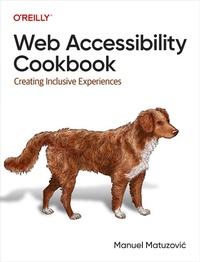
Web Accessibility Cookbook
Published on 14. June 2024
382 pages
978-1-0981-4556-9 (ISBN)
Description

Frontend developers have to consider many things: browser compatibility, usability, performance, scalability, SEO, and other best practices. But the most fundamental aspect of creating websites is one that often falls short: accessibility. Accessibility is the cornerstone of any website, and if a website is inaccessible, users won't be able to interact with it, obtain information, sign up for services, or buy products.The Web Accessibility Cookbook provides you with dozens of recipes to help you avoid these failures. You'll learn how to build common components, such as main navigation, filters, and dialogs, in an accessible manner. Each recipe not only explains how to build things but also why. Author Manuel Matuzovic provides the knowledge you need to create your own accessible components and address your users' varying needs, abilities, and preferences.With this practical guide, you will:Learn how to build websites that feature inclusive frontendsDiscover the common obstacles website users face every dayUnderstand how your decisions impact usersLearn how to build accessible frontends step-by-stepWrite high-quality markup and CSSEvaluate the accessibility of frontend components
More details
Other editions
Additional editions
Book
07/2024
O'Reilly
€66.00
Available immediately
Content
- Intro
- Web Accessibility Cookbook Creating Inclusive Experiences
- Table of Contents
- Foreword
- Preface
- CHAPTER 1 Structuring Documents
- 1.1 Define the Natural Language
- 1.2 Describe the Document
- 1.3 Set the Viewport Width
- 1.4 Optimize Rendering Order
- 1.5 Structure the Document
- CHAPTER 2 Structuring Pages
- 2.1 Create Navigation Landmarks
- 2.2 Create Form Landmarks
- 2.3 Label Landmarks
- 2.4 Structure the Main Content
- 2.5 Create a Sound Document Outline
- 2.6 Present Content in Order
- CHAPTER 3 Linking Content
- 3.1 Pick the Right Element
- 3.2 Style Links
- 3.3 Create Download Links
- 3.4 Create Email Links
- 3.5 Link Images
- 3.6 Inform Users of Changing Context
- 3.7 Fix Client-Side Rendering
- 3.8 Add Links to Groups of Elements
- CHAPTER 4 Performing Actions
- 4.1 Pick the Right Element
- 4.2 Label Buttons Clearly
- 4.3 Remove Default Button Styles
- 4.4 Add States and Properties
- 4.5 Don't Disable Buttons
- CHAPTER 5 Styling Content
- 5.1 Work with Color
- 5.2 Respect User Preferences
- 5.3 Work with Units and Sizes
- 5.4 Preserve Semantic Information and Operability
- 5.5 Add Motion and Animation
- CHAPTER 6 Managing Focus
- 6.1 Provide Focus Styles
- 6.2 Make Elements Focusable
- 6.3 Move Focus
- 6.4 Keep Focus Contained
- 6.5 Preserve Order
- 6.6 Allow Users to Skip Elements
- CHAPTER 7 Navigating Sites
- 7.1 Create a Main Navigation
- 7.2 Highlight the Active Page
- 7.3 Announce the Number of Items
- 7.4 Provide Quick Access
- 7.5 Hide the Navigation on Narrow Viewports
- 7.6 Add a Slide-in Animation
- 7.7 Add Submenus
- 7.8 Avoid Confusion with Menus
- CHAPTER 8 Toggling Content Visibility
- 8.1 Hide Content
- 8.2 Create a Native Disclosure Widget
- 8.3 Create a Custom Disclosure Widget
- 8.4 Create Groups of Disclosure Widgets
- CHAPTER 9 Constructing Forms
- 9.1 Create Forms
- 9.2 Identify Form Elements
- 9.3 Describe Form Fields
- 9.4 Highlight Erroneous Fields
- 9.5 Group Fields in a Form
- 9.6 Split Forms into Steps
- CHAPTER 10 Filtering Data
- 10.1 Create a Form
- 10.2 Filter the Data
- 10.3 Paginate Results
- 10.4 Sort and Display Results
- 10.5 Group Filters
- CHAPTER 11 Presenting Tabular Data
- 11.1 Pick the Right Elements
- 11.2 Structure Tables
- 11.3 Add Interactive Elements
- 11.4 Sort Columns
- CHAPTER 12 Creating Custom Elements
- 12.1 Working with IDs
- 12.2 Creating ARIA References
- 12.3 Focus Elements in Shadow DOM
- 12.4 Debugging and Testing
- 12.5 Enforce Best Practices
- CHAPTER 13 Debugging Barriers
- 13.1 Find Accessibility Issues Automatically
- 13.2 Explore the Accessibility Tree
- 13.3 Debug Roles, Names, Properties, and States
- 13.4 Visualize Tabbing Order
- 13.5 Emulate Color Deficiencies, Reduced Motion, and More
- 13.6 Write Custom Debugging Rules
- Index
