

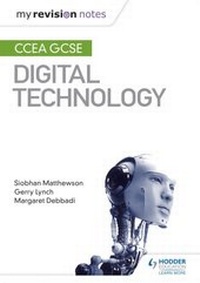
My Revision Notes: CCEA GCSE Digital Technology
Published on 27. April 2018
136 pages
978-1-5104-2663-4 (ISBN)
Description

Exam board: CCEA
Level: GCSE
Subject: Digital Technology
First teaching: September 2017
First exams: Summer 2019
Target success in CCEA GCSE Digital Technology, whichever route you choose, with our proven formula for effective, structured revision. Key coverage of the three examined units - Digital Technology, Digital Development Concepts and Digital Development Practice - is combined with practical tips to create a revision guide that students can rely on to review, strengthen and test their knowledge.
With My Revision Notes, every student can:
Consolidate subject knowledge by working through clear and focused content coverage.
Test understanding and identify areas for improvement with a sample paper included within the book.
Improve exam technique through tips written by leading authors and develop an understanding of assessment requirements of the examined units.
Get exam ready with extra quick quizzes and answers to the practice questions
Level: GCSE
Subject: Digital Technology
First teaching: September 2017
First exams: Summer 2019
Target success in CCEA GCSE Digital Technology, whichever route you choose, with our proven formula for effective, structured revision. Key coverage of the three examined units - Digital Technology, Digital Development Concepts and Digital Development Practice - is combined with practical tips to create a revision guide that students can rely on to review, strengthen and test their knowledge.
With My Revision Notes, every student can:
Consolidate subject knowledge by working through clear and focused content coverage.
Test understanding and identify areas for improvement with a sample paper included within the book.
Improve exam technique through tips written by leading authors and develop an understanding of assessment requirements of the examined units.
Get exam ready with extra quick quizzes and answers to the practice questions
More details
Edition
Digital original
Language
English
Place of publication
London
United Kingdom
Publishing group
Hachette Learning
Target group
Primary & secondary/elementary & high school
Interest Age: From 14 to 16 years
Edition type
Digital original
File size
6,24 MB
ISBN-13
978-1-5104-2663-4 (9781510426634)
Copyright in bibliographic data and cover images is held by Nielsen Book Services Limited or by the publishers or by their respective licensors: all rights reserved.
Schweitzer Classification
Other editions
Additional editions
Siobhan Matthewson | Gerry Lynch | Margaret Debbadi
My Revision Notes: CCEA GCSE Digital Technology
Book
03/2018
Hodder Education
€15.50
Shipment within 10-20 days
Persons
Siobhan Matthewson,Gerry Lynch,Margaret Debbadi
