

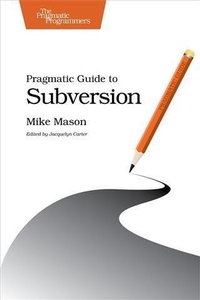
Pragmatic Guide to Subversion
Published on 28. November 2010
150 pages
978-1-68050-419-4 (ISBN)
Description

Subversion is the most popular open-source version control system on the planet. Development teams-big and small, enterprise and open source-use this fast, feature-rich tool daily. Pragmatic Guide to Subversion presents the 48 essential tasks you need to know. It's your shortcut to the Subversion master's recommended set of best practices. With this book, you can get to the good parts quickly, and be more productive and effective.
More details
Other editions
Additional editions
Mike Mason
Pragmatic Guide to Subversion
Book
02/2011
The Pragmatic Programmers
€23.50
Shipment within 3-4 weeks
Content
- Cover
- Table of Contents
- Acknowledgments
- Introduction
- Who Is This Book For?
- How to Read This Book
- Subversion Versions
- Online Resources
- Part I-Getting Started
- Task 1. Installing a Command-Line Client
- Task 2. Installing a Graphical Client on Windows
- Task 3. Installing a Graphical Client on Mac OS X
- Task 4. Creating a Local Repository
- Task 5. Creating an Empty Project
- Task 6. Creating a Project from an Existing Source Tree
- Part II-Working with Subversion
- Task 7. Checking Out a Working Copy
- Task 8. Seeing What You've Changed
- Task 9. Seeing What You've Changed Using Tortoise
- Task 10. Seeing What You've Changed Using Cornerstone
- Task 11. Committing Changes
- Task 12. Adding Files and Directories
- Task 13. Removing Files and Directories
- Task 14. Moving and Renaming Files and Directories
- Task 15. Reverting Working Copy Changes
- Task 16. Ignoring Files
- Part III-Working with a Team
- Task 17. Updating to the Latest Revision
- Task 18. Handling Conflicts
- Task 19. Handling Conflicts Using Tortoise
- Task 20. Handling Conflicts Using Cornerstone
- Part IV-Using the History
- Task 21. Viewing the Log
- Task 22. Detective Work with svn blame
- Task 23. Reverting a Committed Revision
- Part V-Branching, Merging, and Tagging
- Task 24. Creating a Branch
- Task 25. Switching to a Branch
- Task 26. Merging Changes from Trunk to Branch
- Task 27. Using Change Tracking
- Task 28. Tagging a Release
- Part VI-File Locking
- Task 29. Enabling File Locking
- Task 30. Obtaining a Lock
- Task 31. Releasing a Lock
- Task 32. Breaking Someone Else's Lock
- Part VII-Setting Up a Server
- Task 33. Installing Subversion Server
- Task 34. Creating a Repository
- Task 35. Installing Subversion Server on Windows
- Task 36. Using Third-Party Subversion Hosting
- Task 37. Migrating a CVS Repository
- Task 38. Backing Up and Restoring
- Task 39. Performing Full Weekly Backups
- Task 40. Performing Incremental Daily Backups
- Task 41. Securing a Repository
- Task 42. Using Repository Hooks
- Part VIII-Advanced Topics
- Task 43. Working with Properties
- Task 44. Using Externals
- Task 45. Organizing Multiple Projects
- Task 46. Storing Third-Party Code
- Task 47. Working Directly with the Repository
- Task 48. Using Patch Files
- Bibliography
- Index
- - A -
- - B -
- - C -
- - D -
- - E -
- - F -
- - H -
- - I -
- - L -
- - M -
- - N -
- - O -
- - P -
- - R -
- - S -
- - T -
- - U -
- - V -
- - W -
- - X -
