

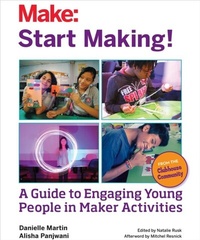
Start Making!
Description

Start Making! is a program developed by the Clubhouse Network to engage young people all over the world in Maker-inspired activities. With this guide, you will discover how to plan and coordinate Start Making! projects in your home, school, library, community center, after-school club, or makerspace. You''ll learn strategies for engaging young people in creative thinking, developing individual and team projects, and sharing and reflecting on their creations.
Each session includes a list of the supplies you''ll need, step-by-step instructions for completing the projects, and prompts for stimulating discussion, curiosity, and confidence. These fun do-it-yourself (and do-it-together) projects teach fundamental STEAM concepts -- science, technology, engineering, art, and math -- while introducing young people to the basics of circuitry, design, coding, crafting, and construction. They''ll make paper cards and creations that light up, play music using a MaKey MaKey keyboard and Scratch programming, join together to make paintings with light, design and construct 3D sculptures, build a vibrating art-bot that makes drawings, and sew fabric creations with wearable circuits.
Dip into the activities once a week, run them as a week-long summer activity, or go through the guide in any way that works for you. By offering your own Start Making! program, you can inspire young people in your community to develop creative ideas, learn new skills, and share their creations.
The Clubhouse Network is a global network of community-based centers led by Boston''s Museum of Science in collaboration with the MIT Media Lab.
More details
Other editions
Additional editions
Content
- Intro
- Contents
- Foreword
- Acknowledgments
- Part I: Get Ready to Start Making!
- Welcome to Start Making!
- Part II: Start Making! Sessions
- Start Making! Session Flow
- Session 1: Light It Up: Paper Circuits
- Session 2: Make It Sing: Programmable Musical Creations
- Session 3: Paint with Light: Illuminated Wandsand Photography
- Session 4: Give It Form: 3D Forms
- Session 5: Change the Move: Art-Making Bots
- Session 6: Sew the Circuits: E-Textiles
- Session 7: Final Open Make: Personalized Projects
- Session 8: Show and Share: Community Showcase
- Part III: Keep Making
- Encouraging Youth to Keep Making!
- Afterword: A Message to All Makers
- About the Clubhouse Community
- About the Authors
- Index
