

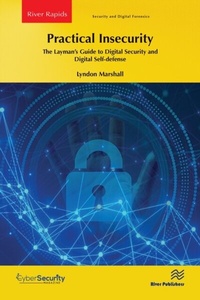
Practical Insecurity: The Layman's Guide to Digital Security and Digital Self-defense
1st Edition
Published on 10. July 2023
192 pages
978-1-000-98444-6 (ISBN)
Description

This book provides practical advice for everyone on how to effectively secure yourself, your devices, and your privacy in an era where all of those things seem doomed. From acquiring software, to the ongoing flaws in email, to the risks of file sharing, and issues surrounding social media and social reputation, Practical Insecurity is the tool you need to maximize your self-protection in the digital world.
Everyone has had a brush with cybersecurity-in some way. Our computer has gotten a virus, somebody you know has lost all their company's data because of ransomware, someone has stolen our identity, a store we do business with has their computer system compromised-including our account-so we are offered free identity protection, and so on. It seems like everyday there is another bit of bad news and it often impacts us. But, the question largely goes unanswered: what can I do as an individual or as the owner of a small business to protect myself against having my security compromised? Practical Insecurity provides the answers.
Everyone has had a brush with cybersecurity-in some way. Our computer has gotten a virus, somebody you know has lost all their company's data because of ransomware, someone has stolen our identity, a store we do business with has their computer system compromised-including our account-so we are offered free identity protection, and so on. It seems like everyday there is another bit of bad news and it often impacts us. But, the question largely goes unanswered: what can I do as an individual or as the owner of a small business to protect myself against having my security compromised? Practical Insecurity provides the answers.
More details
Series
Edition
1. Auflage
Language
English
Place of publication
London
United Kingdom
Publishing group
Taylor & Francis Ebooks
Target group
College/higher education
Professional and scholarly
Product notice
Reflowable
ISBN-13
978-1-000-98444-6 (9781000984446)
Copyright in bibliographic data and cover images is held by Nielsen Book Services Limited or by the publishers or by their respective licensors: all rights reserved.
Schweitzer Classification
Other editions
Additional editions
Lyndon Marshall
Practical Insecurity: The Layman's Guide to Digital Security and Digital Self-defense
The Layman's Guide to Digital Security and Digital Self-defense
Book
07/2023
1st Edition
River Publishers
€59.00
Article not available for order
Person
Lyndon Marshall has worked in a wide variety of technical areas. He has been a software engineer, a systems analyst, a project manager, a network administrator, a network engineer, a market research analyst, and a professor of Computer Science. For many years, he taught Computer Science at the University of Providence where he taught subjects such as computer programming, systems analysis, database systems, computer architecture and organization, and computer security. His courses in Computer Security included Principles of Computer Security, Computer Forensics, and Penetration Testing. Currently, he is teaching programming, database systems, and neural networks as part of the Applied Mathematics program at the University of Providence.
Content
1. The Security Landscape 2. Your Mind, the Best Security Instrument 3. Essential Security Tools 4. The Risks of File Sharing 5. Working to Maximize Your Privacy 6. Training: Your Best Protection 7. Email-The Ongoing Flaw in Our Armor 8. Social Media and Social Reputation 9. Wifi, Home Networks, Home Security, and the Internet of Things 10. The Cloud 11. Acquiring Software 12. Fun with Protocols 13. The Future
