

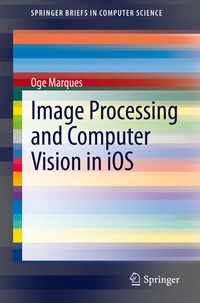
Image Processing and Computer Vision in iOS
Description

This book presents the fundamentals of mobile visual computing in iOS development and provides directions for developers and researchers interested in developing iOS applications with image processing and computer vision capabilities.
Presenting a technical overview of some of the tools, languages, libraries, frameworks, and APIs currently available for developing iOS applications Image Processing and Computer Vision in iOS reveals the rich capabilities in image processing and computer vision. Its main goal is to provide a road map to what is currently available, and a path to successfully tackle this rather complex but highly rewarding task.
More details
Other editions
Additional editions
Person
Dr. Marques is a Senior Member of both the IEEE and the ACM, as well as a Sigma Xi Distinguished Speaker , a Fellow of the Leshner Leadership Institute of the American Association for the Advancement of Science (AAAS), Tau Beta Pi Eminent Engineer , and a member of the American Society for Engineering Education (ASEE), the American Association for the Advancement of Science (AAAS), and the honor societies of Sigma Xi, Phi Kappa Phi and Upsilon Pi Epsilon. Dr. Marques has more than thirty years ofteaching and research experience in eight countries, and has won several teaching awards; most recently the Engineering Educator of the Year Award , The Engineers' Council (2019).
Content
- Intro
- Preface
- Contents
- 1 Introduction
- 1.1 Motivation
- 1.2 The Age of Mobile Visual Computing
- Image and Video Capture
- Image and Video Editing
- Image and Video Publishing and Sharing
- Image and Video Retrieval
- 1.3 Mobile Visual Computing and iOS
- References
- 2 Image Processing and Computer Vision iOS App Development: The Basics
- 2.1 Image Processing, Image Analysis, and Computer Vision
- 2.2 The iOS Development Environment
- Xcode
- Swift
- UIKit and SwiftUI
- A Recipe for Success
- 2.3 Useful Frameworks, APIs, and Libraries
- ARKit
- AVFoundation
- AVKit
- Core Graphics
- Core Image
- Core Media
- Core ML
- Core Video
- Create ML
- Image I/O
- ImageCaptureCore
- Metal
- Metal Performance Shaders
- ML Compute
- OpenGL ES
- PhotoKit
- VideoToolbox
- Vision
- VisionKit
- 2.4 Learn More About It
- References
- 3 Core Image
- 3.1 Introduction
- 3.2 Fundamental Classes
- 3.3 Filters
- Querying the System for Filters (and Their Attributes)
- Filtering an Image: The Workflow
- Using Special Filter Types
- Creating Custom Filters
- 3.4 Face Detection Using Core Image
- 3.5 Auto Enhancement Filters
- 3.6 Learn More About It
- References
- 4 Machine Learning with Core ML
- 4.1 Machine Learning: The Basics
- 4.2 The Era of Deep Learning
- 4.3 Core ML Basics
- 4.4 Using Pre-trained Models with Core ML
- 4.5 Training Your Own Models with Create ML
- 4.6 Computer Vision and Core ML
- 4.7 Learn More About It
- References
- 5 Computer Vision and Image Analysis with the Vision Framework
- 5.1 Introduction
- 5.2 The Image Analysis Pipeline
- 5.3 Practical Recommendations
- Image Types
- Image Orientation
- Coordinate System
- Performance Aspects
- Face Detection
- 5.4 Integration with Core ML
- 5.5 Examples of IPCV Solutions Using Vision Framework
- Classifying Images with Vision and Core ML
- Detecting Objects in Still Images
- Recognizing Objects in Live Capture
- Training a Create ML Model to Classify Flowers
- Tracking Multiple Objects or Rectangles in Video
- Tracking the User's Face in Real Time
- Highlighting Areas of Interest in an Image Using Saliency
- Building a Feature-Rich App for Sports Analysis
- Text Recognition Examples
- 5.6 Learn More About It
- References
- 6 OpenCV and iOS
- 6.1 OpenCV: Overview
- 6.2 OpenCV: Fundamental Classes and Operations
- 6.3 OpenCV and iOS
- Additional Recommendations
- 6.4 Learn More About It
- References
