


Certified OpenStack Administrator Study Guide
Description

Each theme is taught using practical exercises and instructions for the command line and for the graphical client (Horizon). Each chapter is followed by review questions, complete with answers. Even after you have taken and passed your OpenStack exam, this book will remain a useful reference.
What You Will Learn
- Understand the components that make up the cloud.
- Install and make an OpenStack distribution from Mirantis, Red Hat or another community version.
- Work with OpenStack Identity Management, Dashboard, CLI, Object Storage, Block Storage, Networking, Telemetry, Orchestration, and Image Services.
- Learn how to troubleshoot all the main OpenStack services.
-
Understand where to find information for future work with OpenStack.
Who This Book Is For
Certified OpenStack Administrator Study Guide is for Cloud and Linux engineers looking for a better understanding of how to work with the modern OpenStack IaaS Cloud, and wants to prove their knowledge by passing a Certified OpenStack Administrator Exam.
More details
Other editions
New editions
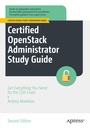
Additional editions
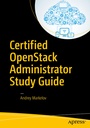
Person
Andrey Markelov is an experienced Linux and Cloud architect who has worked for large Russian and International companies (LANIT, Red Hat and Ericsson, currently). He has written and published more than fifty articles about Linux and Unix systems services, virtual systems and open source (Linux Format RE, ?omputerra, PCWeek/RE and others). Andrey is the author of the only Russian OpenStack book. He has been teaching Microsoft and Red Hat authorized courses for over 10 years. Andrey is a Red Hat Certified Architect since 2009, and is also a Microsoft Certified System Engineer, Sun Certified System Administrator, Novell Certified Linux Professional, Mirantis Certified OpenStack Administrator, and VMware Certified Professional.
Content
1. Getting to Know OpenStack.- 2. How to Build Your Own Virtual Test Environment.- 3. Identity Management.- 4. Image Management.- 5. OpenStack Networking.- 6. OpenStack Compute.- 7. OpenStack Dashboard.- 8. OpenStack Object Storage.- 9. Block Storage.- 10. Orchestration of OpenStack.- 11. Troubleshooting.- 12. Conclusion.
