

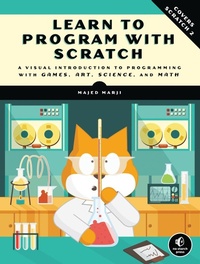
Learn to Program with Scratch
A Visual Introduction to Programming with Games, Art, Science, and Math
Published on 14. February 2014
288 pages
978-1-59327-578-5 (ISBN)
Description

Scratch is a fun, free, beginner-friendly programming environment where you connect blocks of code to build programs. While most famously used to introduce kids to programming, Scratch can make computer science approachable for people of any age. Rather than type countless lines of code in a cryptic programming language, why not use colorful command blocks and cartoon sprites to create powerful scripts?
In Learn to Program with Scratch, author Majed Marji uses Scratch to explain the concepts essential to solving real-world programming problems. The labeled, color-coded blocks plainly show each logical step in a given script, and with a single click, you can even test any part of your script to check your logic. You'll learn how to:
-Harness the power of repeat loops and recursion
-Use if/else statements and logical operators to make decisions
-Store data in variables and lists to use later in your program
-Read, store, and manipulate user input
-Implement key computer science algorithms like a linear search and bubble sort
Hands-on projects will challenge you to create an Ohm's law simulator, draw intricate patterns, program sprites to mimic line-following robots, create arcade-style games, and more! Each chapter is packed with detailed explanations, annotated illustrations, guided examples, lots of color, and plenty of exercises to help the lessons stick. Learn to Program with Scratch is the perfect place to start your computer science journey, painlessly.
Uses Scratch 2
In Learn to Program with Scratch, author Majed Marji uses Scratch to explain the concepts essential to solving real-world programming problems. The labeled, color-coded blocks plainly show each logical step in a given script, and with a single click, you can even test any part of your script to check your logic. You'll learn how to:
-Harness the power of repeat loops and recursion
-Use if/else statements and logical operators to make decisions
-Store data in variables and lists to use later in your program
-Read, store, and manipulate user input
-Implement key computer science algorithms like a linear search and bubble sort
Hands-on projects will challenge you to create an Ohm's law simulator, draw intricate patterns, program sprites to mimic line-following robots, create arcade-style games, and more! Each chapter is packed with detailed explanations, annotated illustrations, guided examples, lots of color, and plenty of exercises to help the lessons stick. Learn to Program with Scratch is the perfect place to start your computer science journey, painlessly.
Uses Scratch 2
More details
Other editions
Additional editions
Majed Marji
Learn to Program with Scratch
A Visual Introduction to Programming with Games, Art, Science and Math
Book
02/2014
1st Edition
No Starch Press
€28.00
Article in reprint
Person
Majed Marji is a senior development engineer at General Motors and an adjunct faculty member at Wayne State University in Michigan. He holds a PhD in electrical engineering from Wayne State University and an MBA in strategic management from Davenport University.
Content
- Intro
- Learn to Program with Scratch: A Visual Introduction to Programming with Games, Art, Science, and Math
- About the Author
- About the Technical Reviewer
- Acknowledgments
- Introduction
- Whom This Book Is For
- A Note to the Reader
- Features
- Organization of This Text
- Conventions Used
- Online Resources
- Errata and Updates
- 1. Getting Started
- What Is Scratch?
- Scratch Programming Environment
- The Stage
- Sprite List
- Blocks Tab
- Scripts Area
- Costumes Tab
- Sounds Tab
- Backdrops Tab
- Sprite Info
- Toolbar
- Paint Editor
- Setting the Center of an Image
- Setting Transparent Color
- Your First Scratch Game
- Step 1: Prepare the Backdrop
- Step 2: Add the Paddle and Ball
- Step 3: Start the Game and Get Your Sprites Moving
- Step 4: Spice It Up with Sound
- Scratch Blocks: An Overview
- Arithmetic Operators and Functions
- Arithmetic Operators
- Random Numbers
- Mathematical Functions
- Summary
- Problems
- 2. Motion and Drawing
- Using Motion Commands
- Absolute Motion
- Relative Motion
- Other Motion Commands
- Pen Commands and Easy Draw
- The Power of Repeat
- Rotated Squares
- Exploring with Stamp
- Scratch Projects
- Get the Money
- Catching Apples
- More on Cloned Sprites
- Summary
- Problems
- 3. Looks and Sound
- The Looks Palette
- Changing Costumes to Animate
- Sprites That Speak and Think
- Image Effects
- Size and Visibility
- Layers
- The Sound Palette
- Playing Audio Files
- Playing Drums and Other Sounds
- Composing Music
- Controlling Sound Volume
- Setting the Tempo
- Scratch Projects
- Dancing on Stage
- Fireworks
- Summary
- Problems
- 4. Procedures
- Message Broadcasting and Receiving
- Sending and Receiving Broadcasts
- Message Broadcasting to Coordinate Multiple Sprites
- Creating Large Programs in Small Steps
- Creating Procedures with Message Broadcasting
- Building Your Own Block
- Passing Parameters to Custom Blocks
- Using Nested Procedures
- Working with Procedures
- Breaking Programs Down into Procedures
- Building Up with Procedures
- Summary
- Problems
- 5. Variables
- Data Types in Scratch
- What's in the Shape?
- Automatic Data Type Conversion
- Introduction to Variables
- What Is a Variable?
- Creating and Using Variables
- The Scope of Variables
- Changing Variables
- Spider Web
- Pinwheel
- Variables in Clones
- Displaying Variable Monitors
- Using Variable Monitors in Applications
- Simulating Ohm's Law
- Demonstrating a Series Circuit
- Visualizing a Sphere's Volume and Surface Area
- Drawing an n-Leaved Rose
- Modeling Sunflower Seed Distribution
- Getting Input from Users
- Reading a Number
- Reading Characters
- Performing Arithmetic Operations
- Summary
- Problems
- 6. Making Decisions
- Comparison Operators
- Evaluating Boolean Expressions
- Comparing Letters and Strings
- Decision Structures
- The if Block
- Using Variables as Flags
- The if/else Block
- Nested if and if/else Blocks
- Menu-Driven Programs
- Logical Operators
- The and Operator
- The or Operator
- The not Operator
- Using Logical Operators to Check Numeric Ranges
- Scratch Projects
- Guess My Coordinates
- Triangle Classification Game
- Line Follower
- Equation of a Line
- Other Applications
- Summary
- Problems
- 7. Repetition: A Deeper Exploration of Loops
- More Loop Blocks in Scratch
- The repeat until Block
- Building a forever if Block
- Stop Commands
- Ending a Computational Loop
- Validating User Input
- Counters
- Check a Password
- Counting by a Constant Amount
- Revisiting Nested Loops
- Recursion: Procedures that Call Themselves
- Scratch Projects
- Analog Clock
- Bird Shooter Game
- Free-Fall Simulation
- Projectile Motion Simulator
- Other Applications
- Summary
- Problems
- 8. String Processing
- Revisiting the String Data Type
- Counting Special Characters in a String
- Comparing String Characters
- String Manipulation Examples
- Igpay Atinlay
- Fix My Spelling
- Unscramble
- Scratch Projects
- Shoot
- Binary to Decimal Converter
- Hangman
- Fraction Tutor
- Summary
- Problems
- 9. Lists
- Lists in Scratch
- Creating Lists
- List Commands
- Add and Delete
- Insert and Replace
- Accessing List Elements
- The Contains Block
- Bounds Checking
- Dynamic Lists
- Filling Lists with User Input
- Creating a Bar Chart
- Numerical Lists
- Finding Min and Max
- Finding the Average
- Searching and Sorting Lists
- Linear Search
- Frequency of Occurrence
- Bubble Sort
- Finding the Median
- Scratch Projects
- The Poet
- Quadrilateral Classification Game
- Math Wizard
- Flower Anatomy Quiz
- Other Applications
- Summary
- Problems
- A. Sharing and Collaboration
- Creating a Scratch Account
- Using the Backpack
- Creating Your Own Project
- Starting a New Project
- Remixing a Project
- The Project Page
- Sharing Your Project
- About the Online Resources
- Updates
- Index
- About the Author
- Copyright
