

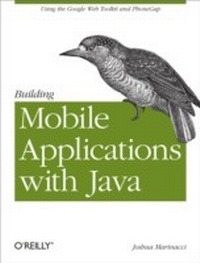
Building Mobile Applications with Java
Using the Google Web Toolkit and PhoneGap
1st Edition
Published on 9. March 2012
86 pages
978-1-4493-3327-0 (ISBN)
Description

Do you want to develop mobile apps with Javaand have them work on a variety of devices powered by iOS and Android? Youve come to the right place.This project-driven book shows you how to build portable apps with two amazing open source frameworks, Google Web Tools (GWT) and PhoneGap. With these tools, youll use learn how to write Java code that compiles into cross-platform Javascript and HTML, and discover how to take advantage of features in several popular devices, such as the camera, accelerometer, and GPS.Get started with GWT by building an example Twitter search appBuild a example web app and adapt it for mobile with CSSAdd touch centric controls with the GWT Mobile UI libraryDevelop a working wine journal app that tracks a users GPS locationUse techniques to make a mobile version of your web or desktop appWork with HTML5 Canvas to build a mobile video gamePackage your apps for iOS, webOS, and Android with PhoneGap
More details
Other editions
Additional editions
Book
04/2012
1st Edition
O'Reilly
€19.00
Shipment within 10-20 days
Content
- Intro
- Table of Contents
- Preface
- Conventions Used in This Book
- Using Code Examples
- Safari® Books Online
- How to Contact Us
- Acknowledgments
- Chapter 1. Greetings, Mobile App Developers
- Chapter 2. Getting Started with GWT
- What Is GWT?
- Installing GWT
- Building a Twitter Search App
- Calling Twitter with JSONP
- Next Steps
- Chapter 3. Getting Started with PhoneGap
- Packaging a webOS App
- Installing the webOS SDK
- Building PerchSearch for webOS
- Debugging Your webOS App
- Packaging an Android App
- Setting Up the Android Emulator
- PerchSearch for Android
- Packaging an iOS App
- Installing Xcode and PhoneGap
- PerchSearch for iOS
- Chapter 4. Customizing Your App for Mobile
- CSS Overview
- Styling GWT with CSS
- Adapting to Device Screen Sizes
- Adjusting Layout for Mobile
- Chapter 5. Building a Pure Mobile App with GWT Mobile UI
- Designing the Wine Journal
- Feature List
- Navigation Choices
- GWT Mobile UI
- Building the Screens
- Wine List Screen
- Wine Details Screen
- The AddWinePage
- Saving the Wine Data
- Getting the User's Location
- Taking Photos
- Polish
- Next Steps
- Chapter 6. Advanced Mobile Optimizations
- Optimizing the Experience
- Simplify, Simplify, Simplify
- Cat Mapper Example
- Other Ways to Simplify
- Flatten Your Menus
- Polish, Polish, Then Polish Some More
- Improving Download Time
- Chapter 7. Box2D and Canvas
- Working with Canvas
- Physics with Box2D
- Building the Game Level
- Building a Blob with Joints
- Drawing the World
- Hooking Up the Accelerometer
- Chapter 8. Next Steps
