

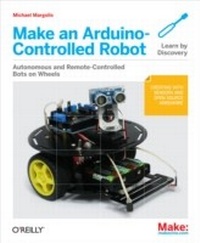
Make an Arduino-Controlled Robot
1st Edition
Published on 16. October 2012
256 pages
978-1-4493-4435-1 (ISBN)
Description

Building robots that sense and interact with their environment used to be tricky. Now, Arduino makes it easy. With this book and an Arduino microcontroller and software creation environment, youll learn how to build and program a robot that can roam around, sense its environment, and perform a wide variety of tasks. All you to get started with the fun projects is a little programming experience and a keen interest in electronics.Make a robot that obeys your every commandor runs on its own.Maybe youre a teacher who wants to show students how to build devices that can move, sense, respond, and interact with the physical world. Or perhaps youre a hobbyist looking for a robot companion to make your world a little more futuristic. With Make an Arduino Controlled Robot, youll learn how to build and customize smart robots on wheels.You will:Explore robotics concepts like movement, obstacle detection, sensors, and remote controlUse Arduino to build two- and four-wheeled robotsPut your robot in motion with motor shields, servos, and DC motorsWork with distance sensors, infrared reflectance sensors, and remote control receiversUnderstand how to program your robot to take on all kinds of real-world physical challenges
More details
Other editions
Additional editions
Michael Margolis
Make an Arduino-Controlled Robot
Book
11/2012
1st Edition
Make Community, LLC
€20.00
Article exhausted; check different version
Content
- Intro
- Copyright
- Table of Contents
- Who This Book Is For
- Preface
- How This Book Is Organized
- What Was Left Out
- Code Style (About the Code)
- Arduino Hardware and Software
- Conventions Used in This Book
- Using Code Examples
- Safari® Books Online
- How to Contact Us
- Acknowledgments
- Chapter 1. Introduction to Robot Building
- Why Build a Robot?
- How Robots Move
- Tools
- Chapter 2. Building the Electronics
- Hardware Required
- Construction Techniques
- Soldering
- Building the Motor Controller
- Soldering the Reflectance Sensors
- Making a Line Sensor Mount
- Next Steps
- Chapter 3. Building the Two-Wheeled Mobile Platform
- Hardware Required
- Mechanical Assembly
- Lay Out the Chassis Parts
- Motor Assembly
- Assemble the Chassis Components
- Attaching the Control Electronics
- Mounting the IR sensors
- Mounting the IR Sensors for Edge Detection
- Mounting the IR Sensors for Line Following
- Next Steps
- Chapter 4. Building the Four-Wheeled Mobile Platform
- Hardware Required
- Mechanical Assembly
- Lay Out the Chassis Parts
- Motor Assembly
- Assemble the Chassis Components
- Solder the Power and Motor Connections
- Connecting the Battery Pack and Power Switch
- Building the Optional Trickle Charger
- Assemble the Chassis
- Mounting Arduino and Connecting Wires to the Shield
- Mounting the IR sensors
- Mounting the IR Sensors for Edge Detection
- Mounting the IR Sensors for Line Following
- Next Steps
- Chapter 5. Tutorial: Getting Started with Arduino
- Hardware Required
- Arduino Software
- Arduino Hardware
- Installing the Integrated Development Environment (IDE)
- Installing Arduino on Windows
- Installing Arduino on OS X
- Installing Arduino on Linux
- Driver Installation
- Connecting the Arduino Board
- Using the IDE
- Uploading and Running the Blink Sketch
- Using Tabs
- Installing Third-Party Libraries
- Chapter 6. Testing the Robot's Basic Functions
- Hardware Required
- Software Prerequisites
- Sketches Used in This Chapter
- Load and Run helloRobot.ino
- About the Sketch
- Troubleshooting
- Making the Sketch Easy to Enhance
- Chapter 7. Controlling Speed and Direction
- Hardware Required
- Sketches Used in This Chapter
- Types of Motors
- Motor Controllers
- Controlling Motor Speed
- How Motor Speed Is Controlled
- Code for Motor Control
- Calibrating Rotation and Tracking
- Software Architecture for Robot Mobility
- Functions to Encapsulate Robot Movements
- Core Movement Code
- Additional Core Functions
- Functions to Rotate the Robot
- Higher-Level Movement Functions
- Chapter 8. Tutorial: Introduction to Sensors
- Hardware Discussed
- Software
- Infrared Reflectance Sensors
- Sonar Distance Sensors
- Maxbotix EZ1 Sonar Distance Sensor
- Sharp IR Distance Sensor
- Proximity Sensor
- Sound Sensor
- Arduino Cookbook
- Chapter 9. Modifying the Robot to React to Edges and Lines
- Hardware Required
- Sketches Used in This Chapter
- The Look Code
- Edge Detection
- Line Following
- Seeing Sketch Data
- Chapter 10. Autonomous Movement
- Hardware Required
- Sketches Used in This Chapter
- Mounting a Ping Distance Sensor
- Making a Mount for the Ping Sensor
- Mounting the Ping Sensor in a Fixed Position
- Mounting the Ping Sensor on a Servo
- Letting the Robot Wander
- Adding Scanning
- Chapter 11. Remote Control
- Hardware Required
- Sketches Used in This Chapter
- Design of the Remote Control Code
- Controlling the Robot with a TV Type IR Remote
- Installing the IR Decoder Chip
- The IR Remote Software
- Appendix A. Enhancing Your Robot
- Planning
- Think Before You Code
- Avoid Feature Bloat
- Don't Reinvent the Wheel
- Structure to Reflect Functionality
- Use Clear Names for Functions and Variables
- Implementing a Complex Project
- Test Often
- Simplify
- If It Is Awkward, Start Over
- Don't Confuse Activity with Progress
- Experiment
- Be Tenacious
- Have Fun
- Appendix B. Using Other Hardware with Your Robot
- Alternative Motor Controllers
- Ardumoto
- Continuous Rotation Servos
- Appendix C. Debugging Your Robot
- Identify the Symptoms and Localize the problem
- Seeing What the Robot Is Doing
- Appendix D. Power Sources
- Monitoring Battery Voltage
- Trickle Charging
- Appendix E. Programming Constructs
- Digital I/O
- Analog I/O
- Math functions
- Other Functions and Constructs
- Appendix F. Arduino Pin and Timer Usage
- Handling Resource Conflicts
- Modifying a Library to Change Timer Allocation
- Writing Code That Avoids the Use of a Timer
- Pin and Timer Tables
