

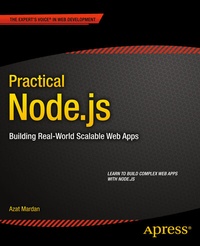
Practical Node.js
Description

Practical Node.js is your step-by-step guide to learning how to build a wide range of scalable real-world web applications using a professional development toolkit. Node.js is an innovative and highly efficient platform for creating web services. But Node.js doesn't live in a vacuum! In a modern web development, many different components need to be put together - routing, database driver, ORM, session management, OAuth, HTML template engine, CSS compiler and many more.
If you already know the basics of Node.js, now is the time to discover how to bring it to production level by leveraging its vast ecosystem of packages. As a web developer, you'll work with a varied collection of standards and frameworks - Practical Node.js shows you how all those pieces fit together.
Practical Node.js takes you from installing all the necessary modules to writing full-stack web applications by harnessing the power of the Express.js and Hapi frameworks, the MongoDB database with Mongoskin and Mongoose, Jade and Handlebars template engines, Stylus and LESS CSS languages, OAuth and Everyauth libraries, and the Socket.IO and Derby libraries, and everything in between. The book also covers how to deploy to Heroku and AWS, daemonize apps, and write REST APIs. You'll build full-stack real-world Node.js apps from scratch, and also discover how to write your own Node.js modules and publish them on NPM. You already know what Node.js is; now learn what you can do with it and how far you can take it!
More details
Other editions
New editions
Additional editions
Person
Content
- Setting Up Node.js and Other Essentials
- Using Express.js to Create Rapid Node.js Web Apps
- TDD and BDD for Node.js with Mocha
- Template Engines: Jade and Handlebars
- Persistence with MongoDB and Mongoskin
- Using Sessions and OAuth to Authorize and Authenticate Users in Node.js Apps
- Boosting Your Node.js Data with the Mongoose ORM Library
- Building a Node.js REST API Server App
- Realtime Apps with WebSockets, Socket.IO, and Derby JS
- Getting Node.js Apps Production Ready
- Deploying Node.js Apps
- Publishing a Node.js Module and Contributing Back to the Project
